You’re halfway through a busy day when the question appears: Did I take the morning tablet, or only think about taking it? A notification may have sounded while you were driving, an appointment may have shifted lunch, and an evening injection may follow a schedule that doesn’t resemble an ordinary pill routine. Memory has to compete with work, travel, fatigue, side effects, and the rest of daily life.
A medication tracker app can add structure without pretending to be a doctor. The useful distinction is between a reminder that announces an intended dose and a record that shows what you marked as taken. That difference matters for anyone managing several medicines, coordinating with a caregiver, or following a schedule with changing dates and pause periods.
The evidence supports a measured view. A systematic review of mobile adherence interventions found that 9 of 16 randomized controlled trials reported statistically significant improvement, while a pooled analysis of 6 trials showed a positive mean difference of 0.90, with very high heterogeneity, I² = 93.32%, meaning outcomes varied substantially by design, population, and implementation (JMIR systematic review). A later meta-analysis found a pooled effect of Cohen’s d = 0.40 across 1,785 patients, but rated the evidence quality low (NCBI review). An app can support a routine, but it can’t guarantee safe dosing or replace professional judgment.
Table of Contents
- Why People Reach for a Medication Tracker App
- What a Medication Tracker App Does
- Logging Doses and Reading Adherence Reports
- How Schedules, Reminders, and Protocols Fit Together
- Beyond Reminders What Logged Dosing Really Means
- Data Privacy and Sharing in Tracker Apps
- Using a Medication Tracker App the Responsible Way
Why People Reach for a Medication Tracker App
Consider a person whose day begins with thyroid medication, includes blood pressure tablets around midday, and ends with an injection. Each item has a different instruction, a different time pressure, and a different consequence when the person can’t remember what happened. The problem isn’t always unwillingness. Often, the person intended to take everything, but the routine was interrupted before the action became certain.
Medication schedules become harder to manage when treatment involves several products, changing frequencies, or long-term condition management. Older adults may also coordinate prescriptions with family members or professional caregivers, while younger users may balance treatment with work, training, travel, and irregular sleep. A phone-based system can serve as a memory layer, placing the schedule where the user already looks, and an accountability layer, creating a record after the dose is logged.
That record begins with honesty. If the user dismisses an alert without taking anything, the app should preserve the distinction between notification delivered, notification dismissed, and dose logged. A reminder is an intention prompt. A logged dose is a user-entered account of an action. Neither one proves ingestion, but the second gives the user and clinician more useful information to review.
Practical rule: Use the app to organize and document your routine, not to decide whether you should start, stop, combine, or change a medicine.
Caregivers may use a tracker to view a shared schedule or notice an unresolved entry, but access should be deliberate and limited to what the user wants to share. Travel adds another challenge because local clock time can change while the underlying interval remains the same. A sensible app should make timezone behavior visible rather than shifting doses.
For a deeper look at everyday habits that support consistency, see this guide to improving medication adherence. The right expectation is simple: a tracker can help you remember, record, and communicate. Your prescriber or pharmacist still answers clinical questions, including missed-dose instructions, food timing, interactions, and changes to a treatment plan.
What a Medication Tracker App Does
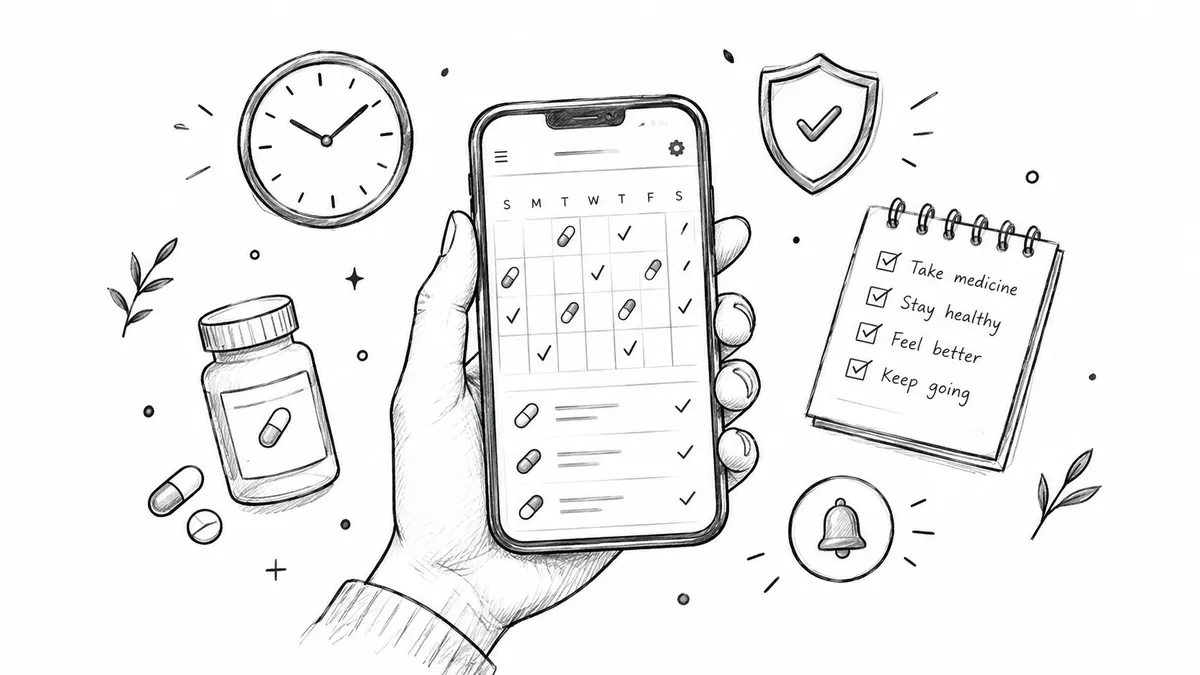
A medication tracker app combines a schedule, phone alerts, and a time-stamped record. The schedule shows what is planned, a notification draws attention to the event, and the log captures what the user reports afterward. This distinction matters because an alert confirms that the app announced a dose, not that the dose was taken.
Setup usually starts with adding each medication. You might choose an item from a library or enter it manually, then provide its strength, form, instructions, and quantity. Check those fields carefully. A spelling error, incorrect concentration, or wrong unit can make every later reminder point to the wrong information.
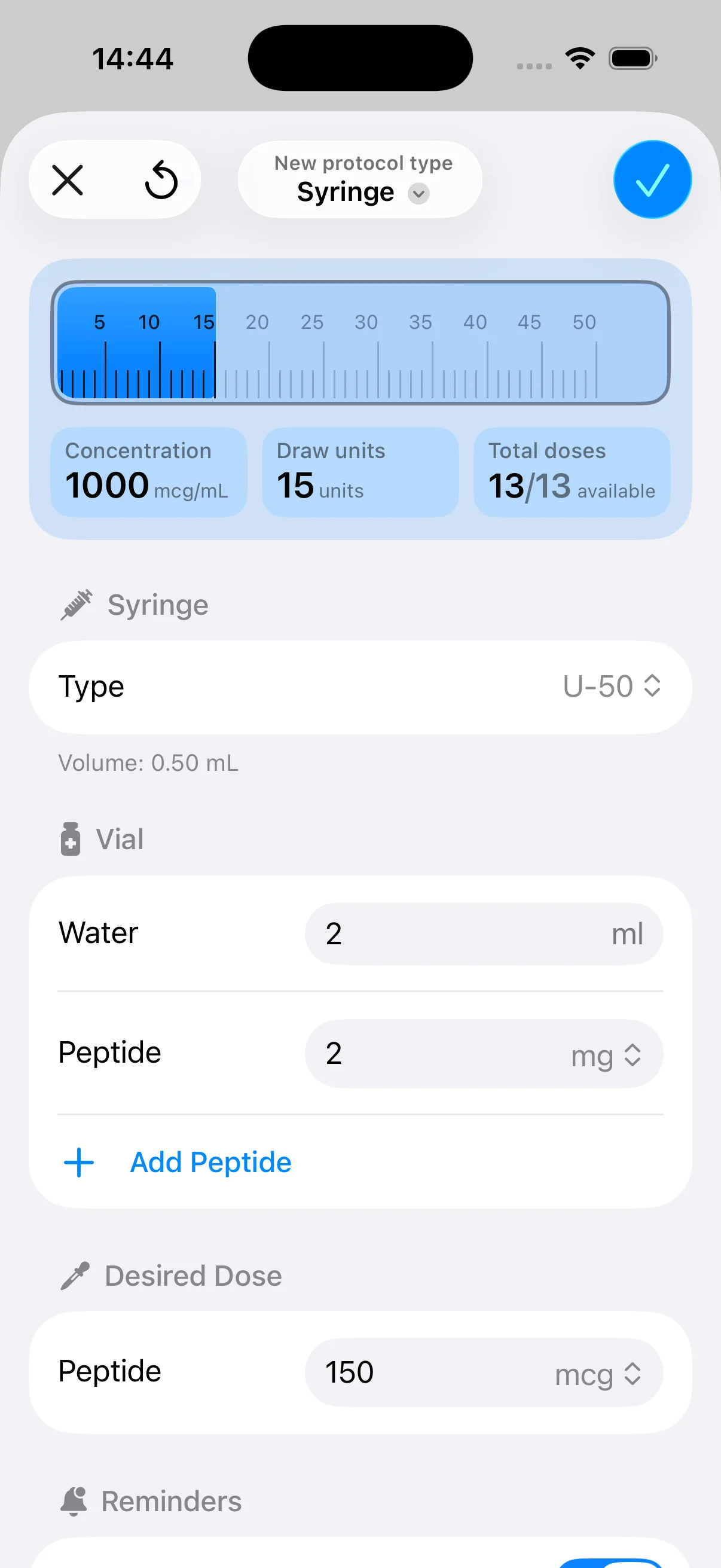
The schedule builder converts those details into upcoming events. It may support a fixed daily time, selected weekdays, recurring intervals, or a custom cycle. For schedule-based treatments, useful controls include a start date, an end date or course duration, and a pause option that stops future alerts without erasing the existing record. Injectable protocols may also need clear fields for dose timing, frequency, and planned cycles. The app can organize these instructions, but a clinician or pharmacist should confirm how they apply.

The core functions
- Medication library or manual entry: Stores the medication and instructions displayed at dose time.
- Schedule builder: Converts frequency rules into upcoming events.
- Push notifications: Brings an event to attention with an alert, sound, or vibration.
- Dose logging: Records an event as taken, skipped, delayed, or unknown, if supported.
- Inventory and refill tracking: Helps identify when the supply may need attention.
- Adherence reporting: Summarizes logged events over a chosen period.
Some apps also support symptom notes, blood pressure, weight, laboratory values, pharmacy connections, wearable data, or caregiver access. These features can add context, yet they also require more permissions and setup. Privacy settings should be reviewed before sharing health information with a caregiver, pharmacy, or connected service.
A tracker can organize and document a routine, but it should not diagnose a condition, prescribe treatment, or change clinical instructions. If an alert conflicts with the prescription label, ask a pharmacist or prescribing clinician before adjusting the schedule. The app records information. It does not replace medical judgment.
Logging Doses and Reading Adherence Reports
A notification answers one question: Did the app announce a planned event? A dose log answers a different question: What did the user report doing with that event? If you only measure alerts, you can’t tell whether the person took the dose, postponed it, skipped it, or never saw the notification.
A practical workflow might show three choices. The user taps Taken after taking the scheduled amount, selects Skipped when the dose wasn’t taken, or chooses Delayed when the action happened later than planned. An Unknown status can preserve uncertainty instead of forcing a false answer. The app should also make late and early entries understandable by retaining the original scheduled time and the time the user recorded the event.
A report then compares expected events with logged outcomes. The exact calculation varies, but a common pattern is to show completed scheduled events divided by scheduled events within a selected window. Short windows can reveal a recent disruption, while longer windows can show whether the routine is becoming more stable.
| Metric | Calculation | What It Tells You |
|---|---|---|
| Planned doses | Scheduled events in the selected period | The amount of treatment activity the app expected |
| Logged doses | Events marked as taken | What the user reported completing |
| Missed or skipped doses | Scheduled events marked skipped or left unresolved | Where follow-up or clarification may be needed |
| Logged adherence | Taken events compared with scheduled events | How closely reported actions matched the plan |
| Timing pattern | Logged timestamps compared with scheduled times | Whether doses tend to be early, late, or clustered |
There’s no universal “good” percentage that applies to every medicine. The relevant benchmark depends on the treatment, the prescribing instructions, and the clinical context. A high result can still be misleading if the schedule was entered incorrectly, and a lower result may reflect a temporary illness, access problem, side effect, or an intentional decision that needs a clinical conversation.
A checked box is evidence of a user’s report, not laboratory proof that a dose entered the body.
This is why exportable timelines matter. During an appointment, a clinician may need to see the scheduled event, the logged status, the timestamp, and any note about a side effect or interruption. A simple on-off calendar hides that context. A structured history gives the conversation something concrete to examine.
For a closer explanation of the user action behind each record, see how dose logging works. If a dose was doubled, taken at the wrong time, or missed for a medicine where timing is critical, contact the appropriate clinician or pharmacist rather than relying on the app to improvise instructions.
How Schedules, Reminders, and Protocols Fit Together
A tracker doesn’t merely store a time. It translates rules into future events. A fixed clock-time schedule might create an event every morning, while an interval-based schedule counts from the previous dose or from a defined starting point. An alternating schedule can switch between instructions across successive days, and a start-date offset can delay the first event until a protocol begins.
Those distinctions become important when a regimen doesn’t look like “take one tablet every day.” Weekly injections, cycling schedules, planned off-weeks, and finite courses all need different logic. A protocol with an active period and a pause period should stop alerts during the pause while preserving the history of the active period. An end date should close the schedule cleanly instead of continuing to generate irrelevant notifications.
Settings that change the experience
- Grace windows: Define how the app treats an entry that’s close to the planned time.
- Snooze length: Delays attention without automatically claiming that the dose was taken.
- Timezone handling: Determines whether the app follows local clock time or preserves an interval during travel.
- Pause periods: Suspend future reminders while keeping prior logs available.
- Course end dates: Prevent alerts after a treatment or planned cycle has ended.
- As-needed dosing: Records an event when the user takes the medicine instead of creating unnecessary recurring alarms.
An as-needed medicine is a useful edge case. If the user takes it only when instructed for a symptom, the app should act more like a journal than an alarm clock. The user needs a clear way to record the time, amount, and relevant note, while clinical guidance remains outside the app.
The most confusing situation occurs when the reminder fires after the user has already taken the dose. A well-designed app should let the user find the current event, record an earlier intake time, and prevent a second entry from looking like a second dose. It shouldn’t interpret a dismissed reminder as proof of completion, and it shouldn’t encourage doubling just because an event remains unresolved.
For people managing injection-based timing, an injection reminder app needs to handle more than a repeating alarm. The user may need a visible start date, cycle rules, pause periods, dose history, and a clear distinction between planning an injection and confirming that it occurred.
Beyond Reminders What Logged Dosing Really Means
A notification is a prompt. It isn’t adherence.
That distinction can feel obvious, yet many medication tracker apps are built primarily around alerting. Independent reviews have described this category as resembling alarm clocks, while an earlier review found that only 29.4% of apps tracked missed doses and only 24.4% offered export-to-provider functionality (DoneDose review). The gap is practical: users often need to answer not only “Did the app remind me?” but also “Did I take it, when did I take it, and can I show the pattern later?”
A logged-dose model adds three useful pieces of context. The status says whether the user reports taking, skipping, delaying, or not knowing. The timestamp shows when the entry was made or when the dose was recorded. An optional amount or note can capture details that affect a later discussion, such as a schedule interruption or a question about symptoms.
| Reminder Event | Logged Dose Event |
|---|---|
| Shows that the app generated an alert | Shows what the user reported doing |
| Measures notification delivery or interaction | Measures a reported medication action |
| Can be dismissed without a clinical record | Creates a timestamped history entry |
| Doesn’t explain why the dose remains unresolved | Can include skipped, delayed, or unknown status |
| Offers limited context for an appointment | Can be exported or reviewed as a dosing timeline |
This still isn’t proof of ingestion. A user can tap Taken by mistake, forget to log a dose, or enter an event later from memory. But a structured log is more transparent than treating every alert as success. It gives the user a chance to correct the record and gives a clinician a clearer basis for questions.
PepFlow fits this specific gap by combining planned injection schedules with dose-history entries, reminders, and simple log-dose actions. Its concentration and dosage-calculation tools are intended to organize a structured peptide regimen, not to determine whether that regimen is medically appropriate. Users should verify calculations, preparation instructions, and treatment decisions with a qualified professional.
The practical test is straightforward. If your app can tell you only that a bell rang, it’s a reminder tool. If it can show the planned event, your recorded action, timing, and notes, it starts to function as an adherence record.
Data Privacy and Sharing in Tracker Apps
Medication names can reveal sensitive information even when an app never stores a diagnosis. Add timestamps, dose patterns, injection notes, or caregiver comments, and the record can describe a person’s health routine in considerable detail. Privacy decisions should therefore happen during setup, not after a user has already enabled every integration.
On-device storage usually keeps information within the phone or tablet, which can reduce the number of external systems involved. It may also mean that losing the device or deleting the app creates a recovery problem. Cloud synchronization can support backup and access across devices, but it places the data within an account and a service environment that require careful review.

Questions worth asking before sharing
- Where is the record stored? Check whether entries remain on the device, move to a cloud account, or use both.
- How is data protected? Look for encryption during transmission and while stored, but don’t assume a general security label explains every data flow.
- Who can access it? Review family, caregiver, clinician, and support permissions individually.
- What do analytics collect? Crash reports, device identifiers, usage events, and advertising tools may reveal more than the medication record itself.
- Can access be revoked? You should be able to remove a person, disconnect an integration, or delete an account without relying on an informal request.
- What happens after deletion? Read the retention language so you know whether backups or support systems keep copies for a period.
Aggregated usage information isn’t automatically harmless. If an analytics system can connect an event to an account, device, location, or identifiable profile, it may still contribute to a sensitive user record. Marketing pixels and third-party software development kits deserve the same scrutiny as the app’s visible sharing controls.
If you’re reviewing broader data-sharing choices or want a practical way to manage your privacy opt outs, use that process alongside the tracker’s own account and permission settings. Before enabling cloud backup, decide whether the convenience is worth the additional access pathway. Before inviting a caregiver, specify exactly what they can view and whether they can edit entries.
Using a Medication Tracker App the Responsible Way
The safest routine treats the app as a memory aid and record-keeper, not as a diagnostic system. Enter the prescribed information carefully, compare the schedule with the label or clinician’s instructions, and log the actual action after it happens. If the app and the prescription disagree, stop and ask a pharmacist or prescriber which instruction controls.
A tracker can capture times, statuses, notes, schedule changes, and patterns of missed or delayed events. It can’t decide whether a medicine should be stopped, whether a dose should be doubled, whether food changes absorption, or whether a supplement creates an interaction. Those decisions need professional review.
Build a repeatable review habit
- Confirm the plan: Check medication names, strengths, units, frequency, start dates, and pause periods during setup.
- Record the action: Log the dose after intake, using a delayed, skipped, or unknown status when that’s more accurate than guessing.
- Review the pattern: Look at recent history for unresolved entries, repeated delays, or schedule confusion.
- Escalate promptly: Contact a clinician or pharmacist after a double dose, a missed dose of a critical medicine, or a new side effect following a regimen change.
- Prepare for appointments: Export or show the timeline when a professional needs to assess consistency or discuss symptoms.
- Protect the record: Revisit permissions, backup settings, caregiver access, and third-party data collection.
For an injection or cycling protocol, keep the same discipline. Confirm the start date and active period, check any concentration or volume calculation against trusted professional guidance, and record what happened rather than assuming the reminder proves completion.

A useful app should reduce uncertainty, not hide it. When something is unclear, preserve an unknown status and bring the question to the person responsible for your care. That approach produces a more honest record and avoids turning software convenience into unsafe medical advice.
PepFlow helps organize structured peptide schedules with dose calculations, planned injections, reminders, countdowns, and logged dose history, while leaving medical decisions to qualified professionals. Visit PepFlow to see whether its scheduling and accountability tools fit the way you manage your regimen.