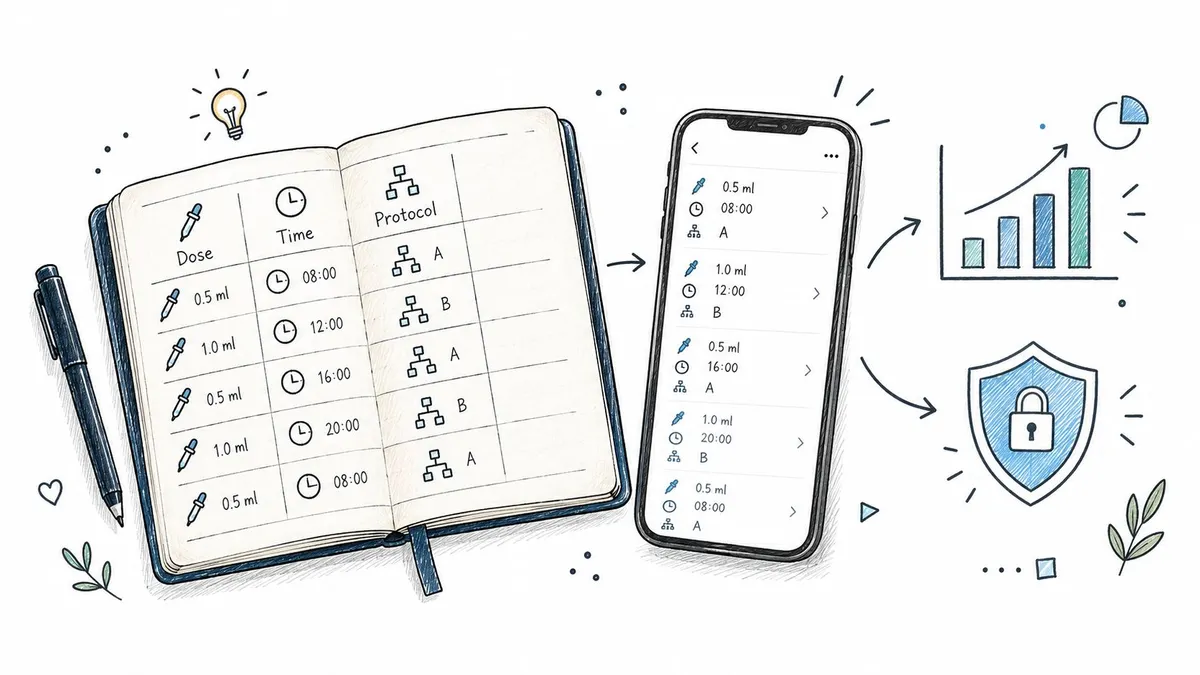
You’re about to take a dose, but you can’t remember whether you logged the last one. The note might be in your phone, the time may be approximate, and the protocol schedule is now harder to follow than it should be. That small moment of uncertainty is exactly where a reliable logging workflow helps.
In PepFlow, logging isn’t just a record button. It connects a dose with its time, protocol, reminders, and history so you can see what happened and understand what’s due next. This guide explains how does logging work in PepFlow, from creating a single entry to reviewing a consistent routine.
Table of Contents
- Introduction to Logging in PepFlow
- What PepFlow Records With Every Log Entry
- How to Create and Edit Logs Without Friction
- Viewing History and Turning Logs Into Insights
- Privacy Storage and How Reminders Work With Logs
- Common Logging Issues and How to Fix Them
Introduction to Logging in PepFlow
Keeping track of peptide doses can become surprisingly difficult when the information is scattered across memory, paper notes, calculator results, and reminders. You might know the intended schedule but still wonder whether today’s dose was completed, whether you used the correct amount, or whether a pause period has started.
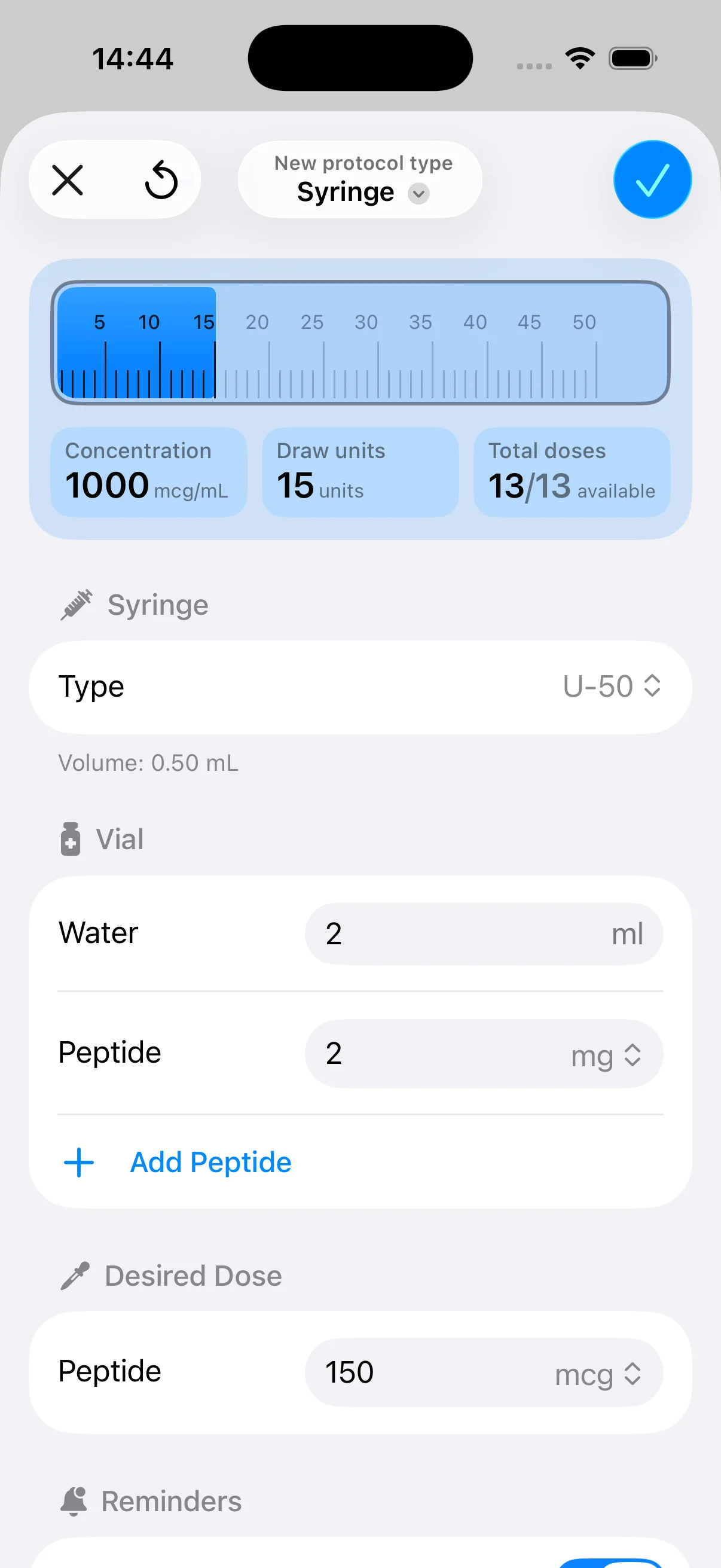
PepFlow treats logging as part of a broader organization workflow. You configure your protocol, record the dose you take, and use the resulting history to keep the schedule understandable. The app is designed to reduce mental arithmetic and repeated note-taking, while giving each entry enough context to remain useful later.
That distinction matters. A generic health tracker may store an isolated event, but a protocol-focused log can connect the event to a configured vial, concentration, dosing frequency, and cycle. The result is closer to a lab notebook than a simple checkmark.
Important boundary: PepFlow supports planning, organization, and adherence tracking. It isn’t medical advice, and your dosing decisions should come from a qualified healthcare professional.
If you’re new to the idea, the guide on what protocol management means in PepFlow provides useful background on organizing structured regimens. The sections below focus specifically on logging: what an entry contains, how to create and correct one, how history becomes useful, how reminders interact with records, and what to do when something doesn’t look right.
What PepFlow Records With Every Log Entry
A useful log answers three basic questions: what happened, when did it happen, and which plan did it belong to? Think of each entry as a line in a lab notebook. Writing “done” tells you very little later. Writing the dose amount, timestamp, and protocol context gives the entry meaning.
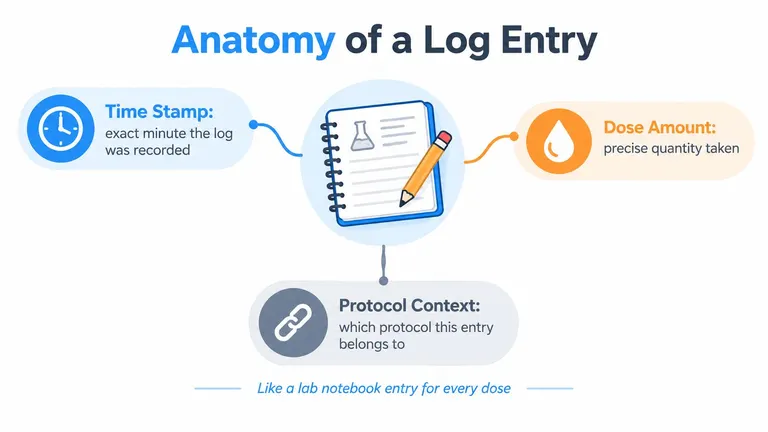
The three parts of a meaningful entry
Time stamp: The time tells you when the dose was recorded. This helps separate today’s event from a previous one and makes the history easier to review when your actual routine doesn’t match the planned schedule perfectly.
Dose amount: The amount records what you took, not merely that you took something. Accurate input is especially important when a protocol uses a dosage calculator to translate a desired amount into practical units.
Protocol context: This connects the entry to the relevant protocol. If you manage more than one routine, context prevents a dose from becoming an orphaned note that you can’t confidently identify later.
PepFlow’s wider setup can also include vial details, concentration information, injection volume, dosing frequency, start dates, and pause periods. Those details give the log a framework. The record isn’t valuable because it contains many fields. It’s valuable because the fields relate to the plan you’re following.
Why context prevents confusion
Suppose you record the same quantity on two different days, but the entries belong to different protocols. A bare number won’t help you distinguish them. A dose linked to its schedule and protocol gives you a clearer history and makes later review less dependent on memory.
A complete log also helps separate a missed dose from a late entry. If you enter an event after the fact, correcting the timestamp preserves the difference between when you recorded it and when the dose occurred. That distinction keeps reminders and history from telling conflicting stories.
How to Create and Edit Logs Without Friction
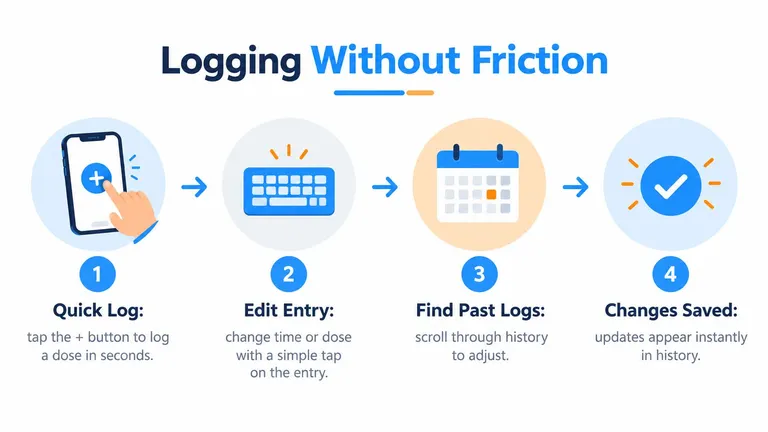
The daily workflow should feel closer to checking off a task than filling out a form. Open the relevant protocol, use the log-dose action, confirm the details, and save. The purpose of speed isn’t to rush the record. It’s to make recording easy enough that you’ll do it consistently.
The simplest habit is to log immediately after completing the dose. That reduces the chance of relying on memory later and lets the app update the schedule around the event you just recorded. If you’re logging after a delay, pay attention to the timestamp rather than automatically accepting the current time.
Creating an entry
A practical flow looks like this:
- Start from the active protocol: This gives the entry the right schedule context instead of leaving you to reconstruct it later.
- Tap the log action: Confirm the dose amount and recorded time before saving.
- Review the saved entry: Check that the new record appears in history and that the next scheduled event makes sense.
Flexible start dates and dosing frequencies affect what appears as due. A protocol that begins on a different day or includes a pause period won’t produce the same sequence as a continuous routine. Logging records what you did, while the protocol defines how the app interprets what should happen next.
Correcting an entry
People make ordinary mistakes. You may tap the log action twice, enter the wrong amount, or remember that the dose happened earlier than the saved timestamp. Editing gives you a way to correct the record instead of creating a second note that makes the history harder to trust.
Open the relevant entry in history, adjust the incorrect detail, and save the change. Afterward, look at the surrounding entries. This quick check can reveal a duplicate or confirm that the corrected event now sits in the right place.
If you’re also tracking symptoms or another recurring health event, a dedicated Relief headache log guide can offer a useful comparison for thinking about timestamped records. For keeping dose reminders visible during the day, see how PepFlow’s injection reminder workflow fits alongside logging.
Practical rule: Log once, verify once, and edit the original entry when something is wrong. Don’t create a replacement record unless the original can’t be corrected.
Viewing History and Turning Logs Into Insights
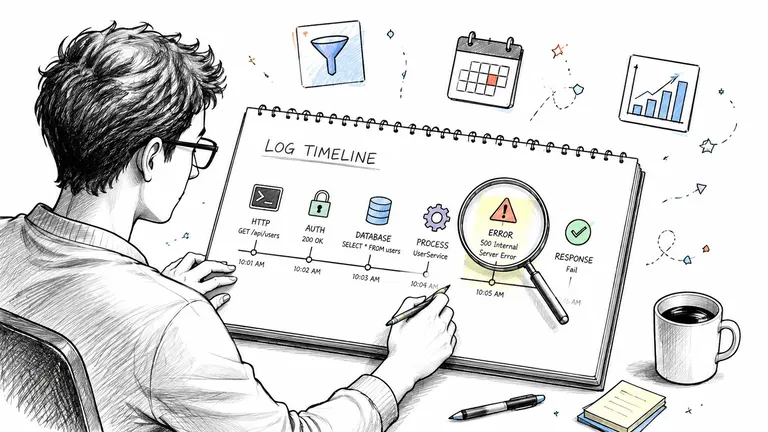
A single entry answers what happened today. History answers whether your routine is working as planned over time. PepFlow can use the accumulated record to show a timeline of dose events, making it easier to identify gaps, repeated delays, or a pattern that only becomes visible when several entries sit together.
Read the timeline before reading into it
Start with simple questions:
- Are the expected dose events present?
- Do the timestamps reflect when doses happened?
- Are entries attached to the correct protocol?
- Does a pause period appear where you expected it?
- Are there unexplained gaps?
Filtering by date or protocol helps narrow the view. If you’re reviewing a particular cycle, focus on that protocol instead of scanning every record at once. A smaller view reduces noise and makes practical discrepancies easier to spot.
Turn patterns into small actions
History shouldn’t become a source of over-analysis. Its value comes from showing you what to do next.
If entries regularly occur later than planned, you might move the reminder to a more convenient part of your routine. If a gap appears, first determine whether you missed the dose, forgot to log it, or entered it under the wrong protocol. If the record looks consistent, the history gives you reassurance without requiring constant manual checking.
Restock information adds another layer of organization. A resource about expiration date tracking in PepFlow can help you think about how supply details relate to an active routine, while the dose timeline shows whether the routine itself is being followed.
The useful insight isn’t a decorative chart. It’s the connection between planned schedule, completed dose, and observable history. That connection helps you correct the workflow before a small logging problem becomes a persistent source of uncertainty.
Privacy Storage and How Reminders Work With Logs
Logging health-related information raises two separate questions. Where is the record kept, and how does the app use it to prompt the next action? Treating those questions separately can make the workflow easier to understand.
PepFlow is designed for personal use, with health data kept on the device rather than broadly shared. That means the log serves your planning and review process without turning each entry into a public or widely distributed record. Device access, backups, and notification permissions still matter, so you should use the privacy and security settings available on your device.
For broader context on handling sensitive information responsibly, LiveDocument’s guide to data protection in proposals is a useful resource. Its subject is different, but the underlying principle applies: know what information is collected, where it’s stored, who can access it, and why it’s used.
Reminders and logs form one loop
A reminder represents a planned action. A log represents a completed action. When you record a dose, the app can use that event to update the next point in the schedule, while notifications, countdowns, widgets, and live activities help keep the upcoming event visible.
That’s why prompt logging matters. If you take a dose but wait to record it, the reminder system may still treat the event as incomplete. The record and the schedule can temporarily disagree, even though you followed the routine.
| App element | Its role |
|---|---|
| Protocol | Defines the schedule and context |
| Reminder | Prompts the planned action |
| Log entry | Records the completed event |
| Countdown or widget | Keeps timing visible |
| History | Shows the accumulated record |
The complete loop is plan, prompt, complete, log, update. Once you see logging this way, it becomes more than historical bookkeeping. It’s the accountability layer that keeps the rest of the workflow aligned.
Common Logging Issues and How to Fix Them
Many logging problems come from an understandable assumption: users expect the app to know what happened because a reminder appeared. In practice, a reminder signals what’s planned, while the log confirms what you completed. Those are related events, but they aren’t identical.
The timestamp is wrong
If you logged later than the actual dose, edit the entry and adjust the time to match what happened. A correct timestamp keeps the timeline honest and helps distinguish a late record from a late dose.
The dose amount is incorrect
Open the saved entry, change the amount, and confirm the update. Don’t leave an incorrect value in history just because the entry already exists. The record should describe the completed event as accurately as you can.
A reminder was missed
A missed notification doesn’t necessarily mean the dose was missed. Check notification permissions, focus modes, and device settings, then log manually if the dose was completed. If the dose itself was missed, follow the direction provided by your healthcare professional rather than improvising a replacement schedule.
History hasn’t updated
First, confirm that the entry was saved under the correct protocol. Then refresh the history view or restart the app if the change isn’t visible. If the issue continues, check for an app update and use the available support route.
Cycled protocols create another point of confusion. A pause period can be intentional, so an empty stretch isn’t automatically an error. Compare the timeline with the configured protocol before changing anything.
Remember: The reminder tells you what’s due. The log tells you what happened. Keeping both accurate is what makes the schedule dependable.
PepFlow brings protocol planning, dose records, reminders, and history into one personal workflow, so you can spend less time reconstructing what happened and more time following your routine clearly. Visit PepFlow to explore a simpler way to connect each dose with its schedule and history.