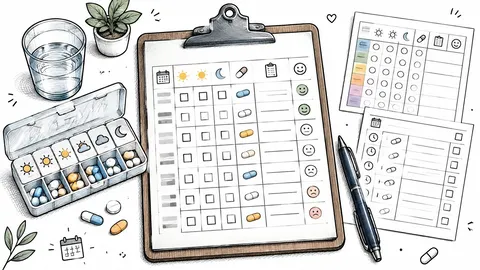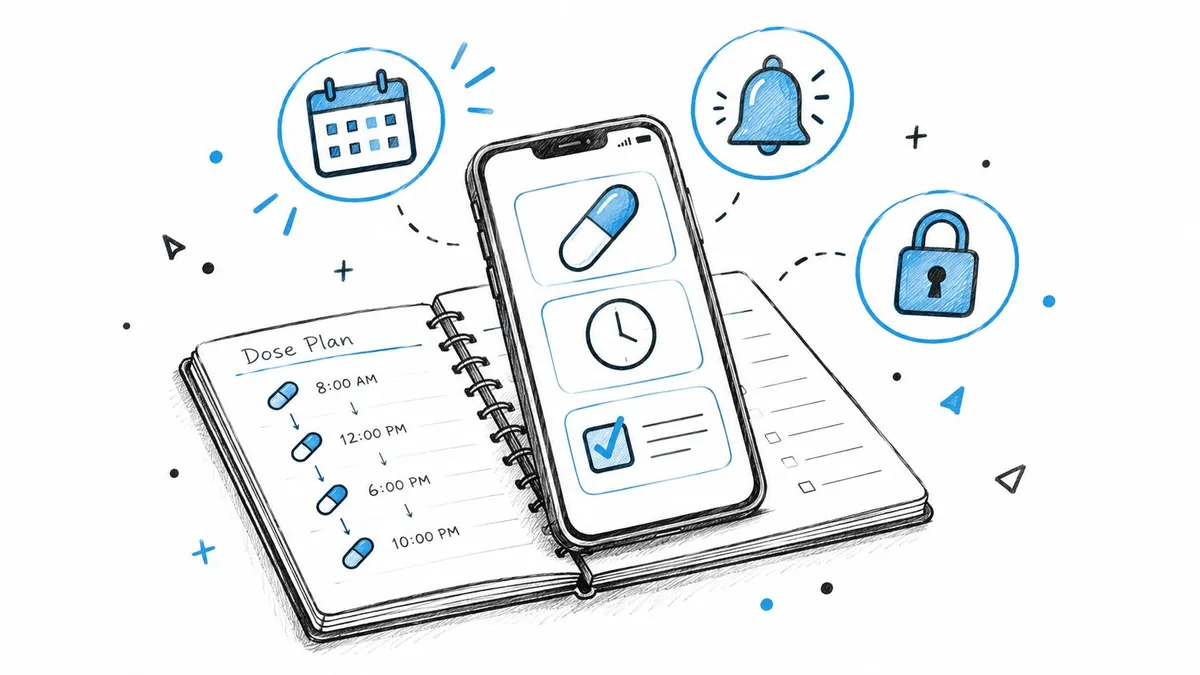
Only about 50% of patients receiving long-term treatment for chronic diseases in developed countries take medicines as prescribed. Mobile adherence apps were associated with higher self-reported adherence, with an odds ratio of 2.120 compared with control groups.
That contrast explains why a supplement reminder app can be more than a digital alarm. Forgetfulness, uncertain timing, changing routines, and complicated protocols can interrupt an intended regimen even when motivation is strong. For people following structured peptide or supplement schedules, the useful question is not merely whether an app can send a notification. It’s whether the app can help someone plan accurately, act at the right time, record what happened, and recognize when the right action is to pause and seek advice.
Table of Contents
- Why Supplement Reminder Apps Matter Now
- Core Features That Define an Effective Reminder App
- Push Notifications, Widgets, and Logged Actions
- What the Evidence Shows About Digital Adherence Tools
- How to Set Up Reminders That Actually Stick
- How PepFlow Handles Complex Peptide Regimens
- When Reminders Should Support Pauses Rather Than Doses
- Building a Smarter Supplement Reminder Routine
Why Supplement Reminder Apps Matter Now
Roughly one in two patients receiving long-term treatment for chronic diseases in developed countries do not consistently take medicines as prescribed, according to the World Health Organization estimate summarized in this BMJ Open review of medication adherence. The causes are often ordinary rather than dramatic: forgetting, uncertainty about timing, and schedules that are difficult to maintain.
A 2025 systematic review pooled nine studies involving 988 participants and found that mobile apps supporting medication adherence were associated with significantly higher self-reported adherence. Compared with control groups, users had an odds ratio of 2.120, with a 95% confidence interval of 1.635 to 2.747. Because six of the nine studies relied on self-reported adherence, the finding does not show that every reminder app improves clinical outcomes. It does, however, point to a meaningful behavioral opportunity.
For structured supplement and peptide routines, the app’s value lies in coordinating several small decisions. A well-designed system can connect a planned event to an alert, a confirmation, a record, and a later review. That sequence gives users a clearer account of what happened than a calendar entry alone.
It also supports safer protocol management. Some regimens involve cycles, changing instructions, or planned breaks, so a useful reminder may sometimes prompt a pause, review, or request for professional guidance rather than another dose. The app therefore functions as part of a behavioral system, helping turn an intention into an observable action while preserving uncertainty when the next step is unclear.
Core Features That Define an Effective Reminder App
An effective supplement reminder app starts with precise scheduling. Users may need recurring intervals, cycle start dates, flexible pause windows, and separate schedules for oral and injectable products. The interface should make timing understandable without forcing users to reconstruct a protocol from scattered alarms.
Next comes controlled flexibility. Snooze options should help users respond at a realistic moment, while dismissal should preserve an unresolved status rather than erasing the event without a trace. A widget or home-screen view can reduce friction by showing the next planned action without requiring several taps through the app.
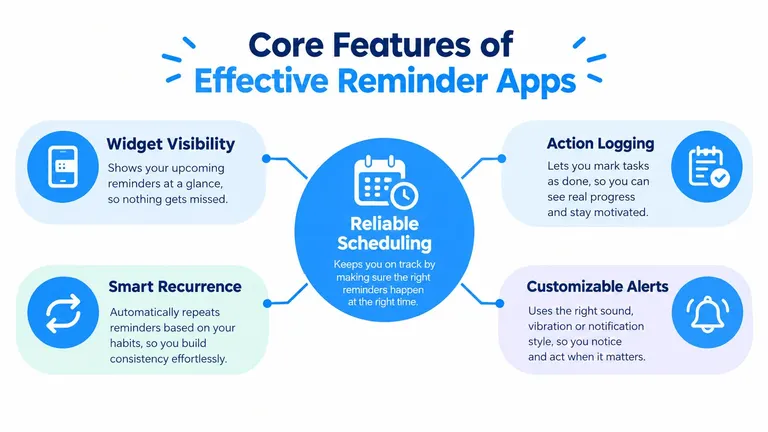
Build a closed loop
The basic sequence should be easy to understand:
- Plan: Create the protocol, timing, recurrence, and pause rules.
- Prompt: Receive an alert that matches the planned event.
- Act: Open a clear action such as “log dose.”
- Review: See completed, missed, postponed, and paused events in history.
This sequence separates an intended action from a verified log. That distinction helps prevent a common mistake, treating a scheduled reminder as proof that a dose was taken.
Reduce avoidable errors
A clean interface also matters because manual calculations and ambiguous labels create preventable confusion. Users should be able to review product names, concentration details, units, and planned amounts before confirming a record. The app can organize information, but it shouldn’t decide whether a compound, dose, or protocol is medically appropriate.
Push Notifications, Widgets, and Logged Actions
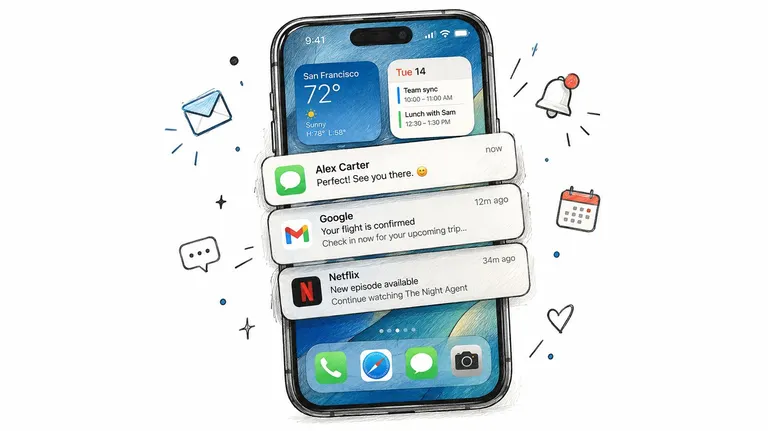
Push notifications are common because they reach users where they already manage daily routines. A review of 420 medication-adherence apps found that 337, or 80.2%, used push notifications, while also reporting that most available apps lacked an evidence base demonstrating effectiveness, according to this JMIR review of mobile adherence applications.
That finding creates an important comparison. A push notification is a delivery channel, not a complete adherence system. It can announce an event, but it can’t show whether the alert arrived, whether the user acknowledged it, or whether the planned action was logged.
What reliable delivery requires
A solid implementation should preserve each scheduled event with:
- An absolute timestamp: The system knows exactly when the event was intended to occur.
- Time-zone rules: Travel or device changes don’t shift the schedule.
- Protocol status: An event can be planned, active, postponed, paused, missed, or logged.
- Delivery state: The user or product team can distinguish a scheduled alert from a delivered alert.
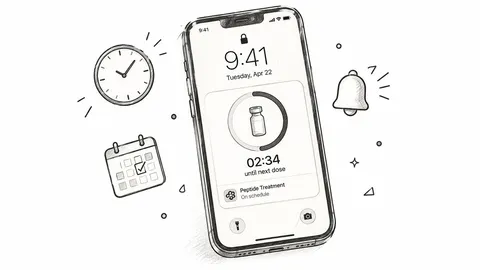
A live activity, countdown, or widget adds visibility, while an interactive notification can shorten the path from prompt to action. The PepFlow live activity feed is an example of the kind of interface that keeps an upcoming event visible rather than burying it in an app menu.
Why logging changes the behavior
Logging provides the feedback component that a generic alarm lacks. A user can review whether an event was completed, missed, or intentionally paused, then identify patterns such as alerts arriving during work or travel.
The logging action should also be idempotent, meaning repeated taps don’t create duplicate dose records. A clear history should distinguish planned, acknowledged, and logged events. Those categories matter because acknowledging an alert isn’t the same as confirming that the planned action occurred.
What the Evidence Shows About Digital Adherence Tools
Evidence supports cautious optimism, not guaranteed success. A systematic review and meta-analysis of 14 randomized or comparative studies involving 1,785 participants found that medication-support apps improved adherence, with a pooled Cohen’s d of 0.40. The review rated the evidence quality low, so the finding supports a possible benefit rather than a universal effect.
For structured supplement and peptide regimens, the practical question is whether a tool helps someone complete the intended action at the right time, including a planned pause. A reminder works like a signpost: it should point to the next protocol step, preserve what happened, and provide feedback that helps users correct recurring problems.
Measure behavior, not notification volume
Useful measures include:
- Notification delivery rate, showing whether alerts reached the device.
- Alert-to-log conversion, showing how often an alert led to a recorded action.
- Missed-dose frequency, interpreted alongside intentional pauses.
- Protocol completion, based on the schedule the user followed.
These measures remain imperfect. A log confirms that someone recorded an action, but it cannot independently establish what happened outside the app. A high completion pattern therefore should not be treated as clinical proof.
A separate Indonesian intervention combined weekly reminders with brief educational messages and reported adherence increasing from 5% at baseline to 80% after four weeks. The researchers called for larger and more diverse studies before broad implementation, according to this 2025 JMIR study. The result suggests that message content and education can matter alongside timing.
Readers comparing practical approaches can also consult guidance on improving medication adherence. The behavioral lesson is clear: effective reminders need engagement, context, and honest measurement. For peptide schedules, that measurement should include both completed actions and correctly observed pauses.
How to Set Up Reminders That Actually Stick
Start with the protocol you’ve already decided to follow with appropriate professional guidance. Record the product, intended amount, frequency, start date, and any planned pause period. Don’t use the setup process to invent a regimen or compensate for uncertainty about preparation.
Then choose a reminder pattern that fits your routine. Some people respond to an advance alert followed by an exact-time prompt. Others need a single notification attached to a stable daily activity. Test the pattern rather than assuming that more alerts will produce better results.
Use a simple setup sequence
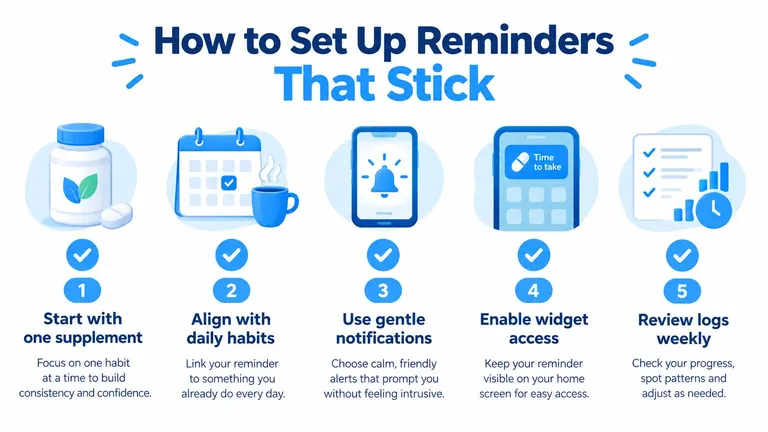
- Begin with one routine: Confirm that the labels and timing make sense before adding more entries.
- Attach the action to a reliable anchor: A meal, bedtime preparation, or another consistent activity can make the prompt easier to interpret.
- Choose a gentle escalation path: Use snooze or follow-up logic without creating a stream of alerts that users reflexively dismiss.
- Keep the next action visible: A widget or countdown can reduce the effort required to check the plan.
- Review the history regularly: Look for missed events, duplicated records, or pauses that need discussion with a clinician.
The broader health-app ecosystem is already mature. Worldwide health and wellness apps generated approximately 3.6 billion downloads in 2024, about 6% growth from the previous year, according to this JMIR market analysis. The same source notes that a historical review found reminders in approximately 90% of freely available health apps, so users are familiar with alerts. A specialized product needs to make those alerts more useful, not merely more frequent.
For people researching products before creating a schedule, Australian melatonin research compounds can serve as a reference resource. Any product information should remain separate from decisions about suitability, dose, interactions, and clinical use.
If a schedule needs a new start date or time, use a controlled editing workflow such as this guide to schedule a date and time. After changing the plan, check that old entries won’t continue firing and that the time zone remains correct.
How PepFlow Handles Complex Peptide Regimens
PepFlow provides a concrete example of how a specialized iOS companion can combine planning, calculation, scheduling, and history for structured peptide protocols. Its dosage calculator converts a desired microgram amount into practical unit measurements based on configured vial, concentration, and injection-volume information.

That calculation feature is organizational, not clinical authorization. Users still need to confirm concentration, volume, units, preparation, and the appropriateness of a protocol with a qualified professional before recording or acting on the information.
The app also supports cycled protocols with flexible start dates, recurring frequencies, and pause periods. Countdown views, push notifications, live activities, widgets, and log-dose actions connect the planned schedule to a visible record. This is especially relevant when a regimen includes more than a simple daily reminder.
The following product demonstration shows how those planning and tracking elements can appear in practice:
PepFlow is designed for personal organization and doesn’t replace medical advice. Its personal-use approach also helps users manage routine information without broadly sharing health data.
When Reminders Should Support Pauses Rather Than Doses
A reminder system can fail by being too obedient. If a user reports a concerning symptom, starts a new prescription, or becomes uncertain about preparation, the safest prompt may be “pause and seek advice”, not “take the next dose.”
Existing supplement-reminder tools often treat a missed event as a scheduling error. That approach overlooks side effects, interactions, overlapping ingredients, and situations where continuing without review may be inappropriate. A safety-oriented app should make room for uncertainty rather than pressuring users to protect a streak.
A 2025 European consumer-position paper reported that 28% of respondents had bought multiple food supplements during the previous six months and noted that Germany had no official system systematically recording supplement side effects and interactions, according to this consumer-position paper on food supplements. The same evidence describes a broader information gap. A separate 2025 study found that 59% of participants couldn’t correctly identify how to report dietary-supplement adverse events, while only 7% knew about third-party certification, as reported in that source.
Safety features should interrupt the routine
Useful safeguards could include:
- Symptom and reaction logging: Record nausea, insomnia, injection-site reactions, or other concerns without diagnosing them.
- Pause prompts: Let users mark a protocol as paused rather than forcing a missed-dose label.
- Interaction-review reminders: Prompt a review when a new prescription or supplement is added.
- Escalation language: Direct users to a clinician or pharmacist instead of encouraging self-adjustment.
The distinction between a missed dose and a potentially unsafe dose is central. A good supplement reminder app should support adherence when adherence is appropriate, but it should also support a deliberate pause when symptoms, interactions, or uncertainty change the situation.
Building a Smarter Supplement Reminder Routine
A smarter routine links a plan to four checks: schedule, logging, alert flexibility, and pause controls. Evidence on digital adherence tools is encouraging but mixed, with studies often relying on self-reported outcomes and differing methods, as discussed in the 2025 systematic review.
Before choosing an app, ask three questions: Can it represent the regimen accurately? Can you review what happened without confusing a pause with a missed dose? Can it protect your information and make clinician review straightforward? These questions test whether the tool supports decisions, not merely notifications.
PepFlow combines peptide scheduling, dose calculations, countdowns, reminders, widgets, and dose-history logging in a personal iOS companion. Visit PepFlow to organize a structured regimen while keeping medical decisions with your clinician or pharmacist.