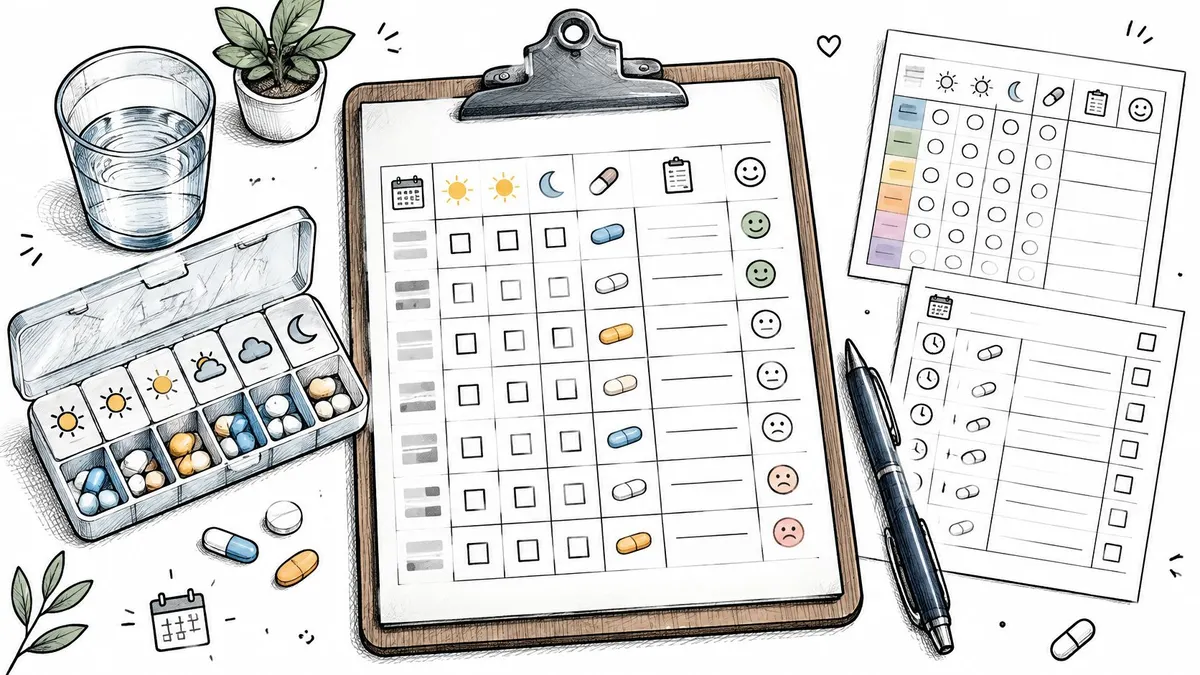
A patient arrives at urgent care and is asked whether they took a scheduled dose on Tuesday. They remember taking it this week, but can’t tell whether that was Tuesday or Wednesday. A medication log template can prevent that uncertainty, but only if its fields match the job: recording individual doses is different from keeping a medication list for a clinician.
The World Health Organization’s 2003 report put average adherence among patients with chronic diseases in developed countries at about 50%, while rates were generally lower in developing countries. That’s a broad historical benchmark, not a rate for every medicine or person, but it helps explain why a record that separates planned doses from logged doses can be useful.
The options below are grouped by what they track: daily dose check-offs, appointment-ready medication lists, caregiver details, and changes during treatment adjustments. Before downloading one, check whether it records actual dose times, missed or paused doses, and the details a clinician needs. A printable sheet may be enough for a stable routine, but it won’t automatically remind you or preserve a searchable history.
Table of Contents
- 1. PepFlow
- 2. AHRQ My Medicines List
- 3. Smartsheet Medication Log Template
- 4. DepressionResource Medication Log
- 5. UnfoldFactory Medication Logs
- 6. printsheet.io Customizable Printable Medication Tracker
- 7. Endolog Free Printable Medication Log
- 8. NewYork-Presbyterian Bring Your Medication List
- 9. VA Caregiver Support Medication Log
- 10. AARP Medicare Plans Personal Medication List
- Medication log templates compared by format, cost, and what they track
- Choosing the Log That Matches How You Actually Take Your Medicines
1. PepFlow
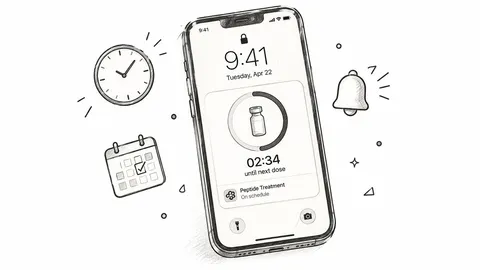
A changing peptide schedule can be difficult to track on a fixed paper grid. PepFlow lets users organize protocols, log doses, and review their history, with options for start dates, dosing frequencies, cycles, and pause periods.
On iPhone and iPad, users enter their own dose details and schedules. Reminders, countdowns, widgets, Live Activities, push notifications, and quick dose logging help keep the routine visible. Android includes calculation and tracking, while the website offers a separate peptide calculator and educational resources. PepFlow records and organizes the user’s chosen instructions; it does not recommend treatments or determine medically appropriate doses.
A reminder is a prompt, not proof that a dose was taken. Log the dose after taking it, or record that it was missed, skipped, or paused.
Pros
- Flexible schedules: Set start dates, frequencies, cycles, and pauses.
- Reviewable history: Check logged doses instead of relying on memory.
- Useful prompts: iPhone and iPad features include reminders, widgets, and Live Activities.
- Clear scope: PepFlow supports tracking and organization, not treatment decisions.
Cons
- Manual iOS setup: iPhone and iPad users enter their own dose details and schedules.
- No clinician-facing medication list: PepFlow tracks a personal routine, so users who need an appointment-ready summary will need a separate list.
2. AHRQ My Medicines List
AHRQ’s My Medicines List is for the person who needs a reliable medication summary to take to an appointment or keep available for an emergency. It records medicines taken daily, regularly but not every day, or as needed, so it can cover more than a routine of once-daily pills.
The form has fields for the medicine name, strength, purpose, and instructions, along with personal details such as allergies and an emergency contact. It covers prescription and nonprescription medicines, including supplements. AHRQ provides downloadable PDF and editable Word versions in English and Spanish, plus instructions for completing and updating the record.
Use it as a reference list, not a dose-by-dose diary. It won’t show whether someone took a particular dose at a particular time, and any change has to be entered manually.
Best fit: Bring this form to a visit when the clinician needs a current overview of what you take and why. Update it when a medicine starts, stops, or changes, rather than waiting until the next appointment.
Its strength is the focus on communicating a person’s full medication picture. The trade-off is that a static form depends on someone remembering to keep it current. Get the AHRQ My Medicines List if your priority is a clinician-facing summary rather than daily check-offs.
3. Smartsheet Medication Log Template
Smartsheet’s medical-form library includes medication schedules and logs that can be downloaded in Excel, Word, or PDF. Depending on the form, fields can cover dosage, timing, food instructions, prescriber, medication purpose, and start and stop dates. That makes it more adaptable than a simple printed grid, especially if you want to add rows or maintain a spreadsheet record.
The main drawback is choosing the right file. Smartsheet hosts a general library of medical forms, so take a moment to identify the medication-specific schedule or log instead of downloading the first form that looks relevant. Some fields may also be unnecessary for personal tracking. Extra detail helps only when someone will maintain it.
A spreadsheet can be useful when one person updates the record and another reviews it, but it won’t send a reminder or confirm a dose by itself. For an overview of digital tracking options beyond templates, see this guide to medication tracker apps.
- Useful for customization: Add fields or rows to suit the routine.
- Several file types: Choose Excel, Word, or PDF.
- More setup than a single-purpose sheet: Select the correct form and remove fields you won’t use.
4. DepressionResource Medication Log
A weekly grid is often easier to use during a medication change than a broad medication list. DepressionResource’s one-page worksheet combines dose tracking with space to record the medicine, dose, start date, and effects noticed. It’s designed especially for people starting or adjusting antidepressants, so it can help organize observations for a prescriber without turning every entry into a long narrative.
The form is a U.S. Letter PDF that can be printed or adapted in a PDF editor. It also identifies the clinician reviewer and update date, useful details when the sheet is brought to an appointment. Its focused layout keeps the task straightforward: fill in the week’s doses, then note relevant effects to discuss.
That focus is also its limitation. It isn’t a long-term dose-history database, and the stated fit is antidepressant starts or adjustments, not every medication routine. If the schedule changes frequently, keep the prescriber’s current instructions alongside the sheet so an older weekly grid doesn’t look like the active plan.
Good choice when: You want one page to connect dose entries with observations during a change. Not ideal when: You need a continuing record across many weeks or a complete medication list for emergencies.
Download the DepressionResource medication log.
5. UnfoldFactory Medication Logs
UnfoldFactory offers a set of printable layouts rather than a single all-purpose chart. The download includes a medication list, weekly log, monthly chart, and as-needed log, giving users options for routines that don’t fit a daily morning-and-evening grid.
That variety is the selling point. A person taking a medicine only when needed can choose a different layout from someone checking off doses throughout the week, while a medication list can sit alongside the daily record. The pages are formatted for U.S. Letter paper, and the site describes the download as free for personal use without a sign-up.
The trade-off is that every page is static. You’ll need to print a new copy or edit the record manually when a dose schedule changes, and the sheet won’t remind you that a dose is due. Check the site’s terms if you plan to use the forms for anything other than personal use.
A good paper layout is the one you’ll keep within reach and update after a dose, not the one with the most boxes.
For a paper-first routine that may be daily, monthly, or as-needed, UnfoldFactory’s medication log set is more flexible than choosing one grid and trying to make it fit every medicine.
6. printsheet.io Customizable Printable Medication Tracker
Standard time columns don’t suit every routine. printsheet.io lets users choose a weekly or time-of-day layout, enter their own dose-time labels, and add medication rows. That makes it useful when a schedule doesn’t fall neatly into morning, noon, and evening slots.
The tracker can be prepared for printing or saved in PDF, PNG, or SVG format, and the site offers several paper sizes. You can customize the sheet without building a spreadsheet, which reduces setup for someone who wants a personal paper checklist.
But customization only changes the page, not how the routine is managed. The tool doesn’t provide reminders or automatically preserve a dose history. If you print the sheet, you still need to update it when instructions change and mark each dose yourself. Consider leaving a small note area for late, missed, or paused doses; a simple check mark alone can’t explain what happened.
- Choose this for: A printable grid with custom time labels.
- Skip it for: Automated reminders, dose calculations, or a continuing digital record.
If you already have a customized sheet, review its time labels whenever the schedule changes.
7. Endolog Free Printable Medication Log
Endolog keeps the paper option simple: it offers a two-page printable PDF designed to hold a medication record in one place. The U.S. Letter form doesn’t require an email sign-up according to the site, so it’s a quick download for someone who wants a paper record without creating an account.
Two pages can provide more writing room than a one-page worksheet, particularly if the record needs to cover several medicines. Still, the site provides less information about the form’s design and review process than an established health agency or health system does. Read the fields before relying on it for a clinician visit, and add any missing details clearly rather than assuming the form captures everything needed.
A printable log is also limited by the person maintaining it. It won’t send dose reminders, create an automatic timestamp, or preserve a searchable history. If you’re choosing between a daily grid and a schedule view, this guide to a medication schedule template explains the difference in what each is meant to record.
Best fit: Someone who wants a low-friction paper record with more room than a single page. Limitation: It’s a static form, so changes and dose entries must be recorded by hand.
Get the Endolog printable medication log.
8. NewYork-Presbyterian Bring Your Medication List
NewYork-Presbyterian’s worksheet is built for the appointment, not for checking off every dose. It records medication and dosing details alongside the prescriber, pharmacy, and date started. Its instructions also prompt users to include over-the-counter medicines, vitamins, and herbs, which can be overlooked when someone lists only prescriptions.
That context can help make an appointment list more useful. A medicine name alone may not be enough for a clinician to understand what you take or where it came from, so prescriber and pharmacy fields add practical reference details. The form is a PDF, however, and updates have to be entered by hand.
Keep it current as medicines change, and don’t use it as a substitute for a dose diary if you need to reconstruct whether a particular dose was taken. It’s a summary to bring to a visit, not a time-stamped history of each dose.
For appointment prep: Put the current list beside your prescription labels and check the names and instructions before sharing it. A stale list can be more confusing than no list.
Download the NewYork-Presbyterian medication list. For additional appointment preparation, see psychiatric appointment preparation for Florida adults.
9. VA Caregiver Support Medication Log
When a caregiver organizes medicines for someone else, a basic dose grid may not hold enough reference information. The VA Caregiver Support medication log includes fields for medication appearance, instructions, prescriber, pharmacy, prescription number, and start and end dates. It also includes a “what not to do” field, which can help keep important cautions visible in the record.
That level of detail can support coordination when a caregiver needs to keep practical information together. It may also be more than someone needs for a straightforward daily routine. If you only want to mark off doses, a simpler chart will take less time to fill out and may be easier to keep up.
The PDF is static, so it won’t generate reminders or create a digital dose history. Use it as a reference document, and make sure the current medication instructions are clear rather than assuming old entries still apply.
Consider this form when: A caregiver needs a detailed record to consult or share. Choose a simpler tracker when: The only task is confirming scheduled doses.
Get the VA Caregiver Support medication log.
10. AARP Medicare Plans Personal Medication List
AARP Medicare Plans’ three-page PDF is designed to be taken to a doctor’s office, hospital, or emergency room, and shared with family or caregivers. It records what a person takes, how and why they take it, and who prescribed it. The form also prompts users to note changes and cross off discontinued medicines.
The extra space suits someone who needs a shareable medication summary, not a quick check-off sheet. Its purpose is clear: help a person bring organized information to a visit or make it available to others involved in care. The limitation is the same as with other static lists: each update must be entered by hand, and the form doesn’t document the exact time of every completed dose.
The Medicare-plan branding may feel less neutral to some users, but the form’s role is straightforward. Keep active medicines distinct from stopped ones, and review the information before sharing it with a clinician.
For a broader approach to building a routine, read this guide to improving medication adherence. Download the AARP Medicare Plans Personal Medication List.
Medication log templates compared by format, cost, and what they track
| Item | Format | Free Access | Tracks Individual Doses | Best For |
|---|---|---|---|---|
| PepFlow | iPhone, iPad, and Android app | App download | Yes, with user-entered dose logs and history | Organizing a scheduled routine with reminders |
| AHRQ, My Medicines List | PDF and editable Word form | Yes | No; medication summary | Keeping a medication list for appointments or emergencies |
| Smartsheet, Medication Log Template | Excel, Word, and PDF templates | Downloadable templates | Yes, using editable logs | Customizable digital or spreadsheet records |
| DepressionResource, Medication Log | Printable PDF worksheet | Yes | Yes, with a weekly dose grid | Recording medication changes and observed effects |
| UnfoldFactory, Medication Logs | Printable PDF set | Yes, for personal use | Yes, with weekly, monthly, and as-needed layouts | Choosing a paper format to match different routines |
| printsheet.io, Customizable Printable Medication Tracker | Customizable PDF, PNG, or SVG | Yes | Yes, as a printable checklist | Creating a tracker with custom dose times |
| Endolog, Free Printable Medication Log | Printable PDF | Yes | Basic medication log; dose checkoffs are not specified | A simple paper medication record |
| NewYork-Presbyterian, Bring Your Medication List | Printable PDF | PDF available; cost not specified | No; medication list rather than dose checkoffs | Preparing a medication list for medical visits |
| VA Caregiver Support, Medication Log | Downloadable PDF | PDF available; cost not specified | Records medication details, not individual doses taken | Caregivers organizing detailed medication information |
| AARP Medicare Plans, Personal Medication List | Printable PDF | PDF available; cost not specified | No; medication list rather than dose history | Sharing medication details with clinicians or caregivers |
Choosing the Log That Matches How You Actually Take Your Medicines
Start with what you need to remember. If you have a fixed schedule and the main problem is forgetting whether a dose was taken, choose a daily dose grid or a digital tracker that lets you record each dose. Mark the actual event, not just the planned one. If a dose was late, missed, skipped, or paused, record that status and a short reason when it’s useful.
For appointments and emergencies, use a clinician-facing medication list. AHRQ, NewYork-Presbyterian, the VA, and AARP Medicare Plans each offer forms that capture details beyond a daily check-off, such as prescriber, pharmacy, purpose, or instructions. Pick the one that includes the details you’ll need to share, then update it whenever a medicine starts, stops, or changes. A medication list and a dose log serve different purposes; one doesn’t automatically replace the other.
A weekly or monthly worksheet can help when you’re tracking a medication change and want a concise record of dates, doses, and observations. Keep the current prescriber instructions with that record. Don’t let an old worksheet become the schedule by default, and don’t use a tracking form to decide whether to change a dose.
The limits of paper and PDF forms are practical. They don’t send reminders, add timestamps automatically, or preserve a searchable history unless you enter and store the information yourself. Digital tools can make logging and reviewing easier, but they still depend on accurate entries. Even a well-designed reminder can’t confirm that a medicine was taken.
Before each visit, review your medication list with a pharmacist or clinician. Verify names and instructions against the prescription labels and the prescriber’s directions, and clearly identify anything that has been stopped or paused. If you’re unsure what to do after a missed or delayed dose, contact a qualified professional rather than using the log to make a treatment decision. A log supports organization; it doesn’t guarantee adherence, safety, or treatment effectiveness, and it doesn’t replace medical advice.
PepFlow helps you organize peptide schedules, record doses, and review a clear history, with flexible timing and reminders for your routine. It supports tracking an established plan rather than choosing treatments or determining doses. Visit PepFlow to explore whether its dose logging and schedule tools fit the way you manage your routine.