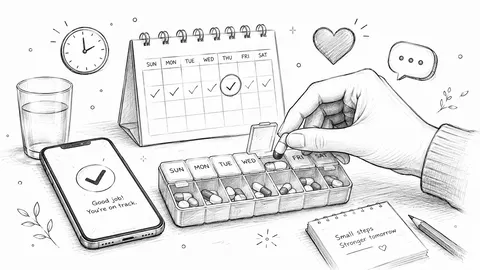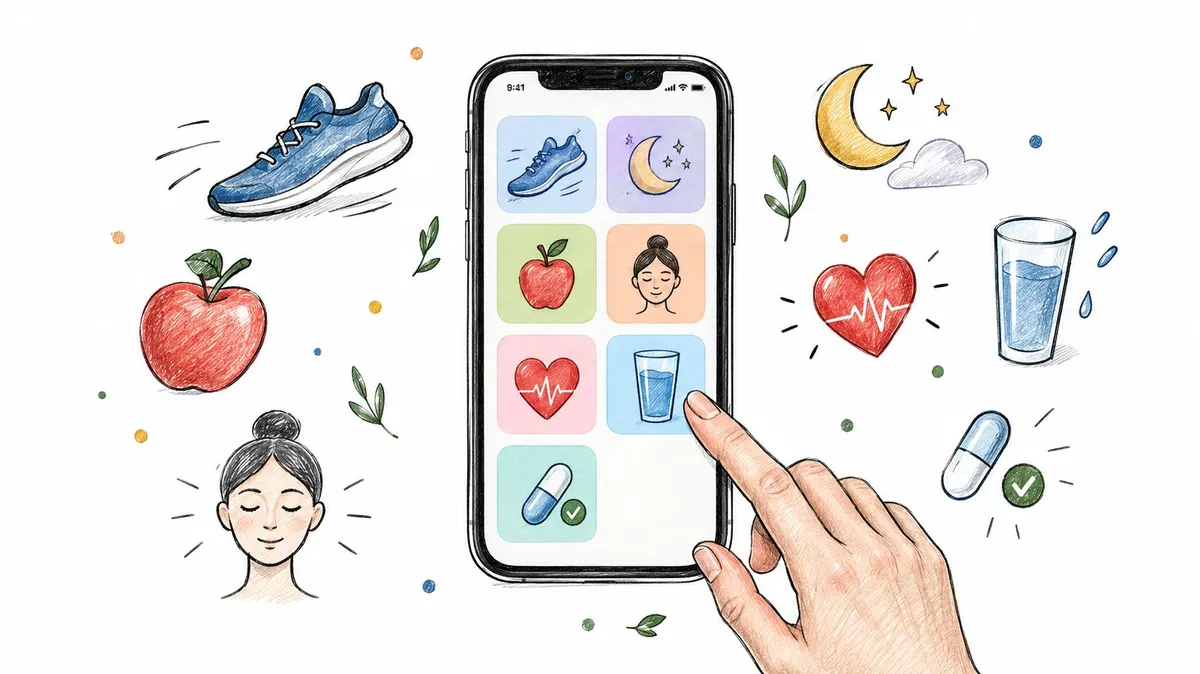
Your iPhone already has the makings of a health hub, but useful routines often end up scattered across activity rings, food logs, sleep scores, and dose reminders. The answer isn’t to install every app that promises to track everything. Choose one app for each job you need, and make sure the combination is easy to keep using.
The best health apps for iOS cover distinct roles: Apple Health gathers supported health data, Google Health suits many Fitbit users, MyFitnessPal focuses on nutrition, Oura tracks sleep and recovery with a ring, Strava supports outdoor sports, and Medisafe handles medication reminders. PepFlow fills a different gap, helping people organize peptide calculations, schedules, and dose history. For a useful framework on bringing health information together, see Lila’s guide to integrated health tracking.
Table of Contents
- 1. PepFlow for peptide dosing schedules
- 2. Apple Health for a central iPhone hub
- 3. Google Health for Fitbit and Pixel Watch users
- 4. MyFitnessPal for food and nutrition logging
- 5. Oura for sleep and recovery insights
- 6. Strava for outdoor activity and community
- 7. Medisafe for medication reminders
- Best iOS Health Apps: 7-App Comparison Table
- Build Your Perfect iPhone Health Stack
1. PepFlow for peptide dosing schedules

Best for: People who need to calculate and organize peptide doses, schedules, and logs in one place.
If your iPhone health stack already covers activity, meals, and sleep, PepFlow addresses a more specific gap: peptide dose accuracy and scheduling. It converts a target dose in micrograms into syringe units based on vial and concentration details, then lets you organize a personal protocol. For this task, it’s a more direct choice than a general health or medication app.
Set start dates, dosing frequency, and pause periods. Reminders, countdowns, push notifications, widgets, and Live Activities keep the schedule visible. You can log doses and review the history, with reconstitution guidance and a peptide knowledge base available for planning.
Where PepFlow fits, and where it doesn’t
The main benefit is keeping calculations, schedules, and dose records together instead of relying on mental arithmetic and scattered reminders. PepFlow focuses on managing a personal routine, not making clinical decisions.
PepFlow doesn’t determine whether a peptide or protocol is safe or appropriate, and it isn’t a source of medical advice. Consult a qualified professional about safety and dosing decisions. Product materials don’t provide pricing or independent reviews or awards, so check the current listing before choosing the app.
Practical rule: Use a scheduling app to organize a plan, not to validate whether that plan is medically appropriate.
Choose PepFlow if peptide calculations and cycled schedules are the job you need to handle. For a broader look at its role in wellness routines, read this guide to biohacking apps and tracking tools.
2. Apple Health for a central iPhone hub
Best for: iPhone users who want a central view of health data from compatible apps and devices.
Start with Apple Health if you want one place to review information from your iPhone, Apple Watch, connected apps, and supported devices. It organizes data into charts, trends, and highlights, and lets you set sleep schedules or share selected information with people you choose. Some activity, including steps and walking or running distance, can be recorded automatically.
For an iPhone health stack, Apple Health works best as the central overview, while specialist apps handle focused jobs such as nutrition logging, sleep analysis, or medication reminders. In a survey of future health-science professionals, 88% were aware of the app and 57.8% had used it previously (survey details). The survey reflects that specific group, not all iPhone users.
The trade-off
Apple Health is free and already built into iPhone, so it’s a practical first stop. Its usefulness depends on compatible apps and devices sharing data with it. Some metrics and features require an Apple Watch or other compatible hardware, and the app remains a hub rather than a substitute for every specialist tracker.
Check permissions before connecting other apps. Apple Health lets you choose which information to share, so review access settings and grant only the permissions you want. Apple outlines the app’s features on its iOS Health page.
Use Apple Health for the overview, then add focused apps where its built-in tracking falls short.
3. Google Health for Fitbit and Pixel Watch users
Best for: iPhone users who already own a Fitbit and want to track activity and sleep.
On iPhone, use the Fitbit app for data from Fitbit devices. It tracks activity and sleep, and gives Fitbit owners a focused view of their wearable data. Fitbit works with iOS; Pixel Watch does not pair with iPhone. If you use an iPhone, choose a Fitbit device rather than buying a Pixel Watch for health tracking.
Choose Fitbit for wearable tracking
Fitbit makes sense when you already have compatible hardware and want activity and sleep tracking in the companion app. It is less useful if you want a single iPhone hub for information from many different health apps, or if you do not own a Fitbit. For that broader view, use Apple Health as your central hub and add Fitbit only if its device tracking fits your needs.
The Google Health name and its linked product information do not establish a separate iOS app with the features, ratings, or subscription prices described in earlier versions of this section. Check the Google Health listing and product information for current product details, and confirm iOS compatibility before buying a device or subscribing. For iPhone users, the practical choice is straightforward: Fitbit for compatible Fitbit wearables, not Pixel Watch.
4. MyFitnessPal for food and nutrition logging
Best for: People who want to record meals, calories, and macronutrients.
MyFitnessPal keeps its focus on food and nutrition tracking, with workout logging and connections to other fitness apps and devices. You can log meals, calories, and macronutrients, then save meals and recipes to make repeat entries easier. Its free tier supports basic tracking, while Premium adds barcode, meal, and voice logging, along with more detailed nutrition tools.
That makes it a better fit for users who want to examine food patterns than for anyone seeking one app to manage an entire health record. It can pair with a general hub such as Apple Health, but the core experience still depends on what you enter. Detailed food tracking takes consistent manual input, and a large feature set won’t help if logging becomes a chore.
Keep the tracking scope realistic
MyFitnessPal connects with more than 40 fitness trackers, smartwatches, and health apps, giving it options for people who already use other tools. It also combines food and exercise tracking under one account. The main trade-off is that several convenient logging methods and advanced insights require Premium.
If your priority is understanding food intake, start with the free tier and see whether the logging habit fits your day before paying for additional tools. For an alternative approach to recording meals, compare it with photo-based meal tracking for weight management.
MyFitnessPal is a nutrition tracker, not a substitute for professional nutrition or medical advice. Use it to record patterns and support your own goals, not to treat its entries as a clinical assessment.
5. Oura for sleep and recovery insights
Best for: People who want sleep and recovery trends and are willing to wear an Oura Ring.
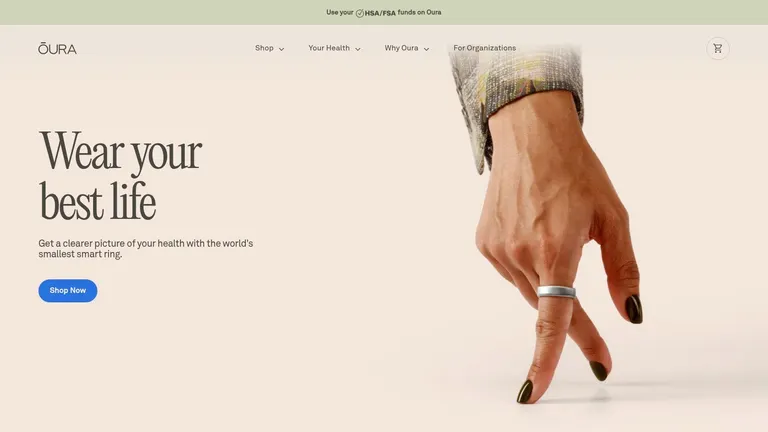
Oura’s app turns ring measurements into daily Sleep, Activity, and Readiness scores, with insights on sleep, stress, and other biometrics. The App Store listing says the ring tracks more than 30 biometrics and provides sleep analysis and personalized recommendations. For a job-focused iPhone health stack, Oura fills the sleep and recovery role, while a central health app can serve as the broader record.
The app is free to download, but using it as intended requires a separately purchased ring. US membership costs $5.99 per month or $69.99 per year. Check Oura’s current product and membership details before buying, since the hardware and recurring membership both affect the total cost.
Treat scores as context, not diagnosis
Oura’s advantage is its focus on sleep and recovery. Use it to spot patterns over time and consider how daily routines relate to the measurements the ring records. The US App Store listing has a 4.9-star rating.
The trade-off is straightforward: you need the ring, and full use requires an ongoing membership. Readiness scores are wellness information, not a medical diagnosis. Don’t treat a score as a clinical finding or let it persuade you to ignore symptoms.
Choose Oura if sleep and recovery are priorities and dedicated hardware fits your routine. Skip it if you want to avoid buying a wearable or paying for a membership. Check the current costs before committing, then use the app’s trends as context for your routine, not as a replacement for medical advice.
6. Strava for outdoor activity and community
Best for: Runners, cyclists, hikers, and other athletes who want activity recording plus social motivation.
Strava records and shares outdoor activities such as running, cycling, and hiking, as well as more than 50 sport types. It connects with other fitness devices and services, and its challenges, friend-following, and activity sharing put community near the center of the experience.
The basic activity recording and sharing features are free. A subscription adds routes and more advanced training analysis. That split makes it easy to try Strava without immediately paying, then decide whether its planning or analysis features matter to your training. See Strava’s website for current product details.
A strong activity tool, not a health hub
Strava’s social features can encourage consistency if you enjoy sharing progress or joining challenges. It’s particularly well suited to outdoor and endurance sports, where routes and recorded activities are central to the routine. If you want an app to track medication, sleep, or a general health record, Strava isn’t designed for that job.
The same social focus can be a drawback if you prefer private tracking. Review sharing settings before posting activities, and keep in mind that some planning and analysis tools require a paid subscription.
A fitness app works best when its features match the activity you’ll actually record.
Use Strava as your outdoor training log, not as your all-purpose wellness dashboard. If you’re also trying to coordinate exercise with a routine, this guide to choosing a training schedule app covers the planning side.
7. Medisafe for medication reminders
Best for: People who need reminders and a record of whether they took scheduled medicines.
Medisafe is built around medication lists, dose reminders, and adherence tracking. Its US listing also describes drug-interaction warnings and the ability to import some medication information from participating health systems. Apple Watch support and a Lock Screen widget can make reminders easier to see without opening the app.
Medisafe is free to download with in-app purchases. The App Store listing has a 4.7-star rating from 101,000 ratings. Check the current Medisafe website for product details and availability where you live.
Use reminders, not app-generated dosing advice
Medisafe’s job is to help you remember and record medication use. It isn’t a dosing calculator or a source of medical guidance, and some features depend on location, participating health systems, or paid options. Treat interaction information as a prompt to verify details with a pharmacist or clinician, not as a replacement for professional advice.
For people managing more than one medication, separating dose reminders from broader health tracking can make the routine easier to review. At the same time, don’t assume that an app’s presence means every prescription or local health-system connection is supported. This guide to choosing a medication tracker app explores the features that matter for organizing a medication routine.
Best iOS Health Apps: 7-App Comparison Table
| App | 🔄 Setup & resources | 📊 Expected outcomes | ⭐ Key advantage | 💡 Ideal use case |
|---|---|---|---|---|
| PepFlow | Configure vial details and protocol; reminders and dose logging included. Pricing not provided. | Dose calculations, schedule tracking, and dose history. | Flexible protocols with multiple adherence tools. | Organizing a peptide routine; not for medical advice or validating safety. |
| Apple Health | Included with iPhone; data coverage depends on compatible apps and devices. | Consolidated health data, activity records, and trends. | Free, built-in health-data hub. | Viewing supported health and fitness data in one place. |
| Google Health (formerly Fitbit) | Free to download; compatible Fitbit or Pixel Watch devices and some premium features may be needed. | Activity, sleep, and wellness tracking with trends and coaching. | Broad tracking and strong integration with Fitbit and Pixel Watch. | Existing Fitbit or Pixel Watch users seeking wellness insights. |
| MyFitnessPal | Free basic tracking; Premium adds logging tools and advanced nutrition features. | Food, calorie, macronutrient, and workout records. | Extensive food tracking and integrations. | Monitoring nutrition and exercise with consistent logging. |
| Oura | Requires Oura Ring; membership costs extra. | Sleep, activity, readiness, and biometric insights. | Detailed sleep and recovery-focused summaries. | Tracking sleep and recovery with an Oura Ring. |
| Strava | Free activity recording; subscription adds routes and advanced analysis. | Activity logs, training analysis, and social engagement. | Sports community, challenges, and activity sharing. | Outdoor, endurance, and multisport training. |
| Medisafe | Free to download; some features may require in-app purchases or regional support. | Medication reminders and dose-taking records. | Dedicated adherence tools, including watch and widget support. | Managing medication schedules; not for dose validation or medical guidance. |
Build Your Perfect iPhone Health Stack
Don’t install all seven apps just because they’re on the list. Start with one hub, one tracker for your main goal, and one reminder tool. For many iPhone users, Apple Health is the hub; the next choice depends on the task, such as MyFitnessPal for food, Oura for ring-based sleep and recovery, Strava for outdoor sports, or Medisafe for medication reminders.
Add PepFlow when peptide scheduling and dose logging are part of your routine. It addresses a specific workflow that a general health dashboard or medication reminder may not cover: converting a target dose using vial and concentration details, organizing a cycled schedule, and recording doses over time. Keep its role clear: it supports planning and organization, but it doesn’t decide whether a protocol is safe or medically appropriate.
Make the stack easy to maintain
Check which apps can sync with Apple Health and choose permissions deliberately. A systematic review of mobile-health studies linked stronger engagement with features such as appropriate reminders, feedback, usability, technical stability, and support (review of engagement and retention). In practice, that means selecting apps that make your routine easier to follow, not collecting dashboards you rarely open.
Review your setup regularly. Remove duplicate trackers, check whether reminders still match your schedule, and make sure the information you care about is easy to find. If you notice a health concern, use apps to organize information for a conversation with a qualified professional, not as a substitute for care. For a focused example of interpreting a particular symptom, see this resource on making sense of heart rhythm flutters.
PepFlow helps you organize peptide dose calculations, cycled schedules, reminders, and dose history in one iOS app. If dosing accuracy and routine tracking are missing from your iPhone health stack, visit PepFlow to see whether it fits your workflow.