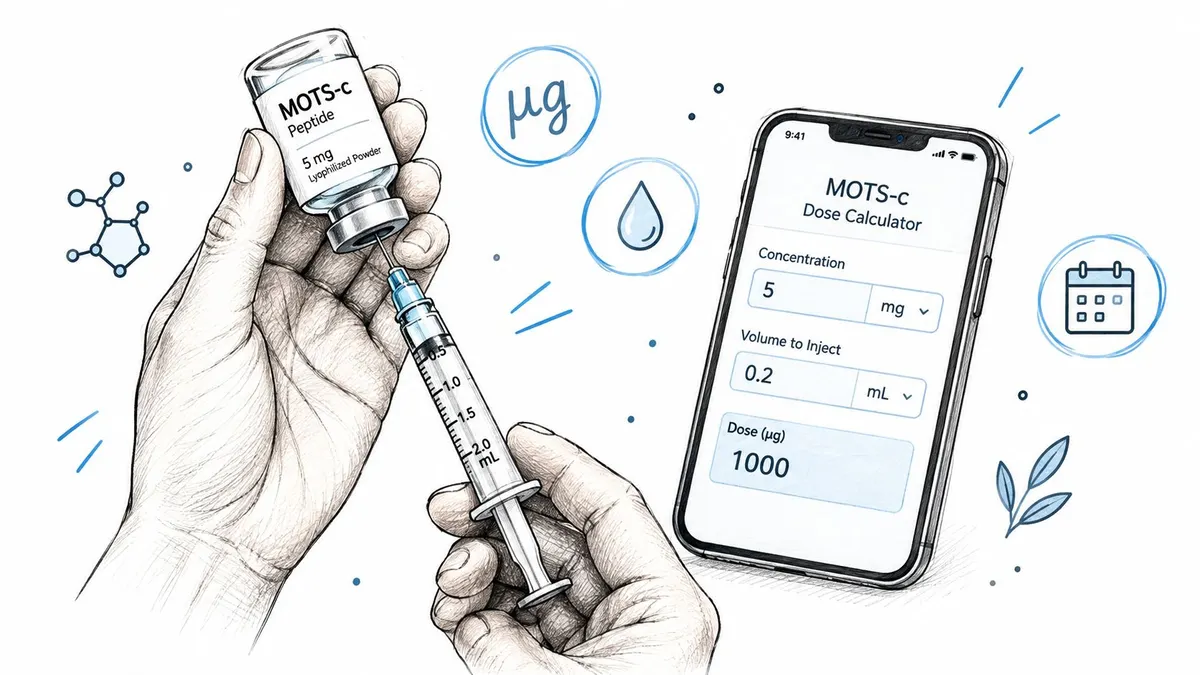
You’ve entered a MOTS-c dose into a calculator, but the result doesn’t look like the number you expected. The vial is labeled in milligrams, your protocol may use micrograms, and the syringe is marked in units. Those are three different measurements, and a small mix-up between them can turn correct arithmetic into an unsafe result.
A reliable MOTS-c dosage calculator helps convert the chain from vial strength to concentration, from concentration to injection volume, and from volume to syringe units. It can also help you plan how many injections a vial supports, but it can’t decide whether a dose or schedule is medically appropriate. Use calculation tools for organization and arithmetic, and discuss any peptide protocol with a qualified healthcare professional. For broader health and performance context, Telomyx health and performance testing can help readers think about measurement and monitoring alongside any personal plan.
Table of Contents
- Introduction to MOTS-c Dosing and Why Precision Matters
- Understanding Dose Units Vial Strength and Syringe Basics
- How the MOTS-c Dosage Calculation Workflow Works
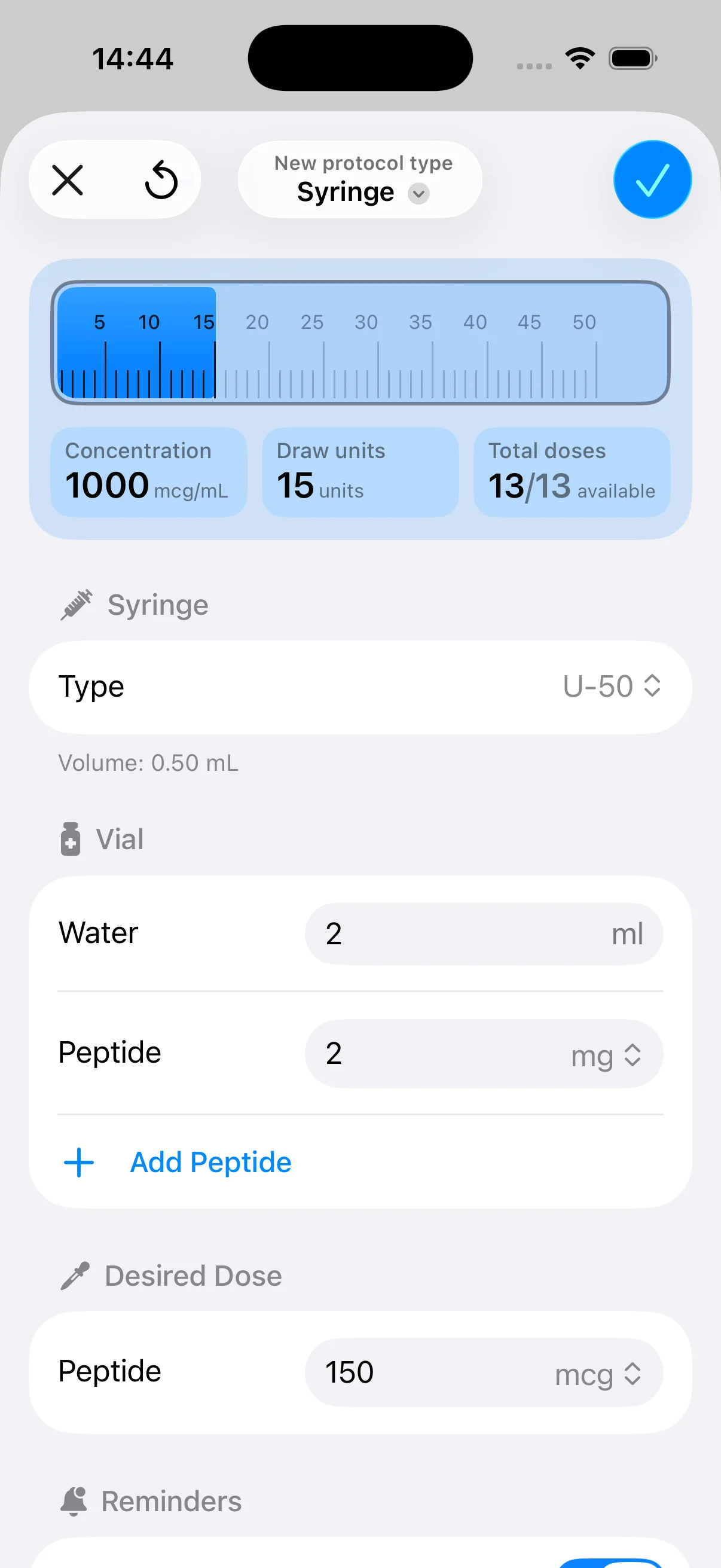
- Configuring Your Vial and Concentration in PepFlow
- Worked Examples and Planning How Long a Vial Lasts
- Safety Tips and Consistent Dosing Habits to Follow
Introduction to MOTS-c Dosing and Why Precision Matters
A label may show 10 mg while a protocol lists 250 mcg. Both values can look familiar, yet selecting the wrong unit field produces a polished-looking syringe result from incorrect inputs. The calculator cannot recognize that the scale was wrong, so the unit check must happen before the arithmetic.
The foundation is simple: 1 milligram equals 1,000 micrograms. A 5 mg vial contains 5,000 mcg, and a 250 mcg dose equals 0.25 mg. Confusing milligrams with micrograms can create a 1,000× dosing mistake, even when every later calculation is correct (Peptigrity’s peptide calculator).
Practical rule: Treat the unit beside every number as part of the number. “5” is incomplete unless it means mg, mcg, mL, or syringe units.
MOTS-c math can feel difficult because the vial’s total mass and the intended dose use different scales. The syringe adds another layer: it shows liquid volume, not peptide mass. Concentration connects those measurements. Skipping that step is like trying to measure flour with a ruler. The numbers may be clear, but they describe different things.
What the calculator can and cannot do
A dosage calculator can help determine:
- The concentration produced by a chosen vial amount and diluent volume.
- The milliliters that correspond to a target dose.
- The markings shown on a U-100 insulin syringe.
- How many injections a vial may support at a selected dose and schedule.
For MOTS-c planning, the useful output is a reproducible measurement trail. Record the vial label, dilution volume, target dose, syringe type, injection schedule, and expected vial lifespan. That record makes it easier to spot a unit mismatch and see whether the planned amount fits the available vial.
A calculator does not verify the vial, assess whether the solution is suitable for injection, or determine whether a dose fits your health, medications, or goals. It also cannot settle vague dose categories. Terms such as beginner, standard, or aggressive may appear online without consistent definitions or clear evidence quality (World Peptide Association’s MOTS-c calculator).
Calculation precision is not clinical certainty. Use tools for arithmetic and organization, and discuss any peptide protocol with a qualified healthcare professional. For broader health and performance context, Telomyx health and performance testing can support measurement and monitoring alongside a personal plan.
Understanding Dose Units Vial Strength and Syringe Basics
Before using a MOTS-c dosage calculator, learn the three variables it depends on:
- Vial strength, the total peptide mass in the vial, usually shown in mg.
- Reconstitution volume, the amount of liquid added to the vial, shown in mL.
- Target dose, the amount intended for one injection, shown in mg or mcg.
The calculator combines these values to find concentration. It then converts the target dose into a liquid volume, which can be mapped to syringe units. The process is easier to audit when you keep the unit system consistent rather than switching back and forth without writing down the conversion.
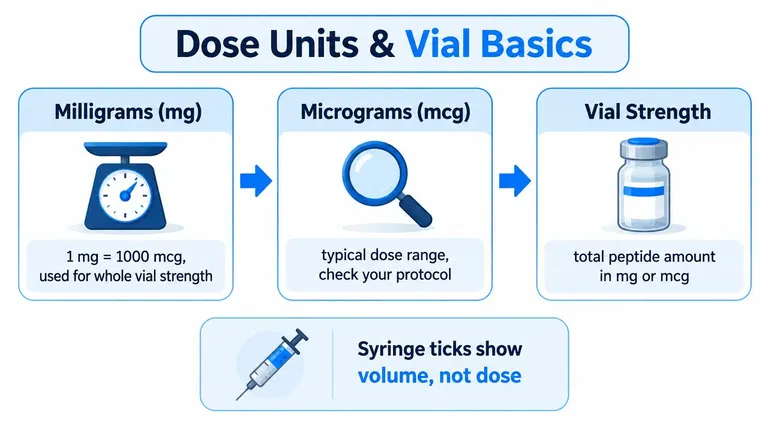
Milligrams, micrograms, and total vial mass
Milligrams and micrograms measure mass. They tell you how much peptide is present, not how much liquid you draw. The basic relationship is:
- 1 mg = 1,000 mcg
- 5 mg = 5,000 mcg
- 250 mcg = 0.25 mg
If your vial is labeled in mg and your target dose is written in mcg, convert one of them before calculating. Either system can work. The danger comes from treating mg and mcg as interchangeable.
Vial strength describes the total amount of peptide before dilution. Adding liquid doesn’t change the total peptide mass. It changes how much liquid contains each portion of that mass.
Milliliters and U-100 syringe units
A syringe measures volume, typically in milliliters. A U-100 insulin syringe uses 100 units per milliliter, so calculators commonly convert the final volume into syringe units by multiplying milliliters by 100 (Rite Aid’s peptide dosage calculator).
For example, a volume of 1.0 mL corresponds to 100 units on a U-100 syringe. Those units describe liquid volume, not the dose in mg or mcg. The actual peptide mass depends on the concentration of the reconstituted solution.
This is why a tincture dosage chart can be useful as a general lesson in reading dose charts, but it shouldn’t be substituted for peptide-specific concentration math. Different products and delivery systems use different units and assumptions.
For an additional conversion reference, see how to convert mcg to mL. Write down the vial amount, liquid volume, concentration, target dose, and syringe type before relying on the displayed result.
How the MOTS-c Dosage Calculation Workflow Works
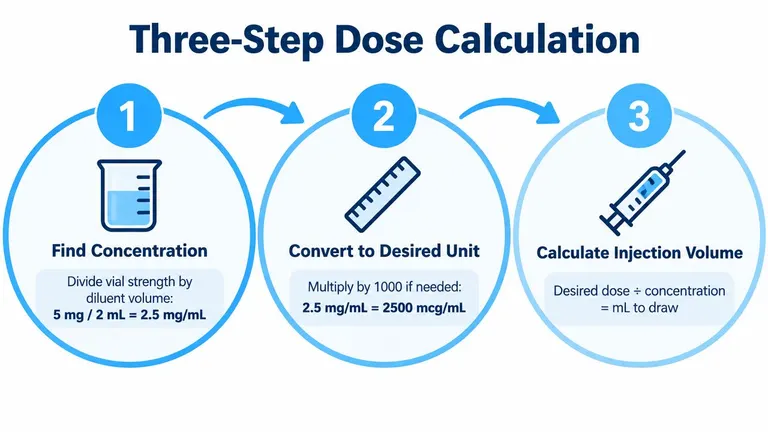
Suppose your written plan gives a microgram dose, while the vial label uses milligrams. The safest workflow treats the calculation like a short chain: establish concentration, find the liquid volume, then translate that volume into syringe units. Keeping each link visible makes an unexpected result easier to catch.
Step one, find concentration
Use:
Vial strength ÷ reconstitution volume = concentration
A 10 mg vial mixed with 2 mL of bacteriostatic water gives 5 mg/mL. Written in micrograms, that is 5,000 mcg ÷ 2 mL = 2,500 mcg/mL. Either form works when the target dose uses the same unit system. For general MOTS-c reference material, see PeptideDosage.org’s MOTS-c dosage guidance.
Step two, calculate the draw volume
Use:
Target dose ÷ concentration = injection volume in mL
At 5 mg/mL, a 5 mg target dose requires:
5 mg ÷ 5 mg/mL = 1.0 mL
The equivalent microgram calculation is:
5,000 mcg ÷ 2,500 mcg/mL = 2.0 mL
These examples also show why matching units matters. If the displayed volume conflicts with the vial strength or dilution, pause and review the entries. A calculator follows its inputs, including an incorrect unit.
Step three, convert milliliters to syringe units
For a U-100 syringe:
mL × 100 = syringe units
A 1.0 mL draw equals 100 units. Syringe units describe liquid volume, not peptide mass.
The same sequence appears in this video about peptide calculation. For a practical measurement reference, review how to measure research peptides. A PepFlow peptide calculator can repeat the workflow, while cycle planning can help estimate vial lifespan from dose and schedule. Keep the inputs and result recorded so measurement resolution is clear before drawing.
Configuring Your Vial and Concentration in PepFlow
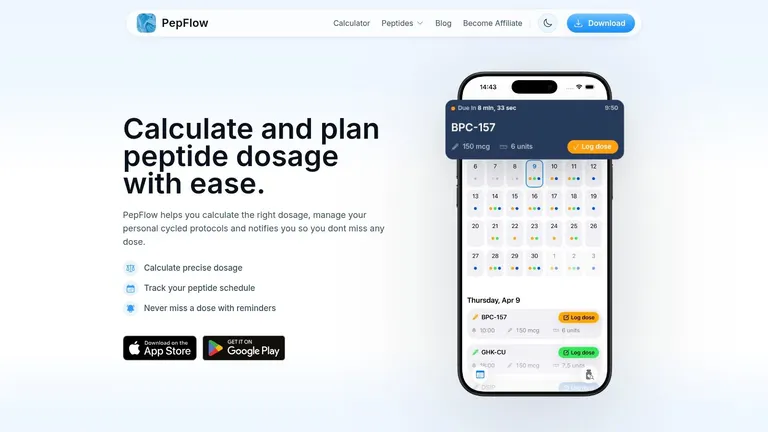
PepFlow is one option for translating the manual calculation into a repeatable setup. Enter the vial strength, the reconstitution volume, and the target dose exactly as they appear in your written plan. The important task isn’t pressing the calculate button. It’s choosing the correct units before you press it.
Enter the vial data carefully
Start with the vial’s total peptide amount. If the label says mg, select or enter mg. Then enter the amount of liquid added in mL. Don’t enter the final syringe units as the reconstitution volume, and don’t enter the target dose in the vial-strength field.
Next, enter the intended dose. If your protocol says mcg, keep it in mcg. If it says mg, keep it in mg. A calculator may perform conversions automatically, but it still relies on the user to identify the original unit correctly.
A useful verification routine is to write the setup in plain language:
- Vial: total peptide amount and unit
- Diluent: total liquid added in mL
- Concentration: calculated mass per mL
- Target: peptide mass per injection
- Syringe: U-100, if applicable
- Result: volume and syringe units
Use the cycle tools for organization
Once the dose math is configured, scheduling features can help organize start dates, dosing frequency, pause periods, reminders, and dose logs. These features address a different problem from arithmetic. They reduce the chance of forgetting whether a dose was taken or accidentally repeating a calculation with a different dilution.
The app should be treated as a planning and recordkeeping aid, not as a source of medical authorization. Before entering a protocol, review how to reconstitute peptides and follow instructions from an appropriate healthcare professional and the product’s legitimate handling documentation.
A saved configuration is only useful if it matches the vial you’re using. If the vial strength, diluent volume, or syringe type changes, update the setup rather than assuming the old result still applies.
Worked Examples and Planning How Long a Vial Lasts
A vial can appear sufficient until the planned dose, syringe resolution, and schedule are considered together. A useful MOTS-c calculation should show the draw volume, the amount represented by each syringe mark, and the number of planned injections the vial can support.
Use a different setup from the earlier example: a 5 mg vial reconstituted with 2 mL contains 2.5 mg/mL. A 250 mcg dose is 0.1 mL, or 10 units on a U-100 syringe. The vial contains 5,000 mcg, so the theoretical supply is 20 injections at 250 mcg each, assuming no change in dose and no practical handling loss.
That estimate describes vial lifespan, not authorization for a protocol. If the schedule includes pauses or a different frequency, the vial may remain in use for a longer calendar period even though the number of injections stays the same.
Reconstitution volume changes measurement resolution
The peptide mass remains fixed, while the amount of diluent changes the concentration and the volume drawn for each dose.
| Reconstitution Volume | Concentration | Example Dose Volume | Units per Dose |
|---|---|---|---|
| 1 mL | 5 mg/mL | 0.05 mL for a 250 mcg dose | 5 units |
| 2 mL | 2.5 mg/mL | 0.1 mL for a 250 mcg dose | 10 units |
At 2.5 mg/mL, one syringe unit represents 25 mcg. At 5 mg/mL, one unit represents 50 mcg. The more diluted solution produces a larger draw for the same dose, so the dose spans more syringe marks and may be easier to read. A concentrated solution uses fewer marks, making small reading differences more consequential. A Peptigrity’s MOTS-c calculator can help compare these setups, but the displayed result still depends on accurate vial and syringe inputs.
A smaller injection volume is not automatically a more precise injection. Concentration determines how much peptide each syringe increment represents.
Forecasting injections and vial lifespan
Use this formula for a basic inventory estimate:
Total vial mass ÷ dose per injection = theoretical injections
For the 5 mg vial, 5,000 mcg ÷ 250 mcg = 20 theoretical injections. A cycle planner can then connect that estimate to a start date, dosing frequency, pause period, and dose log. If the dose changes, calculate the remaining vial mass again instead of carrying forward the original count.
App-based planning addresses a practical gap that unit conversion alone does not: it shows how a dosing schedule affects the time before the vial is depleted. The PeptideUniv’s MOTS-c dosage calculator offers another way to check the calculation and planning inputs. Keep a conservative margin for handling loss, and confirm the saved setup whenever the vial, dilution, dose, or syringe changes.
Safety Tips and Consistent Dosing Habits to Follow
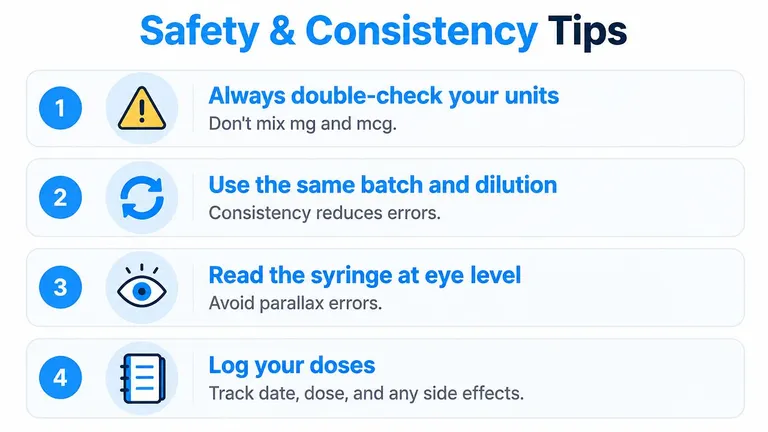
A reliable routine starts with the records beside the vial. Keep the vial label, reconstitution notes, written protocol, syringe type, and current dose log together. If any item changes, pause and recalculate rather than trusting memory.
Use a fixed recording format for every injection:
- Record the date and intended dose: Add the draw volume, syringe units, vial identifier, and any pause or dose change.
- Read the syringe at eye level: Use the correct scale, keep the barrel steady, and align the liquid level with the intended mark. This reduces errors caused by viewing the graduations from an angle.
- Recheck after a change: Recalculate when the vial, dilution volume, target dose, syringe, or dosing frequency changes. A new concentration changes the relationship between syringe marks and peptide amount.
- Review the log before drawing: Compare the planned dose with the previous entry and confirm that the vial and concentration match.
These habits make a dosing app more useful because the saved inputs stay connected to the physical vial and syringe. They also help reveal a mismatch before it becomes the next recorded dose.
Don’t mistake a precise result for a validated protocol
Online MOTS-c pages may show informal dose categories or schedules, but these suggestions are not uniformly standardized. A calculator converts entered inputs into a volume. It does not establish whether that dose suits you, whether the schedule is effective, or whether longer-term use is appropriate.
Before starting or changing a protocol, speak with a qualified healthcare professional, especially if you use glucose-lowering medication or have a condition affected by metabolic changes. Stop and seek prompt medical help for severe or unexpected symptoms, including signs of a serious allergic reaction or possible hypoglycemia.
PepFlow provides a peptide dosage calculator for vial amount, reconstitution volume, target dose, concentration, syringe units, cycle planning, reminders, and dose logging. Visit PepFlow to organize the calculation and schedule, then review the setup with a qualified healthcare professional before use.