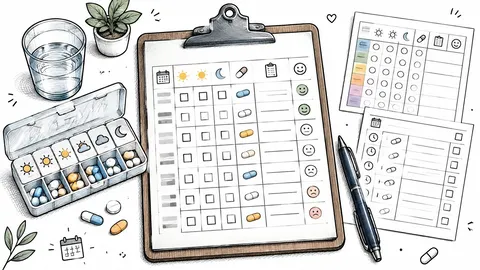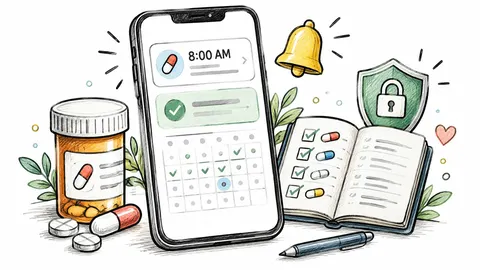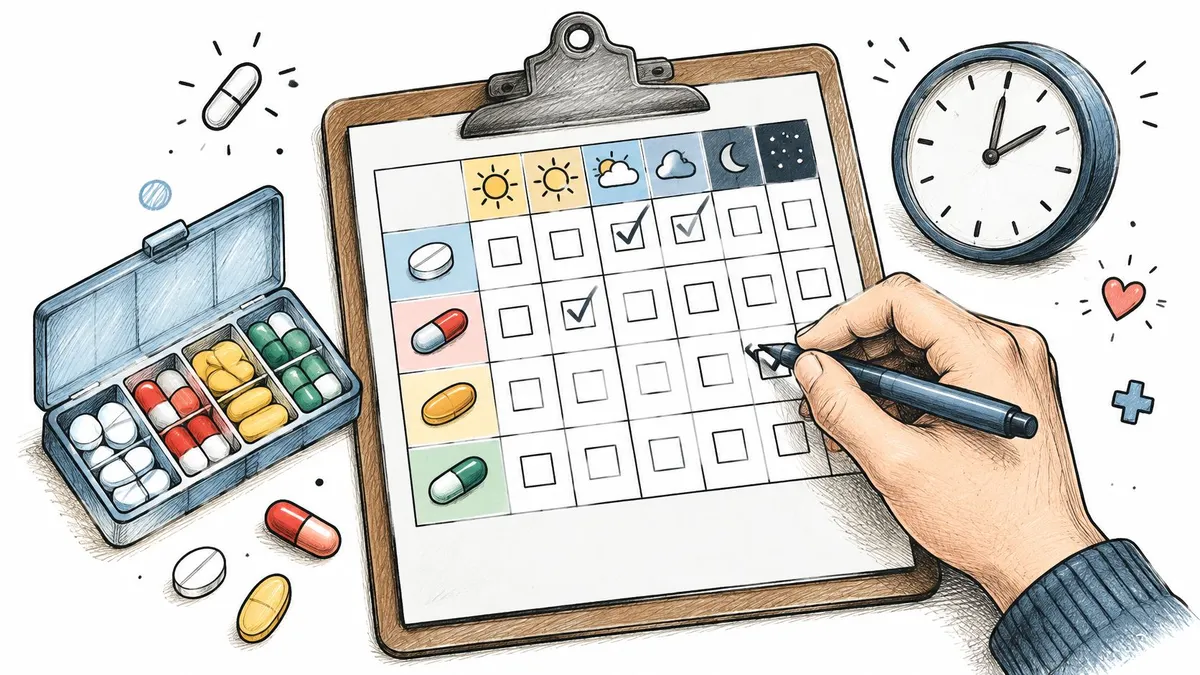
You’re standing in the kitchen before work. A morning dose is due, a midday supplement needs a reminder at school or the office, and an evening prescription should not be taken twice by mistake. Nothing’s written down, so everyone relies on memory and a guess about what happened yesterday.
A Medication Schedule Template fixes that only when the format matches the job. A single short course needs a visible grid, a shared caregiver routine needs names and contacts, and a schedule that changes often needs quick edits and alerts. The World Health Organization 2003 report stated that adherence to long-term treatment for chronic illnesses averaged only 50% in developed countries. Forgetting, uncertainty about the next dose, and weak routines are practical problems a clear record can reduce.
The ten picks below are sorted by job, not looks. You’ll find printable grids, caregiver forms, pharmacist-ready charts, and reminder apps for daily, weekly, and monthly use. Each entry names what it can’t do and gives you one concrete way to customize it.
Templates organize information. They don’t replace advice from a prescriber or pharmacist, and any dose change, pause, or concern about interactions needs professional confirmation.
Table of Contents
- 1. PepFlow
- 2. Vertex42 Medication Schedule Template
- 3. Smartsheet Medication Schedule Template
- 4. VITAS Caregiver Medication Schedule
- 5. National Institute on Aging Medication and Supplements Worksheet
- 6. UW–Madison Med Wise Rx Medication Chart
- 7. WPS Medication Schedule Template
- 8. Apple Health Medications
- 9. Medisafe
- 10. MyTherapy
- How the 10 medication schedule template options differ by format, reminders, dose logging, and best use
- Pick the Format That Matches Your Routine and Keep It Current
1. PepFlow

Choose PepFlow when a daily pill grid can’t represent the routine. It’s built for peptide schedules with start dates, dosing frequencies, cycles, and pause periods, not just a row of seven identical days. You can log doses quickly, review history over time, and see what’s next without rebuilding a spreadsheet every week.
Where the Calculation Help Matters
The calculator converts a target amount into practical unit measurements from the vial and concentration details you enter. That cuts manual math, but it doesn’t validate your inputs, so check every figure against the directions you’ve been given. Injectable routines carry preparation risk beyond timing, and a review of injectable medication incidents found 419 reports, with 59.7% involving patient harm and 74.7% occurring in patients’ homes.
Use that context practically. Record formulation, concentration, volume, and preparation notes before a dose, and make uncertainty visible instead of ticking a vague “taken” box.
- Reminders that fit cycles: Use push notifications, countdowns, live activities, and widgets instead of one daily alarm.
- Flexible protocol setup: Set start dates, frequency, and pause periods for cycled or non-daily patterns.
- Reference in one place: Open the peptide knowledge base, cheat sheet, and reconstitution guidelines when you review your setup.
My rule: If a schedule has pauses or changing intervals, don’t force it into a Monday to Sunday pillbox grid.
PepFlow is a lightweight iOS app, which is worth knowing if anyone in the household only uses Android. Its limit is equally clear: it’s a planning and calculation tool, not medical advice, and it can’t confirm that a regimen is appropriate for you. Confirm the schedule with a qualified professional before you rely on it.
Customize it weekly: Build one protocol per compound, add planned pauses before you start, and review the dose history every Sunday for gaps or duplicate entries.
2. Vertex42 Medication Schedule Template
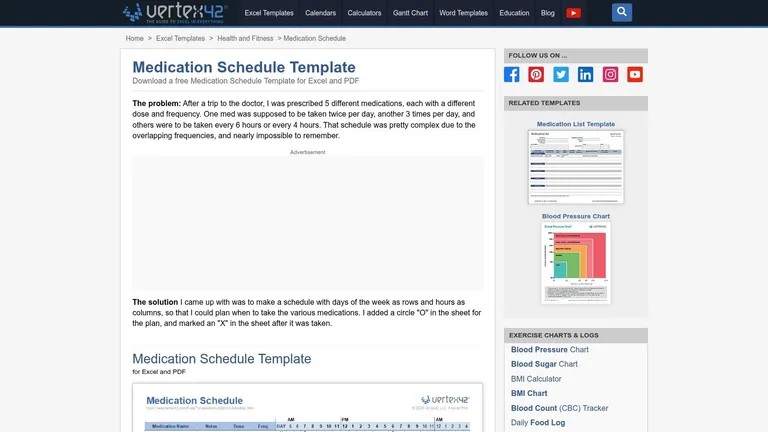
The Vertex42 Medication Schedule Template uses a weekly grid arranged by days and times of day. If you already have a copy, keep it near the medication and mark planned and completed doses by hand.
That visibility is the point. Anyone in the house can see whether the morning dose is marked, without opening an app or asking who’s logged in. The Excel version lets you rename rows, adjust times, and add notes before printing.
What it can’t do matters just as much. There’s no automatic reminder, no dose logging beyond your pen mark, and editing requires compatible spreadsheet software. If the prescriber changes the dose mid-week, print a fresh sheet instead of squeezing corrections into margins.
- Best fit: Short-term regimens, post-procedure courses, and offline households.
- Weak spot: Long or frequently changing schedules outgrow one weekly sheet.
- Setup need: Confirm names, strengths, and times with a pharmacist before printing.
Customize it daily: Duplicate the Excel tab for each week, date the printed copy, and cross out completed days so an old sheet can’t be reused by mistake. I recommend keeping only the current week on the fridge.
3. Smartsheet Medication Schedule Template
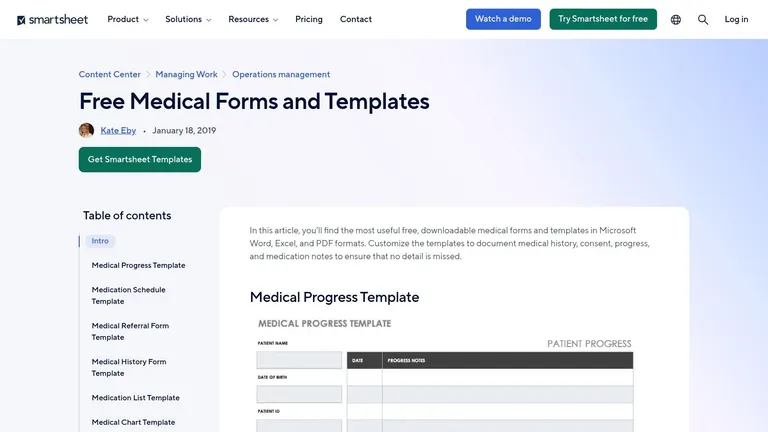
Smartsheet’s medication templates cover dose, frequency, time of day, allergies, pharmacy, and physician details. If you already use one, those extra fields can help when several people share responsibility for the schedule.
Clear context supports safety. The World Health Organization Medication Without Harm announcement estimated medication errors cost approximately US$42 billion worldwide each year and injure approximately 1.3 million people annually in the United States alone. A shared, consistent structure reduces ambiguity, though it can’t judge whether a dose is clinically appropriate.
Smartsheet also offers related medication list and medication log templates. You can print one copy for home and keep an editable copy for updates.
The trade-off is complexity. If you only track one daily tablet, the extra fields slow you down, and manual use still means no reminders. Check the site’s terms before adapting or sharing a copy.
Customize it monthly: Keep the master file digital, add a “last reviewed” date, and print a clean copy after every prescription change. Take that copy to appointments so your clinician reviews the same version you use at home.
4. VITAS Caregiver Medication Schedule
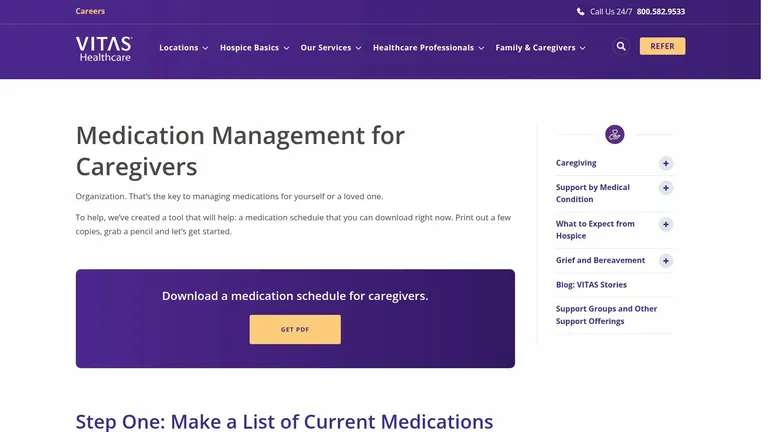
Caregiving adds a handoff problem. The VITAS caregiver medication resource pairs a downloadable schedule with guidance on gathering prescription, over-the-counter, and supplement information in one place. It’s designed for someone organizing another person’s routine, on paper, without an app.
That pairing helps because caregivers often inherit bottles, not a clean list. Writing down what each item is, when it’s given, and who gave it prevents two family members from repeating a dose. If you’re building better habits around shared care, read how to improve medication adherence alongside the form.
Paper has hard limits. It doesn’t alert anyone, it goes stale when prescriptions change, and complex schedules need frequent rewrites. Assign one person to own updates, or versions will drift.
Handovers fail on assumptions. Initial each dose so the next caregiver trusts the sheet, not a memory.
Customize it daily: Add an initials column and a notes line for refused, late, or uncertain doses. Circle anything unclear and call the pharmacist rather than guessing. Don’t write catch-up instructions on the form unless a clinician has given them for that specific medicine.
5. National Institute on Aging Medication and Supplements Worksheet
Don’t mistake a medication list for a timed schedule. The National Institute on Aging worksheet page offers a free printable PDF for recording medications and supplements, and its strength is appointment preparation. It helps you maintain a current record you can hand to a clinician or pharmacist.
That’s a different job from daily dose tracking. The worksheet won’t show whether Tuesday’s evening dose was taken, and it sends no reminders. Pair it with Vertex42 or WPS if you need time-of-day boxes.
Used well, it’s the source document behind your schedule. List every prescription, supplement, and over-the-counter item, then build your daily grid from that verified list. When something changes, update the worksheet first so the grid doesn’t carry an old strength.
- Strength: Free, printable, and provided by a U.S. government health resource.
- Best use: Medication reviews, new-patient visits, and pharmacy consultations.
- Limit: It’s an inventory, not a completion record.
Customize it monthly: Sit down with the actual bottles once a month, compare labels to the sheet, and remove anything discontinued. Confirm discrepancies with your pharmacist before the next refill, not after.
6. UW–Madison Med Wise Rx Medication Chart
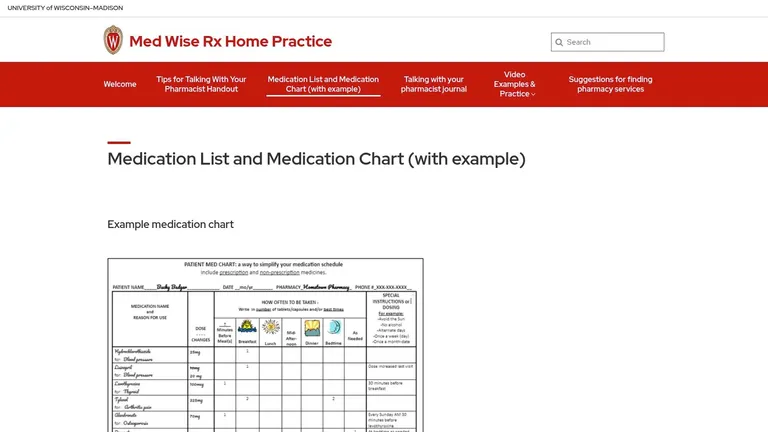
Start here if blank forms intimidate you. The UW–Madison Med Wise Rx tools provide blank medication charts and lists in Word and PDF, plus an example chart. Seeing a completed version removes guesswork about what belongs in each field.
That example is the differentiator. Many templates assume you know how a pharmacist wants information ordered, and many people don’t. If frequency codes on labels confuse you, check dosing frequency abbreviations before you transcribe them, then confirm your reading with the pharmacy.
The charts suit a medication review well. Bring the completed chart, ask the pharmacist to correct it in the room, and take home a verified copy.
Limits are predictable. There’s no alarm, no automatic dose log, and you maintain everything manually. A specialty regimen may also need fields the generic chart doesn’t have.
Customize it weekly: Use the Word version as your living file, save a dated copy after each change, and print the PDF only for appointments. Keep one week of taken-dose marks on a separate grid so the master chart stays clean and readable.
7. WPS Medication Schedule Template
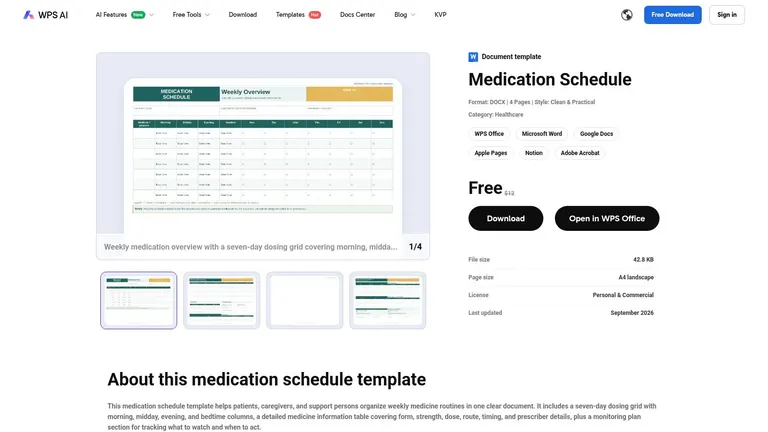
The WPS Medication Schedule Template is the most document-like printable here. It’s an editable DOCX with a four-page layout and a seven-day grid split into morning, midday, evening, and bedtime. It also includes medication details, caregiver or pharmacy contacts, and a monitoring-plan section.
That structure suits routines with several time blocks and notes that don’t fit a simple checkbox. You can record what to watch for, who to call, and when to check back, all beside the schedule. It’s also easy to edit text before printing.
When More Structure Becomes a Burden
Four pages is a lot for one daily dose. The template sends no notifications and doesn’t track completion by itself, so discipline still does the work. Review the page’s license and download terms before you reuse or redistribute your adapted copy.
Customize it weekly: Delete unused pages, keep the contact block, and add a “changed this week” line at the top. Highlight only the current week’s changes, and ask your clinician to confirm the edited version before you post it at home.
8. Apple Health Medications
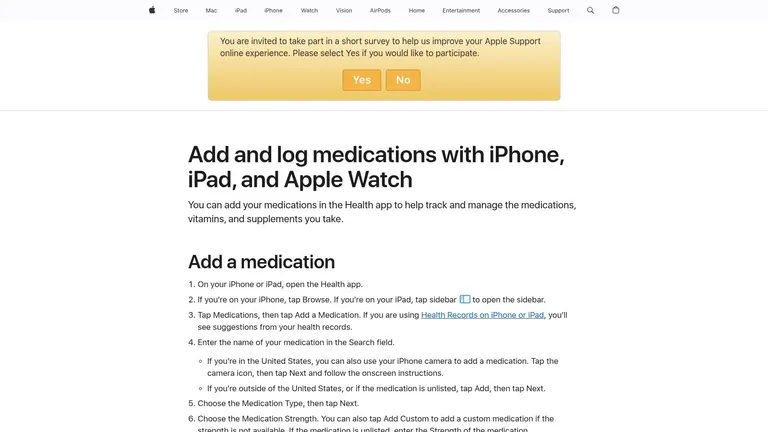
If you already carry an iPhone, start with what’s built in. Apple Health Medications support describes schedules, reminders, and logging doses as taken or skipped on iPhone, iPad, and Apple Watch. Follow-up reminders nudge you when a dose hasn’t been logged.
Logging from the Watch is the practical win. You don’t postpone the record until you find your phone, so the history stays closer to real time. The schedule and history sit in one Health app view.
Late doses need care here. A study linked on missed dose definitions found 55% of surveyed patients considered a dose taken six hours late to be missed, compared with only one physician in the study. Log the actual time, mark late separately from missed, and follow medicine-specific instructions instead of improvising a catch-up dose.
The limits are ecosystem and version. It’s Apple only, some schedule types need newer operating systems, and built-in medication information doesn’t replace professional judgment.
Customize it daily: Turn on follow-up reminders, log at the moment of taking, and review skipped doses each evening. If a pattern repeats, discuss timing with your pharmacist.
9. Medisafe
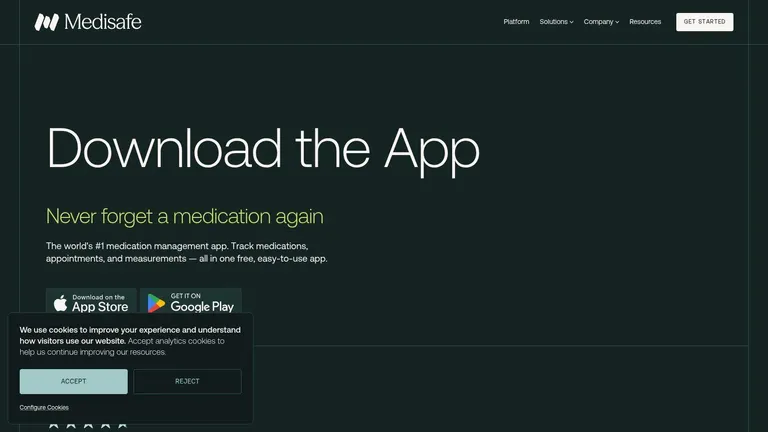
Pick Medisafe when another person should know a dose was missed. The iOS and Android app combines schedules, reminders, and dose-progress reports with Medfriend, its caregiver notification feature. That shared visibility separates it from solo reminder tools.
Reports help you spot patterns you’d miss on paper. Repeated evening misses point to a routine problem, not a memory problem, and you’ll fix those differently. If you’re comparing digital options, this overview of choosing a medication tracker app is a useful companion.
Medisafe also offers drug-interaction alerts, subject to availability and medication data. Treat those alerts as prompts to ask a pharmacist, never as clearance to combine medicines. Some features may require Premium, and the app only works if you enter and maintain accurate information.
- Best fit: Shared care, parents monitoring a relative, and report-driven routines.
- Weak spot: Database-dependent alerts and paid features vary.
Customize it monthly: Export or review the adherence report before appointments, update every medication after a change, and ask your clinician whether the schedule itself needs simplifying.
10. MyTherapy
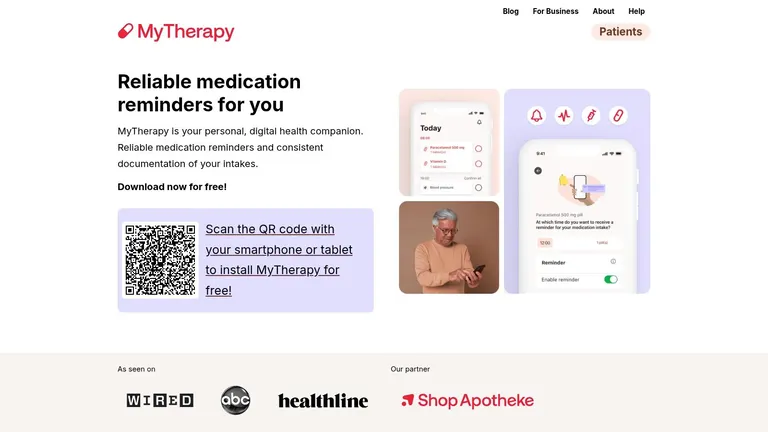
MyTherapy fits people who want context around each dose. It combines medication reminders, taken or skipped intake records, refill reminders, notes, and broader health diary tracking. The official site says the app is free to use, and the iOS listing describes family profiles and injection-site tracking.
That extra context helps when symptoms, measurements, or injection sites matter to the conversation with your clinician. A note beside a skipped dose explains more than a red X on a calendar.
Watch the scope: Track only what you’ll review. Extra fields you ignore make the useful records harder to keep.
Features vary by platform, so check your device’s listing before you commit. Review the privacy terms before entering sensitive health information, and remember that a diary doesn’t diagnose anything.
Customize it weekly: Add one note type only, such as symptoms or site rotation, and review it every week with the intake history. Set refill reminders early enough to call the pharmacy, and confirm any schedule change with your prescriber before editing the app.
How the 10 medication schedule template options differ by format, reminders, dose logging, and best use
| Item | Format | Reminders | Dose Logging | Best For |
|---|---|---|---|---|
| PepFlow | iOS app | Push notifications, countdowns, widgets, and live activities | Quick logging and dose history | Peptide schedule planning, cycled protocols, and dose tracking |
| Vertex42 Medication Schedule Template | Excel and PDF worksheet | No automatic reminders | Mark planned and taken doses manually | Simple printable weekly schedules |
| Smartsheet Medication Schedule Template | Excel, Word, PDF, and Smartsheet | No automatic reminders | Manual template tracking | Medication schedules with patient and care-team details |
| VITAS Caregiver Medication Schedule | Printable paper schedule | No automatic reminders | Manual updates | Caregivers organizing another person’s routine |
| National Institute on Aging Medication and Supplements Worksheet | Printable PDF worksheet | No automatic reminders | Maintains a medication list, not dose-by-dose logs | Preparing medication records for healthcare discussions |
| UW–Madison Med Wise Rx Medication Chart | Word and PDF charts and lists | No app-style alarms | Manual document tracking | Organizing information for medication reviews |
| WPS Medication Schedule Template | Editable DOCX | No notifications | No dose tracking | Weekly planning with monitoring and contact details |
| Apple Health Medications | Apple Health app; compatible Apple devices | Scheduled and follow-up reminders | Logs doses as taken or skipped | Apple users seeking reminders and dose history |
| Medisafe | iOS and Android app | Medication reminders and caregiver notifications | Dose tracking and reports | Digital medication management with caregiver support |
| MyTherapy | Mobile app | Medication and refill reminders | Logs taken or skipped doses | Medication tracking alongside a broader health diary |
The table splits cleanly on reminders. Only the four apps (PepFlow, Apple Health, Medisafe, and MyTherapy) can nudge you at dose time; every paper or spreadsheet option assumes you remember on your own. Dose logging follows the same line. The apps record taken or skipped doses, while the printable and document formats rely on you writing down what happened.
The worksheets earn their place elsewhere. Smartsheet, VITAS, the National Institute on Aging worksheet, and UW–Madison carry patient details, contacts, and full medication lists that a reminder app never asks for. PepFlow stands apart from the other apps on one point: it manages cycled protocols with pause periods rather than a flat daily repeat. Whatever you pick, confirm the schedule it holds with your clinician or pharmacist before relying on it.
Pick the Format That Matches Your Routine and Keep It Current
Match the tool to the failure you’re really having. If doses are taken but nobody can prove it, you need a visible record. If doses are forgotten, you need alerts. If several people give medication, you need a shared form with initials, contacts, and one owner for updates.
Use a printable grid like Vertex42 or WPS for a short course with fixed times. It’s fast, visible, and finished when the course ends. Don’t stretch a one-week sheet across months of changing doses.
Use a caregiver or clinician-ready form like VITAS, Smartsheet, the National Institute on Aging worksheet, or UW–Madison when the regimen is complex or shared. These formats carry allergies, pharmacy details, and medication lists that a bare grid omits. Bring the current version to every appointment and let the clinician correct it directly.
Use a reminder app like Apple Health, Medisafe, MyTherapy, or PepFlow when missed doses are the main problem. Paper can’t nudge you at midday, and memory is the weakness you’re trying to remove. Choose PepFlow specifically when cycles, pauses, and concentration based calculations make a standard daily reminder too rigid.
Then keep whichever format you chose current:
- Daily: Log the actual time taken, and separate late, missed, and uncertain instead of forcing one checkbox.
- Weekly: Compare the schedule against the bottles, confirm names, strengths, and times, and discard outdated printouts.
- Monthly: Check refills, expiry dates, and discontinued items, and update the master list before you reorder.
Update the template whenever a prescription changes, not at the next convenient review. An accurate old schedule is still the wrong schedule. If you’re unsure how to handle a specific medicine after a gap, reading about what to do about missed metformin doses shows why the answer depends on the medicine and why your pharmacist should confirm it.
For PepFlow users, we designed the app for tracking and reference only, so check that everything you enter is accurate. It’s a planning tool rather than medical advice. PepFlow PRO is available as a one-time purchase or a monthly or yearly subscription, and subscriptions renew automatically within 24 hours before the period ends unless auto-renew is disabled.
Whichever option you pick, review the finished schedule with a qualified clinician or pharmacist. The template holds the plan. The professional confirms the plan is right.
If your routine involves cycled protocols, pause periods, and vial based calculations that a printable grid can’t handle, PepFlow gives you reminders, quick dose logging, and a clear history in one place. Set up your schedule, confirm it with a qualified professional, and visit us to start organizing your doses with less manual math.