The question isn’t whether you can track more. It’s whether your stack helps you act. Biohacking used to mean logging everything, but the smarter move in 2026 is pairing a baseline tracker, a biomarker app, and a protocol tool so your data turns into decisions, not just dashboards. For context on the broader health-optimization mindset, the Molly Maloof health protocols conversation is a good reminder that structure matters as much as enthusiasm.
Table of Contents
- 1. PepFlow
- 2. Oura
- 3. WHOOP
- 4. Levels
- 5. InsideTracker
- 6. Welltory
- 7. Heads Up Health
- Top 7 Biohacking Apps Comparison
- Building Your Personalized Biohacking App Stack
1. PepFlow

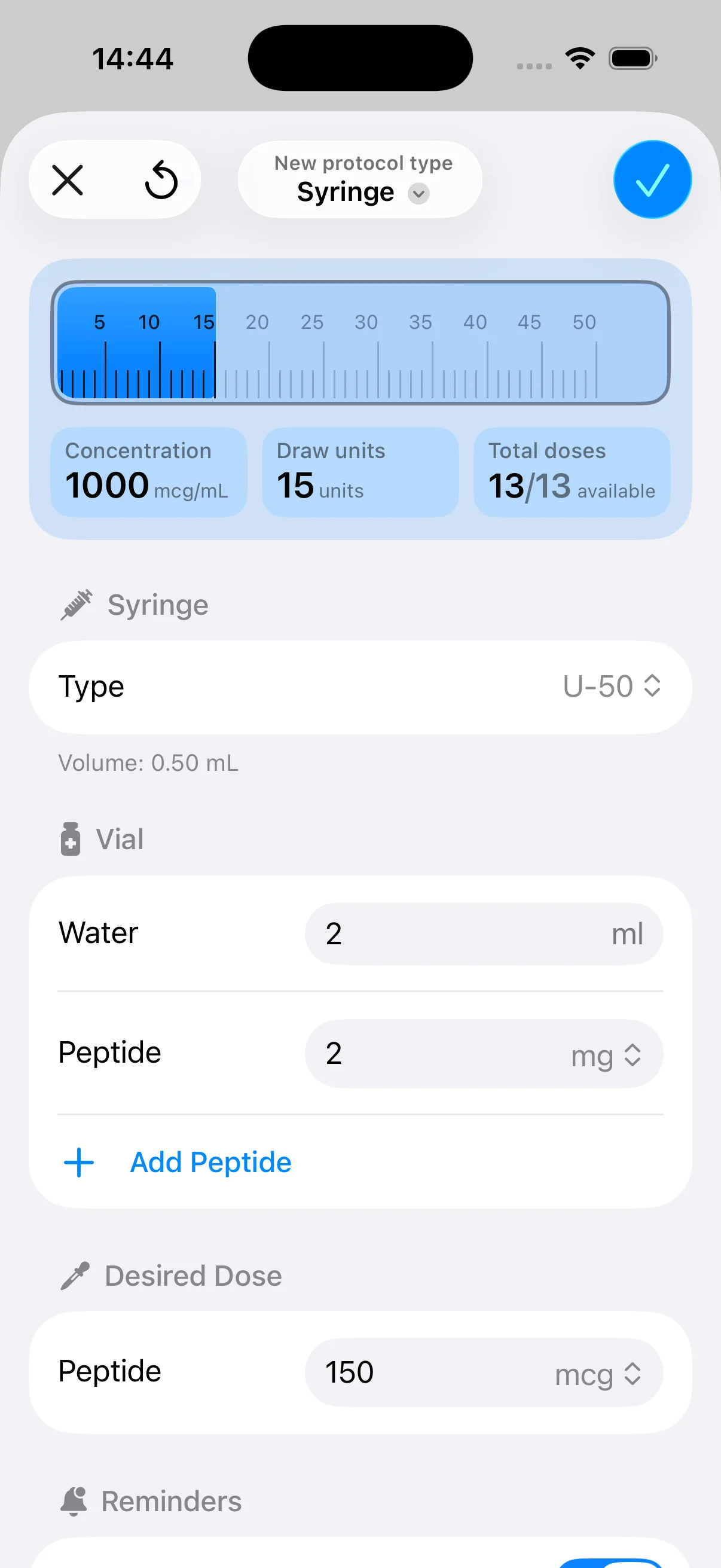
PepFlow is the rare biohacking app that focuses on a problem most tools ignore, protocol execution. If your routine involves repeated dosing, cycle starts, pause windows, or reconstitution math, this is the app that removes the friction between a plan and a completed dose. The core value isn’t flashy analytics, it’s making sure the right amount gets scheduled, logged, and repeated without you doing the same mental arithmetic over and over.
Accuracy first, then adherence
The strongest thing about PepFlow is its dose calculation workflow. It converts target microgram amounts into practical unit measurements, helps configure vial concentration and injection volume, and cuts down on the manual math that causes avoidable mistakes. It also supports full cycled protocols with flexible start dates, custom dosing frequencies, and pause periods, which is exactly what structured peptide routines need.
The adherence layer is just as important. Push notifications, live activities, widgets, countdowns, one-tap log-dose actions, and history tracking make it easier to stay consistent when the routine gets repetitive. PepFlow also includes educational material, such as a knowledge base, cheat sheet, reconstitution guidance, and a blog, so users aren’t left guessing when they’re setting up a regimen. For a deeper look at the calculator workflow, the PepFlow peptide calculator app guide is worth a read.
Practical rule: If a biohacking app can’t reduce mistakes or improve follow-through, it’s just another dashboard. PepFlow is built to do the opposite.
Pros
- Peptide-specific dosing: Designed around microgram math and real-world unit conversion, not generic reminders.
- Cycle management: Built for repeated routines with start dates, pauses, and logged history.
- Reminder stack: Push alerts, widgets, live activities, and countdowns support adherence.
- Education included: Helps users plan more responsibly instead of relying on memory.
Cons
- Not medical care: It’s not a replacement for professional medical advice.
- Limited public pricing clarity: Check the app stores for current pricing or in-app purchase details.
- Narrower scope: It’s specialized, so it won’t replace a broad wellness platform.
Website: PepFlow
Backlink context for builders: fitness tracker features explained
Who should use PepFlow
PepFlow makes the most sense if you value routine over novelty. Biohackers, athletes, coaches, and self-learners tend to get the most from it because the app is built for repeatable execution, not casual experimentation. If you already have a broader health tracker, PepFlow becomes the action layer that keeps protocol work from living in a notebook or spreadsheet.
It’s also a strong fit for anyone who wants a lightweight app instead of a full practitioner portal. The trade-off is obvious, it’s focused rather than all-encompassing. That’s a strength if your main pain point is consistency.
2. Oura
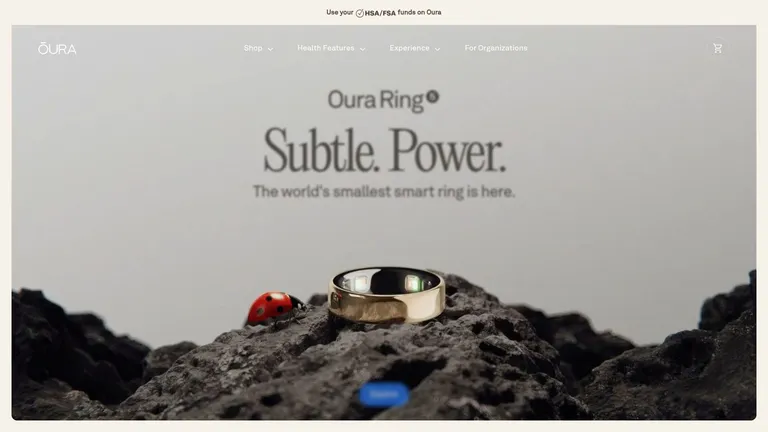
Oura works best as a baseline layer. If you’re serious about biohacking, you need one system that tells you how your sleep, readiness, and daily stress are trending over time, and Oura is built for that role. It’s not the app you open to manage a peptide cycle or build a lab dashboard, it’s the tool you use to understand whether your body is absorbing the rest of your stack.
Best for sleep and recovery baselines
Oura’s app translates a wide stream of continuous metrics into daily guidance on sleep, recovery, stress, activity, and women’s health. That makes it especially useful for longitudinal experimentation, because you can compare how your habits change your readiness before you start changing protocols again. In practice, that means Oura often becomes the anchor for decisions like whether to push training, tighten sleep hygiene, or keep the day light.
The app also includes Daily Readiness, Sleep, Activity, and Daytime Stress insights, plus physiology metrics such as HRV, resting heart rate, SpO2, and temperature deviation. Those signals matter because they’re easier to use consistently than a grab bag of scattered health notes. Oura is also available on iOS and Android, and it includes HSA/FSA-eligible membership options, which helps if you’re choosing between several premium health tools.
The downside is simple. You need to buy the ring to access most of the value, and the membership is part of the ongoing cost. That’s a fair trade if you want a polished sleep-and-recovery system, but it’s not the cheapest entry point.
Website: Oura
3. WHOOP
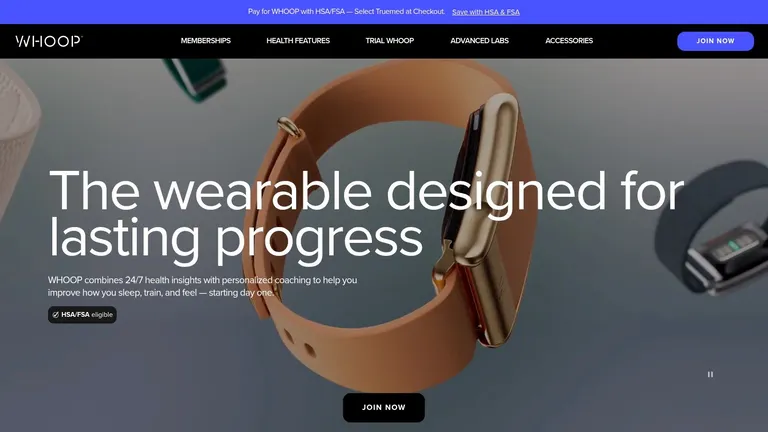
WHOOP is the app I’d put in the same category as a coach, not a notebook. It’s built around recovery, strain, and sleep coaching, so it’s useful when the goal is performance management rather than passive observation. If you train hard, travel often, or use biohacking to support athletic output, WHOOP gives you a clean daily picture of how much load you can probably tolerate.
Best for training load and strain management
The app’s main features are its Recovery, Sleep, and Strain scores, along with coaching that helps you interpret them. WHOOP also includes VO2 Max zones, stress monitoring, and tier-dependent longevity metrics, so it can stretch from straightforward performance tracking into broader health monitoring. That flexibility matters if you want one wearable to cover both training blocks and recovery periods.
The trade-off is commitment. WHOOP works best when you wear it continuously, which means it asks for more consistency than casual users usually want. It also runs on a membership model, so the hardware isn’t really separate from the service. On the other hand, the tiered structure lets you match features to your goals more closely than some one-size-fits-all tools.
For serious athletes, the appeal is obvious. WHOOP is strong on load management and recovery guidance, and it’s useful if your health plan is built around adapting training to your current state rather than following a fixed calendar. If you’re trying to connect what your body feels with what your week demands, it’s a solid choice.
Website: WHOOP
You don’t need every metric if the app already helps you train, recover, and avoid garbage sessions.
4. Levels
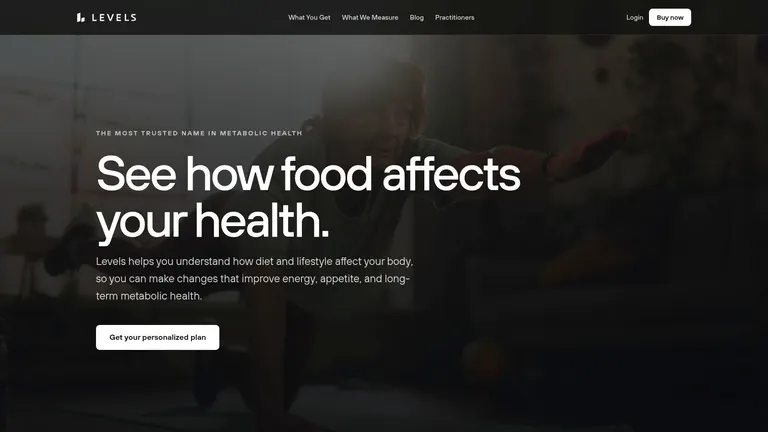
Levels is the metabolic app on this list that feels most directly tied to behavior change. Its core job is to show how food, glucose, and lab data interact, then use that feedback to inform nutrition and training experiments. If your biohacking goals revolve around energy stability, fat loss, or tighter metabolic control, this kind of app is more useful than a generic calorie logger.
Best for metabolic feedback
Levels supports AI-assisted food logging, macro tracking, and adaptive metabolic programs, which gives it a practical edge over apps that only record meals. It also supports the Stelo OTC sensor or a prescription Dexcom G7 path in the US, so users can choose between a lighter and a more clinically connected route. That flexibility is useful because not every biohacker wants the same level of hardware commitment.
The app also offers optional lab panels, including basic and advanced options, to layer in more context than glucose alone. That matters because metabolic data without context can get misleading fast. If you want to connect meal timing, glucose response, and long-term biomarkers, Levels gives you a cleaner structure than random note-taking or a standalone sensor.
The main downside is cost stacking. The best insights depend on sensors or labs, which means the app is most valuable when you’re willing to invest in the full workflow. Comfort and adherence also vary with CGM use, so the best app on paper still has to fit your real-life tolerance.
Website: Levels
5. InsideTracker

InsideTracker is built for people who prefer lab data over guesswork. It takes bloodwork, and optionally DNA and wearable inputs, and turns them into recommendations for nutrition, supplements, and lifestyle changes. That makes it a natural fit for biohackers who want to anchor experiments to repeated biomarker checks instead of relying only on daily wearables.
Best for biomarker-led experimentation
The standout feature is its bloodwork depth. The platform’s Ultimate plan includes up to 54 biomarkers, which gives you a fairly rich view of what’s happening inside the body. It also provides action plans and longitudinal trend tracking, so the app is not just a results repository. It’s designed to help you interpret change over time and decide what to adjust next.
InsideTracker works especially well when testing happens in a clean rhythm. If you repeat labs every few months, use wearables in between, and adjust your protocol slowly, the app fits that style of biohacking very well. It’s less useful if you want instant feedback every day, because labs are slower and more logistical than wearables.
The trade-offs are the obvious ones. Frequent testing can get expensive, and phlebotomy logistics vary by location. Still, if you care more about evidence-based ranges and repeated biomarker work than flashy dashboards, InsideTracker has a strong case.
For anyone building a peptide or hormone-support routine, the peptides for hormone balance guide adds useful context around why labs matter when protocols get serious.
Pros
- Evidence-driven biomarker focus: Better suited to labs than to casual tracking.
- Longitudinal structure: Helps you compare one blood draw to the next.
- Wearable integration: Adds context from daily signals.
- Flexible testing cadence: Good for periodic, not constant, assessment.
Cons
- Costs add up: Frequent lab testing isn’t cheap.
- Logistics vary: Blood draw access depends on where you live.
- Less immediate feedback: It’s not the app for same-day adjustments.
Website: InsideTracker
6. Welltory
Welltory is the app I’d choose when I want a quick read on HRV, stress, and energy without digging through a full recovery platform. It’s built around short measurements and trend interpretation, which makes it useful for everyday biofeedback and for timing smaller protocol decisions. If Oura is your baseline and WHOOP is your performance monitor, Welltory fills the gap for fast checks and more frequent trend work.
Best for fast HRV checks and trend work
Its strength is in spot checks and charting. The app turns Apple Watch, phone camera readings, and connected wearables into stress, energy, and recovery insights, then layers in trend reports that help you see patterns over time. That’s useful when you’re trying to decide whether a rough day is a one-off or part of a larger pattern.
Welltory also connects broadly through Apple Health and other devices, and it includes a web dashboard plus export and reporting options. That makes it more practical than a pure consumer app if you like reviewing your data on a larger screen or sharing it in a structured way. It’s especially helpful for people who like to compare sleep, workload, and stress without living inside one wearable’s ecosystem.
The weak point is measurement hygiene. Camera-based HRV depends on how carefully you take the reading, so sloppy usage can muddy the value fast. Subscription pricing can also vary, which makes it a little less predictable than a fixed one-time purchase.
Website: Welltory
Practical rule: Quick measurements are only useful when you treat them consistently. Same conditions, same timing, same device.
7. Heads Up Health
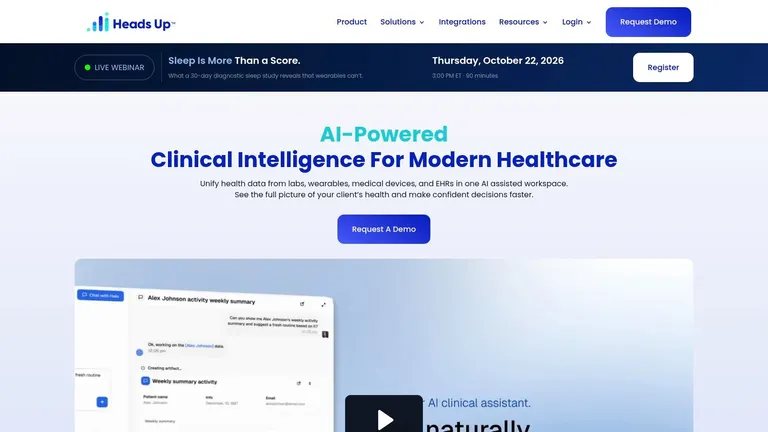
Heads Up Health is the app for people who want a single source of truth. It centralizes wearables, labs, CGM data, vitals, notes, and more into a customizable dashboard, which makes it one of the stronger choices for long-term biohackers and practitioner-guided clients. If you’ve ever wished your sleep, bloodwork, fasting, and symptom notes lived in one place, this is the kind of app that tries to solve that problem.
Best for centralizing the whole stack
The platform syncs labs and devices, supports trend analysis and custom reports, and includes shareable dashboards for coaches and clinicians. That makes it especially useful if your optimization routine isn’t solo, because a practitioner can see the same trends you’re seeing. It also supports mobile and web access, so it works whether you’re reviewing data during the day or building a more formal report later.
Its strength is breadth, not simplicity. The more data sources you connect, the more useful it becomes, especially if you’re trying to correlate sleep, fasting, HRV, and lab markers across months. It’s also available with monthly, yearly, and lifetime pricing options, which gives it a little more flexibility than many subscription-only tools.
The flip side is that analytics are only as good as the data you feed in. If your sources are incomplete or messy, the dashboard will reflect that. Heads Up Health rewards users who are willing to build a proper system instead of expecting a magic summary.
For users focused on protocol structure, the what is protocol management guide is a useful companion piece because the win is usually in the workflow, not the chart itself.
Website: Heads Up Health
Top 7 Biohacking Apps Comparison
| Product | Implementation Complexity 🔄 | Resource Requirements ⚡ | Expected Outcomes 📊 | Ideal Use Cases 💡 | Key Advantages ⭐ |
|---|---|---|---|---|---|
| PepFlow | Low, install app; configure protocols | Smartphone; minimal data; possible in‑app purchases | Accurate peptide dosing; improved adherence & logs | Peptide cycle management for fitness enthusiasts & biohackers | Peptide‑specific calculator; robust reminders; educational resources |
| Oura | Low, buy ring and pair app | Ring purchase; membership for full analytics | High‑quality sleep, HRV & readiness baselines | Continuous sleep/recovery monitoring and longitudinal experiments | Excellent sleep staging; rich physiology metrics; science‑forward insights |
| WHOOP | Low–Moderate, wear strap continuously; manage membership | Strap hardware + ongoing subscription | Actionable recovery, strain & training guidance | Athletes prioritizing load management and recovery coaching | Strong recovery coaching; tiered plans; lifetime warranty while active |
| Levels | Moderate, sensor setup or manual logging; programs | CGM sensor (Stelo/Dexcom) or logging; membership; optional labs | Clear glucose responses; improved metabolic control & food decisions | Nutrition optimization, glucose‑guided experiments & training | CGM‑backed metabolic insights; adaptive programs; transparent pricing |
| InsideTracker | Moderate–High, order labs; interpret reports | Paid blood panels; optional DNA & wearable integrations | Biomarker‑driven recommendations; longitudinal trend tracking | Lab‑anchored experiments, supplement & nutrition optimization | Comprehensive validated panels; evidence‑based action plans |
| Welltory | Low, app + wearable or camera measurements | Phone/Apple Watch or camera; subscription for full features | Fast HRV spot checks; stress/recovery trends for timing decisions | Day‑to‑day recovery decisions and protocol timing | Quick HRV feedback; rich longitudinal charts; exportable data |
| Heads Up Health | Moderate, integrate many sources; build dashboards | Multiple device/lab integrations; subscription or lifetime options | Centralized longitudinal dataset; cross‑metric correlations | Coaches, clinicians and multi‑device biohackers needing single source of truth | Strong data centralization; shareable dashboards; customizable reports |
Building Your Personalized Biohacking App Stack
The best biohacking app isn’t the one with the most features, it’s the one that fits your actual goal. If sleep and readiness are the bottleneck, start with Oura or WHOOP. If you care about glucose control and metabolic feedback, Levels belongs in the stack. If your decisions depend on biomarkers, InsideTracker and Heads Up Health are better fits than another generic wellness app.
The biggest mistake I see is stacking too many tools without assigning each one a job. One app should be the baseline, one should be the specialist, and one should handle execution. That’s why a combo like Oura plus PepFlow works so well, Oura tells you how your body is doing, while PepFlow handles the precision dosing and cycle management that keep a protocol on track.
That stacking approach also reflects how biohacking has evolved. The category grew out of the broader quantified-self movement, accelerated by smartphones and wearables, and then matured into app-based monitoring for sleep, stress, food, and recovery. By 2024 to 2026, biohacking apps were commonly described as tools that pull together wearables, biomarkers, and habits into one workflow, which is exactly why single-purpose apps often fall short for serious users.
Grand View Research’s mobile-app market snapshot shows how big this space has become, with the global mobile apps segment valued at US$ 5,029.4 million in 2024 and projected to reach US$ 14,589.4 million by 2030, with North America leading revenue in 2024 and India growing fastest over the projection window, according to its biohacking market data. That growth doesn’t mean every app is worth using. It means the market is wide enough for specialized tools, and smart users should choose based on function, not hype.
A good stack also respects the evidence gap. Cleveland Clinic’s overview of biohacking emphasizes intentional habit or biology changes while warning that safety and evidence matter, which is exactly why app selection should go beyond feature lists and include whether the tool helps you change behavior over time. Independent guidance also points out that users do better when they start with baseline measurements and stick to one tool consistently, instead of bouncing between trackers. That’s the mindset that makes biohacking sustainable.
If you want the most practical setup, keep it simple. Use one app for daily physiology, one for biomarkers, and one for protocol execution. That’s how you turn a pile of health data into a system you’ll follow.
PepFlow helps turn peptide routines into a clean, repeatable workflow with dose calculation, cycle planning, reminders, and tracking. If precision and consistency matter in your biohacking stack, it’s the kind of app that removes avoidable errors and keeps your protocol organized. Visit PepFlow to see how it fits into your routine.