You’ve got a peptide protocol on paper, a few alarms on your phone, maybe a note in your calendar, and a vague feeling that something is going to get missed. That setup works for a fixed once-daily supplement. It breaks fast when your protocol has changing dose days, off-days, pauses, reconstitution math, or multiple vials in rotation.
That’s why picking a good routine schedule app for peptides isn’t really about finding a prettier to-do list. It’s about building a system that can handle cycles, timing, and logging without forcing you to constantly clean up your own plan. If your schedule changes by travel day, training block, recovery phase, or protocol pause, the app has to model that reality instead of pretending every week is identical.
Table of Contents
- Why Standard Planners Fail Peptide Protocols
- Must-Have Features in a Dosing Schedule App
- Setup Guide Vial Concentration and Dose Calculation
- Building Cycled Protocols and Smart Reminders
- Logging Doses for Consistency and Review
- Privacy Safety and Responsible Use
Why Standard Planners Fail Peptide Protocols
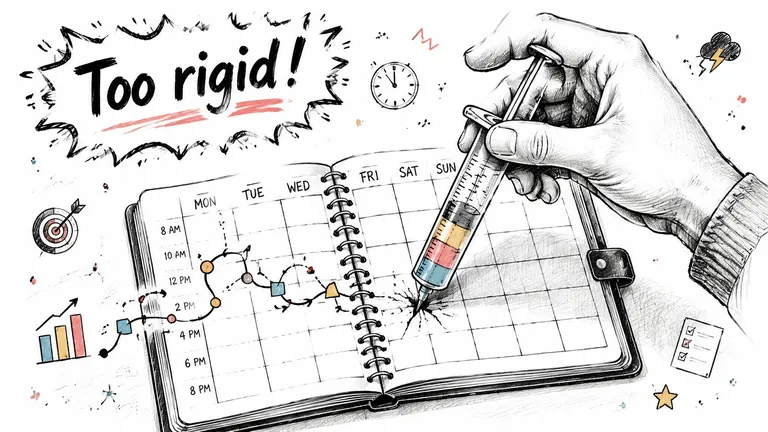
Generic planners assume your routine is stable. Peptide protocols often aren’t. That’s the core mismatch.
Recent app coverage has started to point at a gap: existing content on routine schedule apps rarely answers what happens when a routine repeats in cycles, includes pauses, or shifts start dates. For structured regimens, the practical question isn’t just whether the app can remind you. It’s whether it can model interruption, restart, and phase changes without manual cleanup, as highlighted in this review discussion on dynamic scheduling gaps.
What breaks in normal planners
A spreadsheet can list dates. A notes app can hold instructions. A calendar can fire an alert. None of those tools naturally understand protocol logic.
The failure points usually look like this:
- Changing intervals: A standard recurring event handles daily or weekly repeats well enough, but it starts getting messy when a protocol runs for several days, pauses, then resumes.
- Multiple moving parts: If you’re tracking more than one vial, one alarm per dose turns into a cluttered notification pile.
- Math living outside the schedule: When concentration and dose conversion sit in a separate note or calculator, entry mistakes become more likely.
- Restart confusion: If you pause for travel, side effects, or supply delays, most apps force you to rebuild the plan by hand.
Practical rule: If your schedule app can’t tell you what dose is next, when the current cycle ends, and what happens after a pause, it’s not managing your protocol. You’re managing the app.
The peptide-specific problem
Peptide use adds friction that standard productivity tools were never designed for. You’re not just remembering a task. You’re executing a structured regimen where timing, concentration, and consistency all matter.
That’s why a plain reminder app often feels fine in week one and frustrating by week three. It can alert you, but it can’t hold the logic of the protocol. You end up manually editing events, checking old notes, and wondering whether the plan in your calendar still matches the vial in your hand.
For fixed morning routines, rigidity can help. For cycled protocols, rigidity creates admin work. A real routine schedule app for this use case has to behave more like a lightweight protocol manager than a generic planner.
Must-Have Features in a Dosing Schedule App
Most routine apps are built around tasks. A dosing app has to be built around execution. That means the feature list should be judged by error prevention first and convenience second.
Modern routine schedule apps have raised the bar. Products like Structured now center cross-device syncing, recurring routines, reminders, timeline planning, and newer platform features like Live Activities and interactive widgets across iPhone, iPad, Apple Watch, and Mac, which shows how far the category has moved beyond simple lists, as shown on the Structured App Store listing.
Non-negotiables for peptide use
Here’s the checklist I’d use before trusting any app with a real protocol:
-
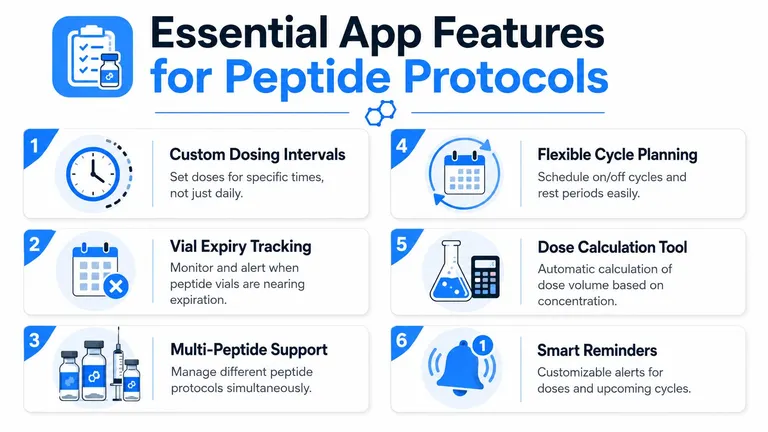
Dose calculation built into the workflow: You shouldn’t have to calculate volume in one place and schedule it somewhere else. The app should connect desired dose with the actual amount you need to draw. If you want a deeper look at that workflow, this guide to a peptide calculator app is useful.
-
Vial-level setup: The app needs a place to define what’s in the vial you’re using now, not just what the protocol says in theory. That’s how you avoid mixing up old and newly reconstituted stock.
-
Flexible cycle planning: Daily repeats aren’t enough. You want custom patterns, pause windows, and schedules that survive changed start dates.
-
Integrated reminders: Reminder timing should map to the protocol, not just the clock. A dose reminder that doesn’t know what phase you’re in isn’t smart enough.
Nice-to-have features that become important fast
These aren’t fluff. They become important once life stops being perfectly consistent.
| Feature | Why it matters in practice |
|---|---|
| Widgets or lock-screen visibility | Reduces the need to open the app just to confirm what’s next |
| Quick rescheduling | Helps when travel or training changes your timing |
| One-tap logging | Makes adherence realistic instead of burdensome |
| History view | Lets you confirm what actually happened, not what you intended |
A good routine schedule app reduces decisions at the moment of action. That’s what keeps protocols consistent.
What to skip
Be careful with apps that look polished but only offer generic habits, recurring tasks, or medication-style reminders without protocol flexibility. If the app can’t represent a cycle cleanly, it will eventually push you back into notes, screenshots, and mental math.
For peptide users, the right app isn’t the one with the most features. It’s the one that makes the fewest dangerous assumptions.
Setup Guide Vial Concentration and Dose Calculation
Users don’t typically struggle with reminders first. They struggle with translation. The protocol might make sense on paper, but turning that into a usable setup inside an app is where hesitation starts.
A good workflow begins with the vial, not the calendar.

Start with what you actually have
Set up the vial using the label and your prepared solution, not your memory. The goal is to create a digital reference that matches the physical vial in front of you.
Use this order:
- Enter the peptide amount in the vial
- Enter the total liquid volume after reconstitution
- Name the vial clearly
- Save it before building the protocol
That order matters because the concentration sits underneath every later dose calculation. If you enter schedule details first and fix the concentration later, you risk building the whole protocol on bad math.
If you need help with the reconstitution side before entering anything, this walkthrough on how to reconstitute peptides is the part to review first.
Then define the intended dose
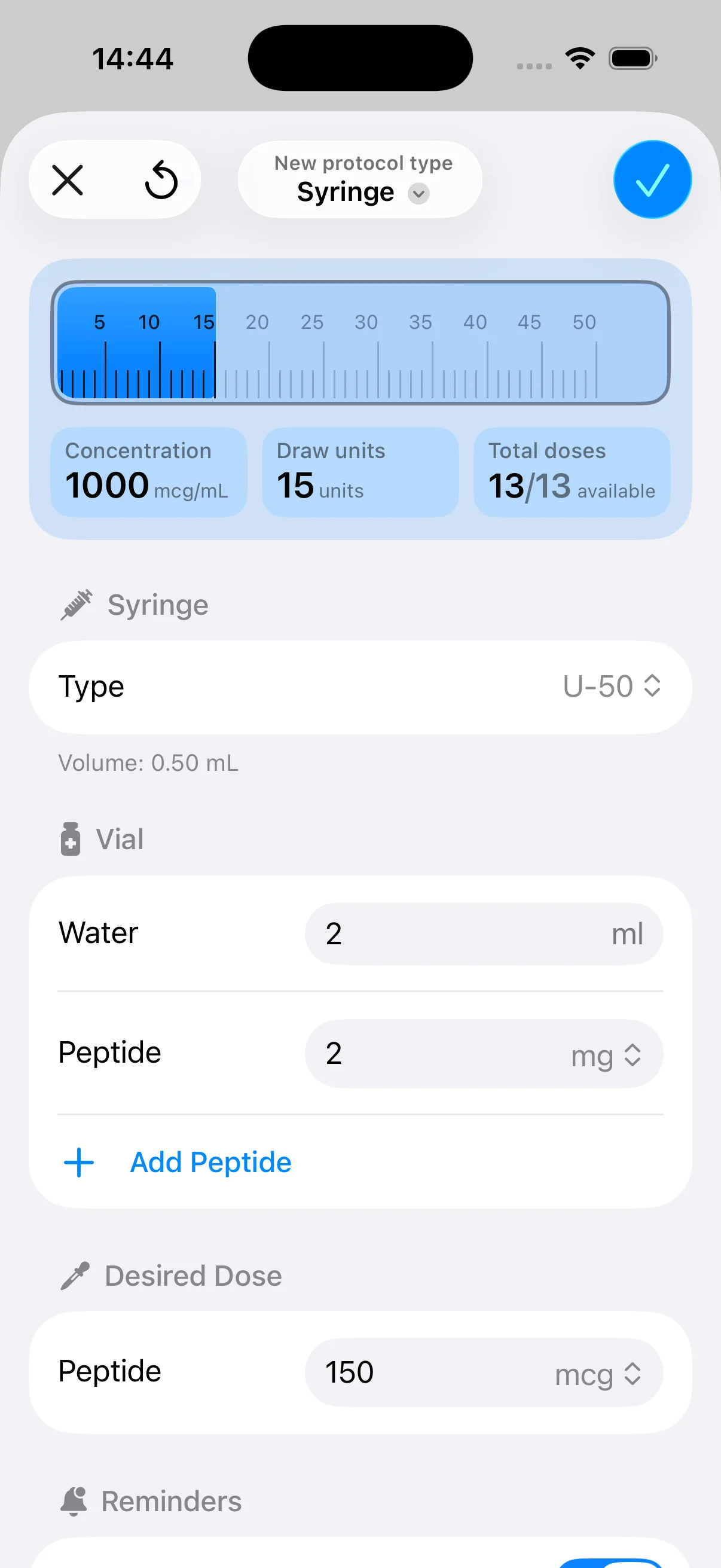
Once the vial exists in the app, set the desired dose based on your protocol. The app should convert that target into a practical draw amount automatically. That’s the step that removes the usual paper-note friction.
Here’s the mindset to keep: your protocol may be written in one unit, while your syringe and your actual action happen in another. The calculator’s job is to bridge that gap cleanly and consistently.
Common mistake: People verify the math once, then start freehanding later doses from memory. That’s exactly how small inconsistencies creep in.
Keep the app and the physical setup aligned
Many users drift off course. This occurs when they create a clean digital setup once, then forget to update it when a new vial is mixed, an old one is replaced, or the concentration changes.
Use a simple matching habit:
- Match vial names to labels: If the vial has a date or identifier, carry that into the app.
- Retire old entries: Don’t keep selecting from a pile of similar-looking vial records.
- Check concentration after each new mix: Never assume the new vial matches the old one.
A tool like PepFlow fits this part of the process because it combines vial configuration, dose conversion, and scheduling in one place, which reduces the need to jump between calculator, notes app, and calendar.
A short product walkthrough makes the entry flow easier to visualize:
Sanity check before you schedule anything
Before you add recurring doses, do one manual review. Confirm that the vial details, target dose, and resulting draw amount all make sense together. Don’t treat the app as a substitute for your own final verification.
That one pause is worth it. If the setup is right, the schedule becomes reliable. If the setup is wrong, reminders only help you repeat the wrong action on time.
Building Cycled Protocols and Smart Reminders
A true test of a routine schedule app is what happens after the first week. Fixed daily reminders are easy. Cycled protocols are where most tools start to wobble.
What you want is a schedule that reflects the logic of the regimen. If your plan includes active days, rest days, restart dates, or temporary pauses, build that structure directly instead of trying to remember the exceptions yourself.
Build the cycle before the alerts
Create the schedule pattern first. Then layer reminders onto it.
That usually means defining:
- A start date: The schedule needs a real beginning, not just “sometime this week.”
- An active pattern: Set the dosing days that belong inside the cycle.
- A rest pattern: Off-days should exist explicitly, not just as empty space.
- A pause option: If plans change, you should be able to interrupt the sequence without rebuilding everything.

A lot of missed doses come from one of two problems. Either the user never encoded the off-days properly, or the schedule became stale after one disruption and was never corrected.
Why reminders alone don’t work well
For adherence, the strongest design pattern is combining timers, reminders, and lightweight habit tracking rather than relying on reminders alone. The Routinery app description specifically pairs a habit tracker, planner, timer system, and reminders to support consistency, which reflects the broader point that alerts by themselves usually aren’t enough for more complex routines, as described on the Routinery Google Play listing.
That matches what happens in real life. A notification tells you something is due. It doesn’t confirm whether you acted on it, whether you snoozed it, or whether the current cycle is still accurate.
A better setup includes all three layers:
| Layer | Purpose |
|---|---|
| Reminder | Tells you a dose window has arrived |
| Countdown or timer | Keeps the schedule visible, not forgotten after dismissal |
| Log action | Confirms the dose actually happened |
If you want to tighten that execution side, this guide on how to improve medication adherence gives a useful framework that applies well here.
Don’t stack ten alarms and call that a system. Build one schedule that knows what day of the cycle you’re on.
Use visibility, not just notifications
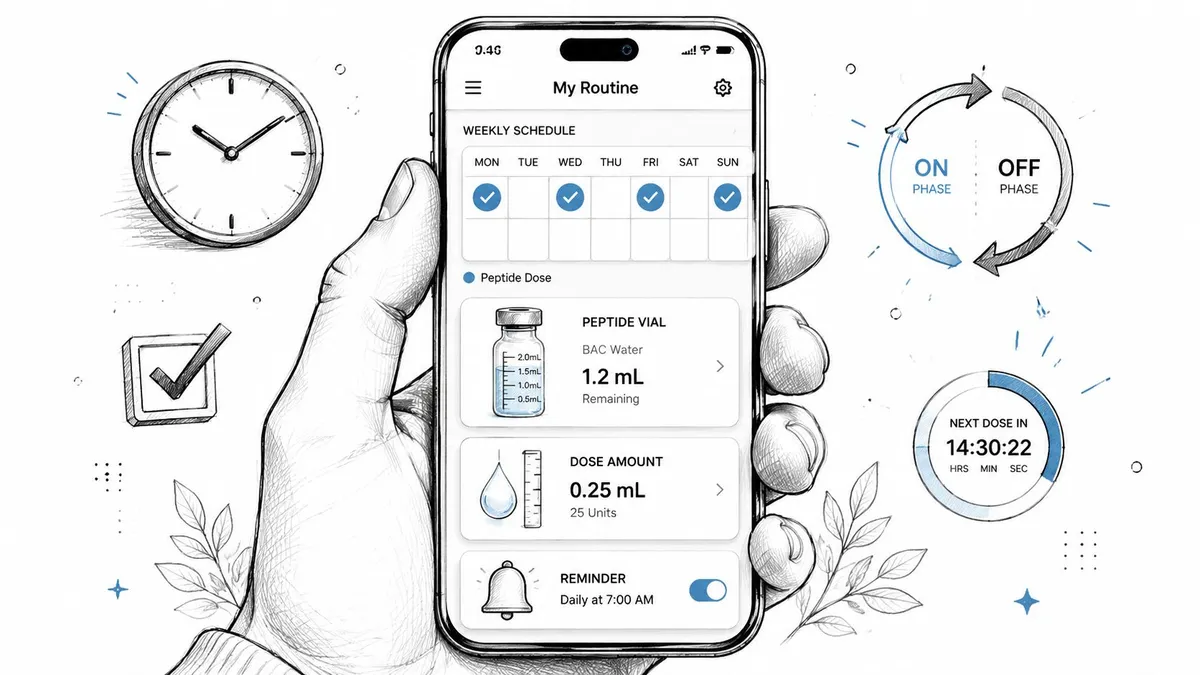
The best setups reduce memory load. Widgets, lock-screen surfaces, and live countdowns matter because they answer one question instantly: what’s next?
That matters more for cycled protocols than daily habits. With a simple habit, the brain can memorize the routine. With a variable protocol, the brain keeps second-guessing. Visible schedule state removes that uncertainty.
My rule is simple. If you ever ask yourself, “Did today have a dose or is today an off-day?” the app should answer that before you even open your notes.
Logging Doses for Consistency and Review
Scheduling tells you what should happen. Logging tells you what did happen. For peptide protocols, that difference matters.
A time-management survey found that 48% of respondents used a to-do list, 23% scheduled everything in their calendar, and 12% relied on their inbox, with the to-do-list figure up 10 percentage points from 2022, according to Timewatch’s 2024 time-management statistics. For a routine schedule app, that supports the model that works best in practice: put the dose on the calendar, trigger the reminder, then let the user check it off in a log.
Why the log matters more than people think
Without logging, you’re left with assumptions. You remember that you probably took the dose. You think the notification went off. You’re fairly sure you stayed on plan.
That’s not the same as a record.
A simple timestamped log gives you three useful things:
- Compliance clarity: You can verify whether you followed the plan you intended.
- Pattern review: You can spot where missed doses cluster, such as travel days or weekends.
- Better conversations: If you review your protocol with a coach or practitioner, you’re not relying on memory.
A reminder disappears. A log stays useful.
Keep logging friction low
If logging takes too many taps, people stop doing it. The best design is a one-action confirmation right when the reminder appears or right after the dose is done.
That turns the app from a nagging tool into a compliance record. Over time, that’s much more valuable than another alert tone.
Privacy Safety and Responsible Use
When people look for a routine schedule app, they usually compare features first. For peptide protocols, that’s incomplete. Privacy should be part of the buying decision from the start.
A major gap in app coverage is that reviews often talk about reminders, widgets, and calendars without clearly explaining what data the app collects or whether it’s safe to store sensitive health-adjacent routines there. That concern is especially relevant when users are tracking personal timing, wellness habits, or medical-adjacent schedules, as discussed in this overview of privacy gaps in daily routine app reviews.
What to check before entering anything sensitive
Don’t just skim the feature page. Read the privacy details with the same care you’d use for protocol setup.
Look for answers to these questions:
- What data is stored: Does the app keep only schedule entries, or does it also collect identifiers, usage data, or synced account details?
- Where data lives: Is the information stored locally, synced through an account, or shared across connected services?
- How deletion works: If you remove your account or entries, is the data deleted?
- What permissions are required: Calendar access and notifications may be reasonable. Broad permissions without a clear reason deserve scrutiny.
If you want a plain-language example of the kind of policy details worth reviewing, BodyBuddy’s page on your privacy rights is a useful reference for the questions users should ask of any health-adjacent app.
Safety rules that matter more than app features
No app can make a bad protocol safe. It can only help you execute a plan more consistently.
Use a few essential habits:
- Verify setup before the first scheduled dose: Double-check vial amount, liquid volume, and calculated draw amount.
- Match the digital vial to the physical vial: If they no longer match, stop and update the app before taking the next dose.
- Use visual inspection as a separate safety check: The app doesn’t replace looking at the vial itself.
- Treat reminders as operational support, not medical advice: The app should organize timing, not decide what your protocol ought to be.
Responsible use with variable protocols
Cycled and variable regimens create a false sense of confidence if the software looks organized. A clean interface can hide outdated setup. That’s why any pause, restart, or concentration change deserves a quick audit of the schedule.
Be especially careful after:
- Travel interruptions
- Protocol changes
- New vial preparation
- Missed doses that alter timing
- Switching between multiple concurrent protocols
The safest routine schedule app is the one you review whenever reality changes.
The app should reduce friction, not replace judgment. If the source protocol is unclear, the first fix isn’t a better reminder. It’s getting better guidance before you schedule anything.
If you want one tool that handles vial setup, dose calculation, cycled scheduling, reminders, and dose logging in a single workflow, PepFlow is built for that use case on iPhone. It works best as an organizational layer for people who already have a defined plan and want a cleaner way to execute it consistently.