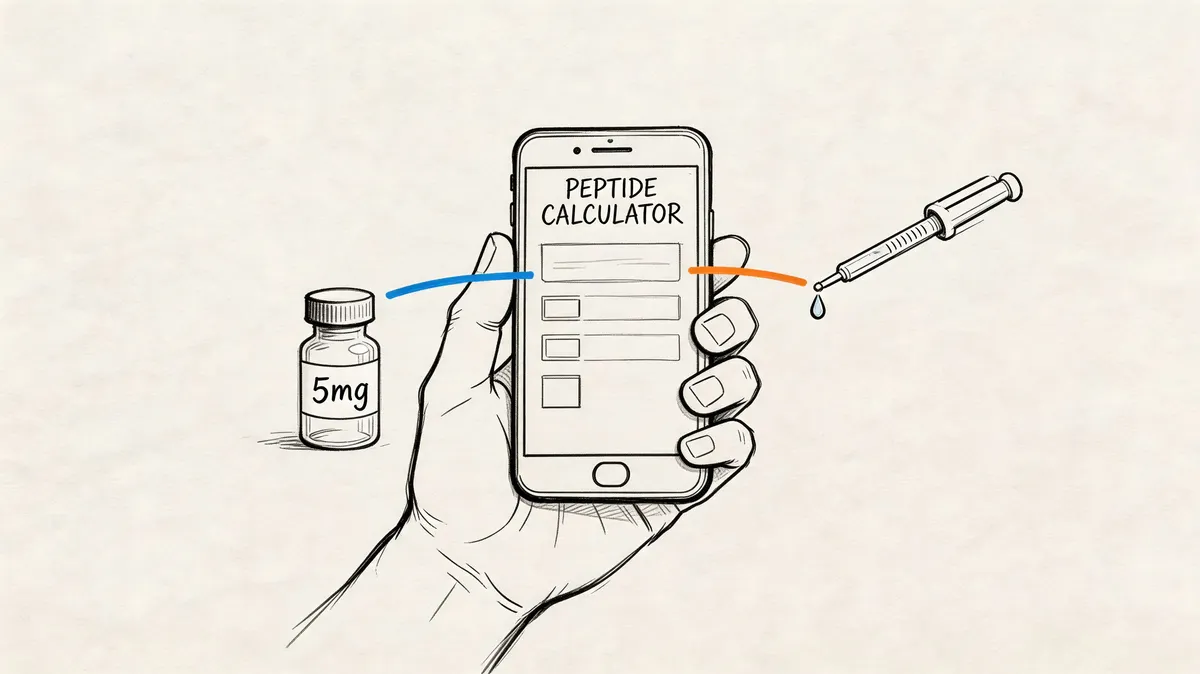
You’re standing at the counter with a vial of lyophilized powder, bacteriostatic water, and an insulin syringe. The label gives you one number. Your protocol notes give you another. The syringe markings seem to speak a different language entirely. In that moment, individuals often do what they shouldn’t do. They open a notes app, scribble rough math, then hope the units line up.
That’s where dosing mistakes happen. Not because the math is impossible, but because it’s easy to get one detail wrong when you’re tired, rushing, or switching between vial concentrations and syringe types. A modern peptide calculator app removes that friction. Of greater benefit, it turns a scattered process into a repeatable one.
That matters if you care about outcomes and safety. The same mindset that applies to unlocking peak performance with diagnostics applies here too. Better inputs create better decisions. Dosing is no different. If you also need a practical reference for the mixing side of the process, this guide to a peptide reconstitution calculator is useful before you ever draw your first syringe.
Table of Contents
- From Guesswork to Precision with a Peptide Calculator App
- How Peptide Calculator Apps Solve Complex Dosing Math
- The Critical Role of Consistency in Peptide Protocols
- Evaluating Essential App Features for Your Protocol
- Choosing the Right App for Protocol Management
- Your Next Steps for Safe and Accurate Supplementation
From Guesswork to Precision with a Peptide Calculator App
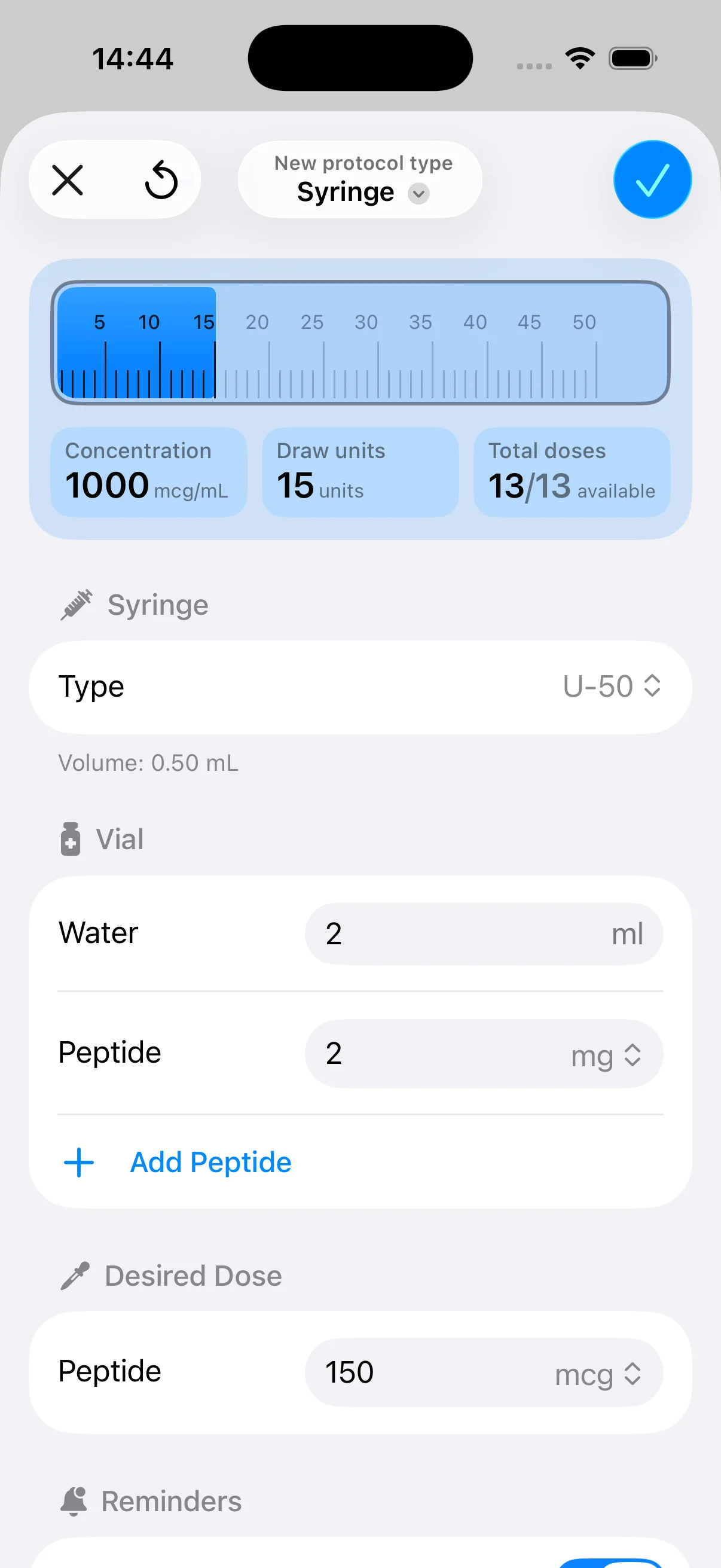
The first real upgrade isn’t convenience. It’s control. A peptide calculator app takes the parts that people routinely mix up, vial strength, diluent volume, desired dose, and syringe units, and puts them into one clean workflow.
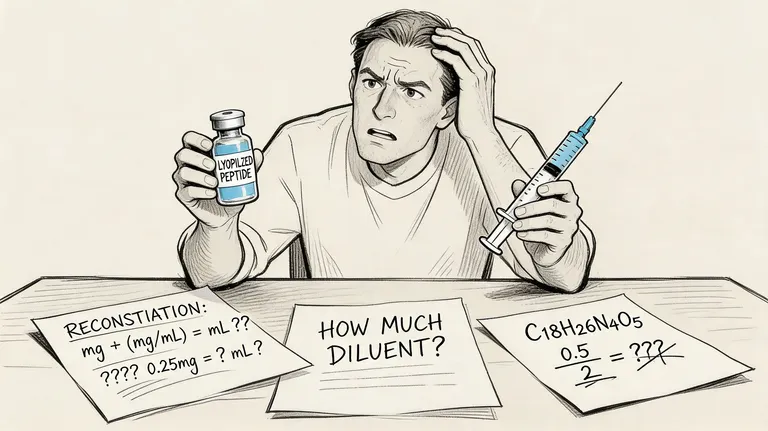
The old way usually looks like this. Someone writes down the total peptide amount in the vial, divides by the water they added, converts that result into a dose, then tries to map that dose to syringe markings. Each step seems simple on its own. Combined, they create enough room for expensive and risky mistakes.
A good app changes the experience from “I think this is right” to “I can verify each assumption before I inject.” That’s a major shift. It means you’re not just doing arithmetic. You’re managing a protocol with a clear record of what was mixed, what was planned, and what was taken.
A dosing tool earns its place when it removes uncertainty at the exact moment uncertainty matters most.
That’s why I don’t look at these tools as calculators anymore. The useful ones now sit in the same category as training logs, food tracking, and lab review systems. They’re part of the operating system for people who want repeatable decisions instead of guesswork.
How Peptide Calculator Apps Solve Complex Dosing Math
Manual peptide math usually fails at the conversion stage, not the subtraction stage. People understand the dose they want. They get stuck turning that target into the exact amount to draw into a specific syringe.
Why the math goes wrong by hand
Think of peptide dosing like scaling a recipe, except the measuring spoons keep changing shape. You know the ingredient amount you want, but the tool in your hand doesn’t display that amount directly. It displays units or volume. That forces you to translate concentration into a practical draw amount.
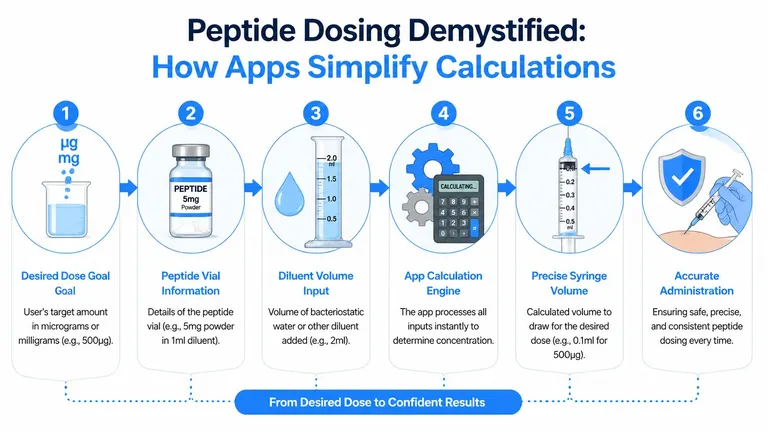
The key inputs are straightforward:
- Peptide amount in the vial: This is the total mass you started with before reconstitution.
- Diluent added: Usually bacteriostatic water. This determines final concentration.
- Desired dose: The amount you want per injection.
- Syringe type: The unit markings only make sense if the syringe format is correct.
That last point is where people get burned. Peptide calculator apps use syringe unit conversion algorithms to translate mL-based dosing into insulin syringe units across U20, U30, U40, and U100 syringes, and the conversion matters because a mix-up between U100 and U40 can cause a 2.5x dosing error according to the Peptide Calculator app listing on Google Play.
What the app is actually calculating
A solid peptide calculator app does more than spit out one final number. It checks whether your vial setup and intended dose produce a concentration that makes practical sense. If the concentration is awkward, the app helps you catch that before you end up drawing tiny or confusing amounts.
That’s especially useful when you switch between compounds, syringe formats, or vial sizes. The less mental math you do under pressure, the better. In research contexts, people also use calculators to ensure precise research peptide results because consistency starts with concentration, not just with reminders.
Here’s the practical workflow a good app supports:
- Enter the vial details. Total mass and how much diluent you added.
- Choose the syringe format. Unit markings depend on that choice.
- Set the target dose. The app converts it into a usable draw amount.
- Verify before injecting. If the result looks odd, revisit the inputs instead of forcing the draw.
Practical rule: If the draw amount surprises you, stop and recheck the syringe type before anything else.
The math itself isn’t mysterious. The risk comes from stacking several small assumptions in a row. A peptide calculator app reduces that stack and makes each assumption visible.
The Critical Role of Consistency in Peptide Protocols
Accurate dosing matters on day one. Consistent dosing matters over the full protocol. That’s the part many people underestimate.
Why timing matters as much as dose
Peptides aren’t like generic supplements where people often shrug off an occasional missed serving. Structured peptide use usually involves planned timing, staged progression, and sustained adherence. If your schedule drifts, your protocol drifts with it.
That’s obvious with GLP-1 regimens. Leading peptide apps support the standardized semaglutide titration schedule of 0.25 → 0.5 → 1.0 → 1.7 → 2.4 mg and the tirzepatide six-stage protocol of 2.5 → 5 → 7.5 → 10 → 12.5 → 15 mg, which removes manual tracking for users on those regimens, as described in the CalcPep market overview. If you want a non-app reference for one of those common titration paths, this practical Wegovy dosing schedule is worth reviewing.
Those schedules show why one accurate calculation isn’t enough. The dose changes. The timing changes. Your recordkeeping has to keep up.
Where protocol drift starts
Drift usually starts with ordinary life. A travel day. A missed reminder. A half-remembered note in a phone app that wasn’t designed for protocol tracking. By the time someone notices they’re off plan, they’re often trying to reconstruct what happened from memory.
That’s why scheduling tools matter just as much as reconstitution tools. If your protocol includes staged increases, maintenance periods, or pauses, your app should keep the timeline visible. It should also connect dosing with storage and handling habits, because a perfectly calculated dose still depends on properly prepared material. This guide on how to store reconstituted peptides is a good companion resource for that part of the workflow.
A practical system should answer these questions without making you think too hard:
- What’s due next
- What changed this week
- What was taken
- When the current vial was prepared
Consistency isn’t just discipline. It’s having a system that still works when your day gets messy.
People often search for a peptide calculator app when what they really need is protocol support. The calculation gets them started. The schedule keeps them on track.
Evaluating Essential App Features for Your Protocol
Not every peptide calculator app deserves space on your phone. Some are quick conversion tools. Some are closer to full protocol dashboards. The difference shows up in daily use, not in the app store description.
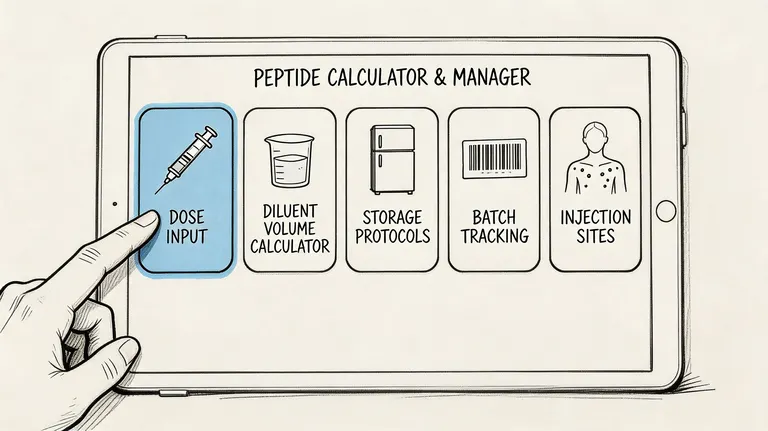
The market has already moved beyond simple math. Modern apps now include peptide library resources, inventory management, animated syringe visualization guides, and zero-cloud data storage according to the Peptide Calculator App listing on the App Store. That tells you what users are asking for. They want accuracy, but they also want education, adherence support, and privacy.
Vial setup and concentration control
Start with the foundation. If the app can’t handle vial configuration cleanly, nothing built on top of it matters.
Look for an interface that makes these inputs obvious:
- Vial amount: You should be able to store what is physically in front of you, not force a generic preset.
- Diluent volume: The app should reflect the exact amount added during reconstitution.
- Dose target: It should convert your target into a draw amount that matches your syringe markings.
- Syringe selection: U20, U30, U40, and U100 support matters because the visual answer must match the hardware in your hand.
When this part is done well, the app reduces hesitation at the injection step. When it’s done poorly, users end up checking the answer somewhere else anyway.
Scheduling and reminders that reduce friction
A calculator is useful once. A schedule is useful every week. If your protocol has recurring injections, changing phases, or periodic pauses, the app should help you live inside the plan instead of rebuilding it every few days.
I’d treat these features as high value:
| Feature | Why it matters in practice |
|---|---|
| Flexible frequencies | Supports routines that aren’t just daily or weekly |
| Start date control | Keeps a protocol tied to a real calendar, not a vague intention |
| Dose reminders | Reduces missed doses and “I’ll log it later” behavior |
| Timeline view | Makes it easier to see what happened and what’s next |
The best reminder is the one that appears before you need memory, not after memory has already failed.
For a quick visual example of how dose planning and prep can fit together, this walkthrough is worth watching.
Logging history inventory and privacy
The superior apps distinguish themselves in this aspect. Logging shouldn’t feel like paperwork. It should feel like closing the loop. You took the dose. You mark it done. The protocol advances.
Three features matter more than people expect:
- History tracking: Useful when you need to confirm whether you took a dose or only meant to.
- Inventory awareness: Helpful for avoiding the moment when you discover too late that the vial is nearly empty.
- Privacy model: Especially relevant for users who want local control over sensitive health-related data.
Some users only need a calculator. Most need a reliable record.
A peptide calculator app becomes much more useful when it supports the entire workflow from setup to follow-through. That’s what turns it from a tool into infrastructure.
Choosing the Right App for Protocol Management
When you compare apps side by side, the main divide isn’t design. It’s whether the app treats dosing as a single event or as an ongoing protocol.

A market review notes that apps like CalcPep and PepCalc focus on reconstitution math but lack integrated protocol planning, while PepFlow addresses that gap with cycled protocols, flexible dosing frequencies, and configurable pause periods according to the CalcPep listing on Google Play. That distinction matters if your routine includes more than “calculate and inject.”
What basic calculators do well
Basic calculators are still useful. They’re fast. They help with concentration math. They reduce hand-calculation errors when all you need is a conversion.
They’re often enough if:
- You run a simple protocol: Same dose, same schedule, same vial setup.
- You already track elsewhere: Some people use a separate calendar or notes system.
- You only need occasional checks: Not everyone needs persistent logging.
The problem is that most protocols stop being simple once real life gets involved.
What full protocol managers do better
A protocol management app handles the parts that basic calculators leave to memory. That means start dates, recurring schedules, pause windows, and the record of what happened. It also reduces the friction of switching between multiple tools.
Here’s the trade-off:
| App type | Strength | Limitation |
|---|---|---|
| Basic calculator | Fast dose math | Weak long-term adherence support |
| Protocol manager | Connects planning, reminders, and logging | Requires more upfront setup |
That upfront setup is usually worth it for anyone running a cycled regimen, a phased stack, or a schedule that changes over time. If a protocol includes every-other-day dosing, specific weekday patterns, or planned breaks, the app needs to understand the rhythm of the regimen instead of forcing you into a generic reminder loop.
The right app doesn’t just tell you how much to draw. It helps you stay aligned with the plan you intended to follow.
This is also where user experience matters. If logging a dose takes too many taps, people stop logging. If reminders are vague, they get ignored. If the setup screen doesn’t reflect how people structure peptide use, the app becomes a calculator with extra clutter.
For coaches, practitioners, and self-directed users, the right choice usually comes down to one question. Do you need isolated math, or do you need a system that can hold the protocol together over time?
Your Next Steps for Safe and Accurate Supplementation
The biggest shift is simple. Stop treating peptide dosing like a one-off math problem. Treat it like a process that includes preparation, scheduling, logging, and review.
Use the tool but keep your judgment
A peptide calculator app can reduce avoidable errors. It can make concentrations easier to verify, reminders easier to trust, and protocol drift easier to catch. What it can’t do is replace clinical judgment, product quality control, or individualized medical guidance.
No app is a substitute for professional medical advice, diagnosis, or treatment. Consult a qualified healthcare professional before starting any peptide protocol, changing a dose, or combining compounds. You are responsible for your own health decisions, sterile technique, and legal sourcing.
That warning isn’t legal filler. It’s the correct frame. The app is a support tool. You still need to understand what you’re taking, why you’re taking it, and whether the source and plan are appropriate.
Build a safer workflow
If you want a cleaner system from today forward, keep it simple:
- Standardize your setup. Use one consistent process for reconstitution and logging.
- Verify every input. Vial amount, diluent volume, target dose, syringe type.
- Track the full protocol. Not just the injection, but the schedule around it.
- Store properly. Handling matters after reconstitution too, especially if you’re managing ongoing use. This overview of freeze-dried peptides is a useful baseline for storage and preparation context.
- Review your records. Don’t rely on memory when the app can keep a cleaner history.
Used well, these tools create peace of mind. You spend less energy second-guessing math and more energy following a deliberate routine.
If you want one place to handle peptide calculations, cycled scheduling, reminders, and simple dose logging, PepFlow is built for that workflow on iOS.