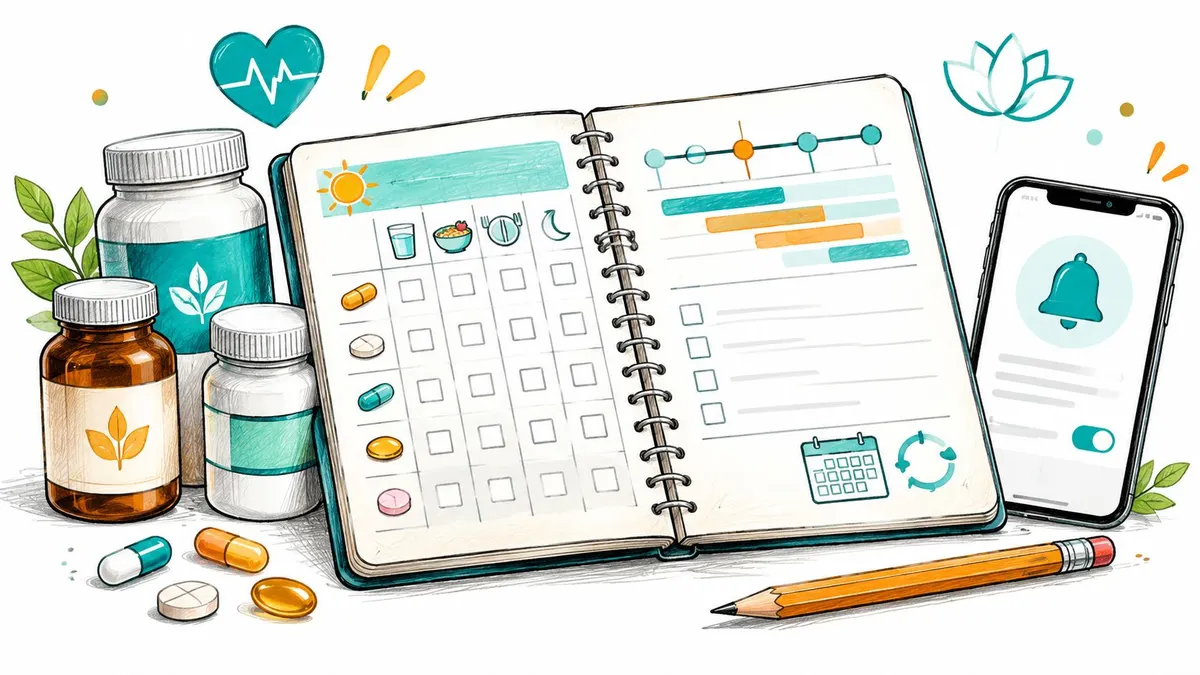
A beautiful printable doesn’t make a routine work. It just makes the first week look organized. What matters is whether your supplement schedule template survives a late meal, a skipped day, a cycle pause, or a new product added on Tuesday. Most schedules fail because people pick for looks, not for how the protocol behaves.
That behavior divides this list cleanly. A stable daily stack, say a multivitamin and taking vitamin D3 with food, needs meal anchors and checkboxes. A cycled peptide routine needs start dates, pause periods, restart dates, and a real dose history. Printables handle the first job cheaply. Spreadsheets handle changing stacks. Apps handle reminders and proof of what you already took.
The need isn’t trivial. The World Health Organization report on medicine adherence stated that adherence among patients with chronic diseases in developed countries averages only 50%. That’s for prescribed medicines, not supplements, but the failure mode is familiar. You forget, you guess, you double-check a bottle and still aren’t sure.
Pick by complexity, not design. If your routine is daily and rarely changes, start free and paper-based. If it’s weekly, intermittent, or cycled, choose something that separates planned doses from confirmed doses. The simplest format you’ll maintain beats the most detailed one you’ll abandon.
Table of Contents
- 1. PepFlow
- 2. Supli Free Weekly Supplement Schedule
- 3. NutriStack Printable Schedule Organized by Daily Routine
- 4. Smartsheet Medication Schedule Template
- 5. National Institute on Aging Managing Medications and Supplements Worksheet
- 6. Smartsheet Medication Log Template
- 7. Apple Health Medications
- 8. SuppTrack Supplement Schedule and Reminders
- 9. Supplement Tracker Supplement and Vitamin Scheduler
- 10. Human Health Supplement Tracker
- Supplement schedule templates and trackers at a glance
- Choosing and Customizing Your Template Plus a Digital Option for Peptide Protocols
1. PepFlow
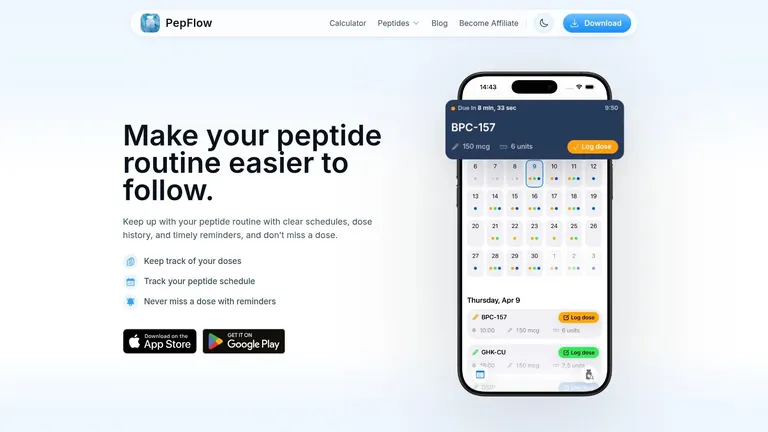
PepFlow is built for routines that change over time, including peptide protocols with cycles and planned pauses. You can organize start dates and dosing frequencies, record doses, and review a dated history. That makes it easier to distinguish a scheduled pause from a dose you meant to take but have not logged.
What it does well
PepFlow supports personal protocol tracking, dose logging, and reminders. On iPhone and iPad, countdowns, push notifications, widgets, Live Activities, and quick logging help keep the routine visible. Android supports peptide calculations alongside tracking; the website has a separate peptide calculator, a knowledge base, a cheat sheet, and reconstitution guidelines.
Reminders can help with organization, but a notification alone does not confirm that a dose was taken. A reviewable history gives you a record to check.
- Flexible scheduling: Set start dates, frequencies, cycles, and pause periods.
- Dose history: Check a dated record rather than relying on memory.
- Platform features: Use widgets and Live Activities on iPhone and iPad, or calculations on Android.
Honest limits
On iPhone and iPad, you enter your own schedules and dose details. That gives you control over what gets recorded, but it also means more setup than a static checklist. PepFlow records and organizes the plan you choose; it does not recommend treatments, determine medically appropriate doses, or replace professional medical advice.
2. Supli Free Weekly Supplement Schedule
If you want a supplement schedule template finished in the next ten minutes, Supli is the fastest route. It’s a free, supplement-specific weekly checklist you complete online, then print, save as PDF, or download as CSV. No account’s required, and the site says entries stay in your browser.
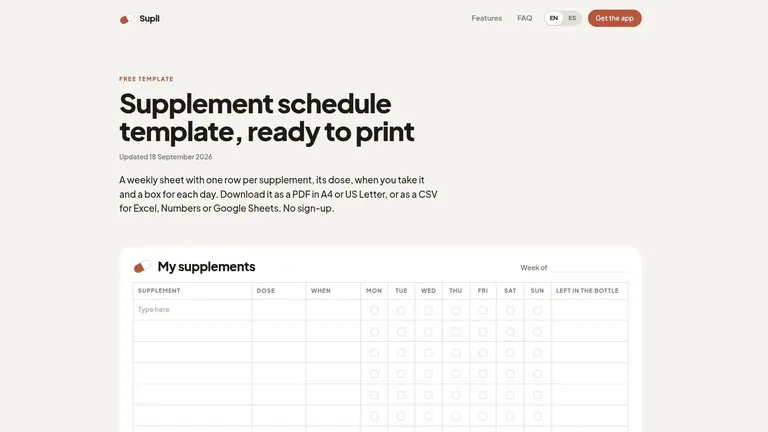
The fields are practical rather than decorative. You get supplement, dose, time of day, daily checkboxes, and bottle quantity. That bottle-count column is underrated. Paper schedules usually fail at refill time, not on day one, and a visible quantity helps you notice a low supply before you miss a stretch of doses.
PDF output covers US Letter and A4, which sounds minor until a printable clips a column on your printer. The CSV download is the escape hatch. Open it in Excel or Google Sheets, add a notes column, and you’ve upgraded beyond a static sheet without rebuilding anything.
Print one clean master copy and photocopy it weekly. Don’t rewrite your stack by hand every Sunday, because that’s where transcription errors creep in.
The trade-off is obvious. There’s no reminder, no alert when you skip, and weekly ticks don’t become a searchable long-term history. For a stable daily stack that’s acceptable. For anything cycled, it isn’t.
3. NutriStack Printable Schedule Organized by Daily Routine
NutriStack organizes the day around what you do, not the clock. Its browser-based checklist uses Wake, Breakfast, Lunch, Dinner, and Bedtime slots with Monday through Sunday checkboxes. You add rows, then print, save as PDF, or download a CSV. No account’s required, and the site says entries stay in the browser.
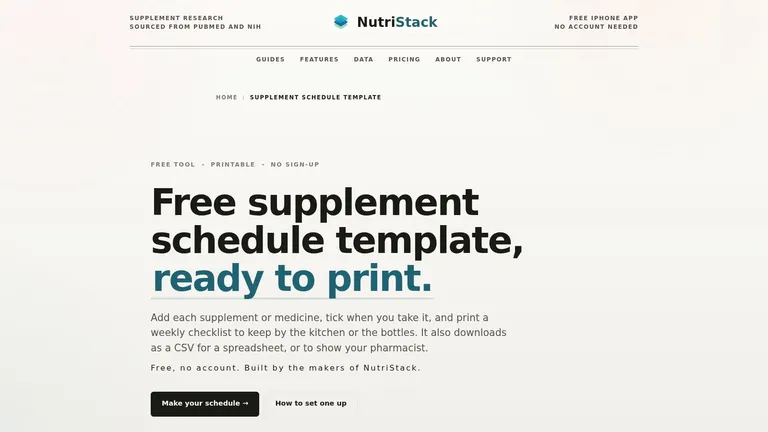
That structure suits food-dependent routines. Taking fat-soluble vitamins with meals is easier to remember when the row sits under Dinner than when it’s pinned to 6:30 p.m. and dinner moves. Anchor-based scheduling also survives shift changes and travel better than rigid clock times for most daily supplements.
Best use
Use NutriStack for a household fridge sheet or a first draft of a new stack. It’s designed for supplements and medicines, so one page can show the whole morning routine without splitting products across apps and paper.
Where it falls short is change over time. A manual checklist won’t prompt you, won’t flag a forgotten dose, and doesn’t build a useful history when you add or drop products mid-month. Print a fresh version whenever the stack changes, date the top, and keep the old sheet for a month. That small habit turns disposable checklists into a rough but honest record.
4. Smartsheet Medication Schedule Template
Smartsheet takes the opposite approach to a finished printable. Its medication schedule template comes in Excel, Word, and PDF, with fields for name, dose, frequency, and time of day. You’re adapting a medication form for supplements, which takes ten minutes of relabeling but gives you full control over columns.
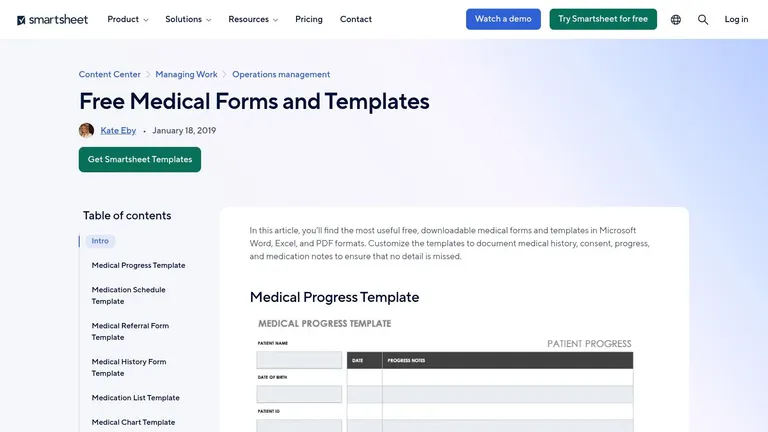
That flexibility is the reason to pick it. In Excel you can add columns printables rarely include, such as with food or without, spacing rule, start date, and review date. You can sort by time slot, freeze the header row, and keep one living file instead of a drawer of outdated printouts.
- Excel version: best if your stack changes and you want sortable, editable fields
- Word version: best for a clean list you hand to someone else
- PDF version: best for a fixed printout you don’t plan to edit
Smartsheet’s page also offers related medication list and medication log forms, so you can pair a schedule with a master inventory. What you don’t get is any automation. Nothing reminds you, nothing records a dose, and nothing warns you that a field’s stale. I recommend this for people who already live in spreadsheets and update them reliably. If you don’t, the file becomes an accurate record of a routine you stopped following in March.
5. National Institute on Aging Managing Medications and Supplements Worksheet
The National Institute on Aging worksheet isn’t really a daily tracker, and judging it as one misses its point. It’s a record you maintain and share. Fields cover purpose, start date, frequency, dose, prescriber, and concerns for both medicines and dietary supplements.
That context is what appointment conversations need most. A weekly tick sheet tells a clinician you took something on Tuesday. This worksheet tells them why you started it, who recommended it, and what worried you. For anyone combining prescriptions, over-the-counter products, and supplements, that fuller list is the safer document to keep current.
How to use it alongside a tracker
Keep this worksheet as your master inventory and use a separate checklist or app for daily execution. Update the worksheet whenever a product starts, stops, or changes dose. If you’re also working on follow-through, our guide to practical ways to improve medication adherence covers the habit side that a static form can’t handle on its own.
Because it comes from a U.S. government health agency, the framing is conservative and clear. The gaps are structural. There’s no daily or weekly adherence view, no reminder, and no automatic dose history. Treat it as the document you bring to reviews, not the tool that gets you through Tuesday morning.
6. Smartsheet Medication Log Template
The second Smartsheet entry earns its place for a different job. The medication log records what happened rather than what you planned. Alongside dose and time-of-day slots, it leaves space for food notes, start and stop dates, prescriber information, and side effects.
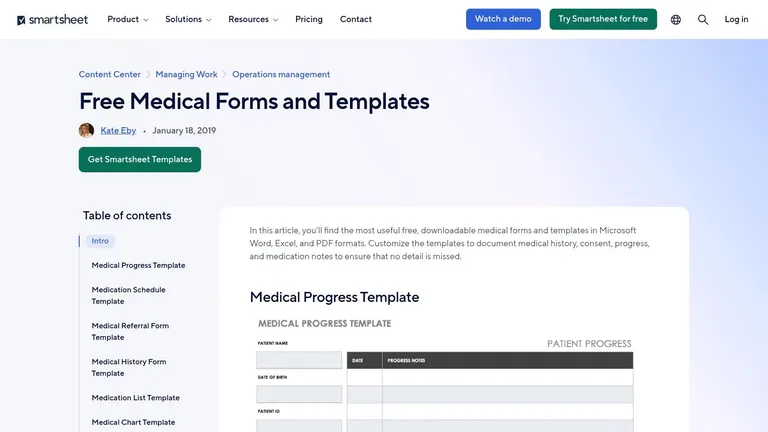
That distinction matters more than most roundups admit. A schedule says take this at breakfast. A log says you took it at breakfast, felt nauseous twice, and stopped on the 14th. When you later ask whether a product agreed with you, the log answers and the schedule doesn’t.
Practical rule: log the exception, not just the routine. A note on the day you felt unwell or switched brands is worth more than thirty identical ticks.
Adaptation takes light editing. Rename the medication labels, add a column for brand or batch if you rotate products, and keep the side-effect field. Our medication log template guide goes deeper on which fields are worth keeping when you’re building that record for supplements or peptides.
The limits are manual entry and zero prompting. You’ll get no reminders and no automatic logging. Print it for a short trial of a new product, where observations matter most, rather than committing to handwriting a permanent daily log you’ll quit within a month.
7. Apple Health Medications
If you carry an iPhone, you already own a capable option. Apple Health Medications tracks vitamins and supplements alongside medications, with schedules, reminders, and logging for doses taken or skipped. Apple documents support for cyclical and every-few-days schedules, follow-up reminders when a dose hasn’t been logged, and PDF export of your medication list.

The follow-up reminder is the feature I’d steal for every tool on this list. A single alert at dose time is easy to swipe away while you’re busy. A second prompt asking you to log what happened catches the ambiguous cases, which is where double doses and silent skips come from.
Who it fits
It fits people already keeping health records in Apple Health who want reminders and history without another account. The PDF export also makes it easy to hand a current list to a pharmacist or clinician.
It’s Apple-only, so it isn’t a cross-platform template, and it isn’t a supplement-specific planner. You won’t get bottle counts, stack planning, or product databases. It’s a tracking tool, not a recommendation system, and that’s the right boundary. For a simple daily stack on iPhone, though, adding another app is hard to justify.
8. SuppTrack Supplement Schedule and Reminders
SuppTrack is built for people whose problem is product volume. This supplement-focused tracker for iOS and Android offers product search and barcode scanning, customizable schedules with individual times and servings, reminders, and shareable PDF routine reports. Schedules can specify days of the week with optional start and end dates.
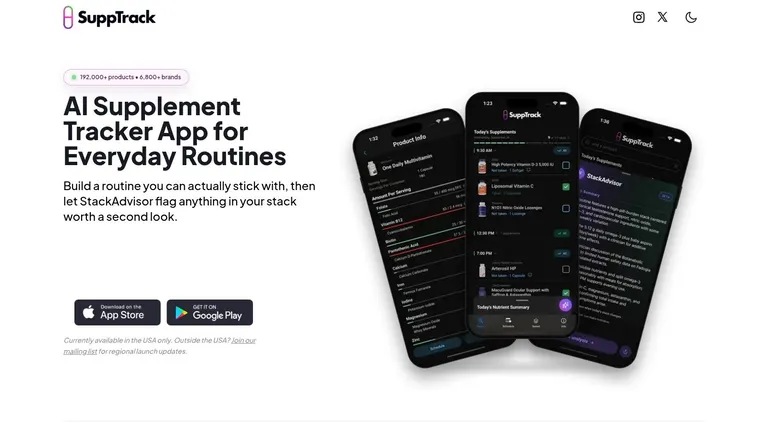
Barcode scanning sounds like a convenience until you’re entering a twelve-product stack by hand. Then it’s the difference between finishing setup and abandoning it halfway. Ease of setup drives whether reminders ever get used at all. In a randomized study of a medication adherence app reported in PMC, 93.3% of 30 adults strongly agreed that reminders helped them take medication at the correct time, and the same share rated the app easy to use. That’s a small one-month medication sample, not peptide evidence, but it supports prioritizing simple logging.
The PDF routine reports are useful for sharing a current stack with a clinician. If you’re comparing reminder-focused tools more broadly, our supplement reminder app roundup looks at how these alert styles differ.
Check the constraints before committing. The site says SuppTrack is currently available in the U.S. only. It’s an app, not a printable, and product data should always be checked against the physical label and professional advice.
9. Supplement Tracker Supplement and Vitamin Scheduler
Supplement Tracker keeps the model simple. Add supplements on iPhone or Android, set reminders by time of day, and check off doses. The free tier covers up to six supplements, basic reminders, and 14 days of intake history. Premium adds unlimited supplements, fuller statistics, interaction alerts, smart insights, and photo journaling.
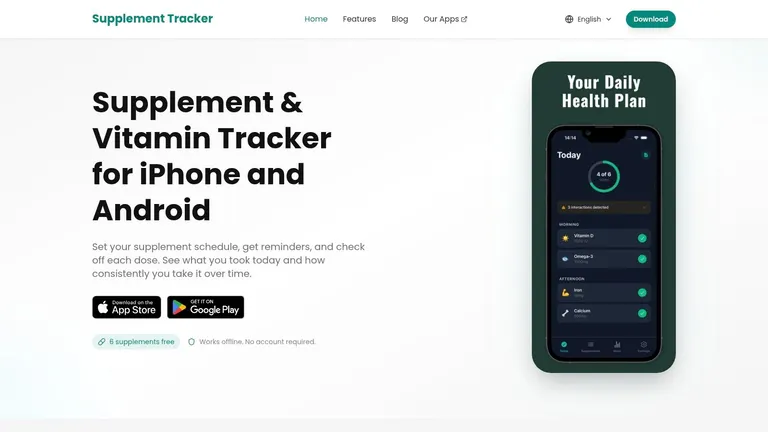
That free tier is a sensible trial, not a long-term home for a large stack. Two weeks of history tells you whether you’ll log consistently, which is exactly the question to answer before paying. The site says daily tracking works offline and doesn’t require an account, which lowers the barrier further.
Treat interaction alerts carefully
Interaction alerts are the feature to respect rather than rely on. The NIH Office of Dietary Supplements consumer guidance warns that supplements can alter drug absorption, metabolism, or excretion, with examples including vitamin K reducing warfarin’s effect and St. John’s wort reducing the effectiveness of several medicines. An in-app alert can prompt a conversation. It can’t clear a combination as safe, and it doesn’t replace a pharmacist who can see your full medication list.
Premium pricing is shown through the app store rather than as a fixed web price, so confirm the current cost before your history window expires and you’re deciding under pressure.
10. Human Health Supplement Tracker
Human Health suits households more than solo optimizers. Its digital tracker offers customizable reminders, a daily plan, multiple profiles, and reports summarizing supplement history. The site says users can add supplements from U.S. brands and track forms including pills, powders, creams, and injections. A free profile is required, with downloads through the Apple App Store or Google Play.

Multiple profiles solve a real problem that single-user printables handle badly. Two people sharing a kitchen and a supplement shelf shouldn’t share one checklist with initials squeezed into margins. Separate profiles keep doses, reminders, and histories distinct.
The range of forms matters too. A template designed only for pills gets awkward when your routine includes a powder at breakfast and a cream at night. Recording the form alongside the product reduces the vague notes that make old records hard to interpret.
Reports can make a routine easier to review with a care team, especially when several products started at different times. Against that, you must create a profile, there’s no printable template, and you should check current app availability and features before migrating a routine into it. User satisfaction is a reasonable thing to test yourself during setup. A systematic review of mobile adherence applications in PMC reported an average satisfaction score of 8.1 out of 10, with 88.1% of participants wanting to continue using an app. If your own first week feels like friction, don’t force it.
Supplement schedule templates and trackers at a glance
| Format | Platform | Reminders | Dose history | Best for |
|---|---|---|---|---|
| PepFlow, peptide routine tracker | iPhone, iPad, Android | Yes; reminders, countdowns, and push notifications | Yes; manual dose logging and history | Peptide schedules, cycles, and dose tracking |
| Supli, weekly supplement checklist | Online; printable or downloadable | No | No searchable long-term history | Free weekly checklist with PDF or CSV export |
| NutriStack, routine-based checklist | Online; printable or downloadable | No | No detailed history | Organizing intake around daily routines |
| Smartsheet, medication schedule template | Excel, Word, PDF | No | No automatic history | Customizable schedules and health lists |
| National Institute on Aging, medications and supplements worksheet | Worksheet | No | Manual record, not dose-by-dose history | Preparing a health list to share with a care team |
| Smartsheet, medication log template | Printable or spreadsheet | No | Yes; manual notes and entries | Recording dose details, changes, and observations |
| Apple Health, Medications | Apple Health on iPhone | Yes; scheduled and follow-up reminders | Yes; logs taken or skipped doses | iPhone users tracking schedules and dose history |
| SuppTrack, supplement schedule and reminders | iOS and Android; U.S. availability | Yes | Routine reports; dose-history details not specified | Supplement schedules with product search and barcode scanning |
| Supplement Tracker, supplement and vitamin scheduler | iPhone and Android | Yes | Yes; free tier includes 14 days | Basic reminders and dose tracking |
| Human Health, supplement tracker | Apple App Store and Google Play | Yes; customizable | Yes; reports summarize supplement history | Multiple profiles and tracking different supplement forms |
Choosing and Customizing Your Template Plus a Digital Option for Peptide Protocols
Start by sorting your routine. A simple daily stack needs anchors, not software. A changing or cycled protocol needs dates, pauses, and history. Many people overbuy tools for the first case and underbuy structure for the second.
Stacks are also growing. A NielsenIQ global wellness survey found that 44% of respondents planned to increase their vitamin and supplement intake in the following year. More products means more chances for duplication, poor spacing, and forgotten start dates, which is why a template should record changes and not just repeat reminders.
Customize any printable in four moves
First, anchor doses to meals and habits instead of exact clock times where the label allows it. Wake, breakfast, lunch, dinner, and bedtime survive schedule changes better than 7:15 a.m. Second, add columns printables usually omit. Start date, stop date, cycle length, pause period, and reason for change turn a checklist into a record you can review.
Third, separate four states that most templates collapse into one box. Mark doses as scheduled, taken, skipped, or stopped because of symptoms. A run of blanks tells you nothing a month later. Those four labels tell you whether you forgot, paused on purpose, or quit for a reason worth raising with a clinician.
Fourth, add a safety and review layer. List prescription and over-the-counter medicines beside your supplements, note any spacing rules your pharmacist gave you, and add fields for allergies, upcoming surgery or procedure dates, and a clinician review checkbox. A schedule that looks orderly while hiding an interaction risk isn’t organized. It’s just tidy.
Adherence alone is an incomplete success metric. You can complete every checkbox perfectly while accumulating products you don’t need.
Add a monthly review
Pick one date a month and spend ten minutes on three questions. What did I take, based on the log rather than my intention? What changed, and did I record why? Does anything need a pharmacist or clinician conversation, especially a new product or a new symptom? Bring the current list, including brands and doses, to appointments. That single habit makes even a paper supplement schedule template substantially more useful.
When a static template stops being enough
Paper stops working when your protocol stops repeating identically every day. The warning signs are specific. You’re rewriting sheets mid-cycle, you can’t tell whether a blank means skipped or paused, you’re unsure whether today’s dose already happened, or you’re calculating restart dates in your head. At that point the problem isn’t discipline. It’s that a fixed grid can’t represent a moving schedule.
That’s where a digital option earns its place. For cycled peptide routines, PepFlow gives you flexible start dates, dosing frequencies, cycles and pause periods, plus reminders, countdowns, quick logging, and a clear dose history you can check instead of reconstructing from memory. It organizes a plan you’ve already established. It doesn’t choose treatments, determine doses, or replace professional medical advice.
Here’s my recommendation. Pick the simplest format you’ll maintain for 30 days, whether that’s a Supli printout on the fridge or Apple Health on your phone. Run it without tinkering. Then upgrade only if adherence slips, and upgrade for the specific failure you observed, missed alerts, missing history, or cycle math. Buying capability you don’t have a problem for just adds setup work you’ll resent.
If your routine has outgrown a paper grid, PepFlow lets you build peptide schedules with flexible start dates, dosing frequencies, cycles, and pause periods, then log each dose against a clear history. Reminders, countdowns, and quick logging keep you from reconstructing your week from memory. Set up your current protocol today and run it for the next cycle instead of relying on sticky notes and guesswork.