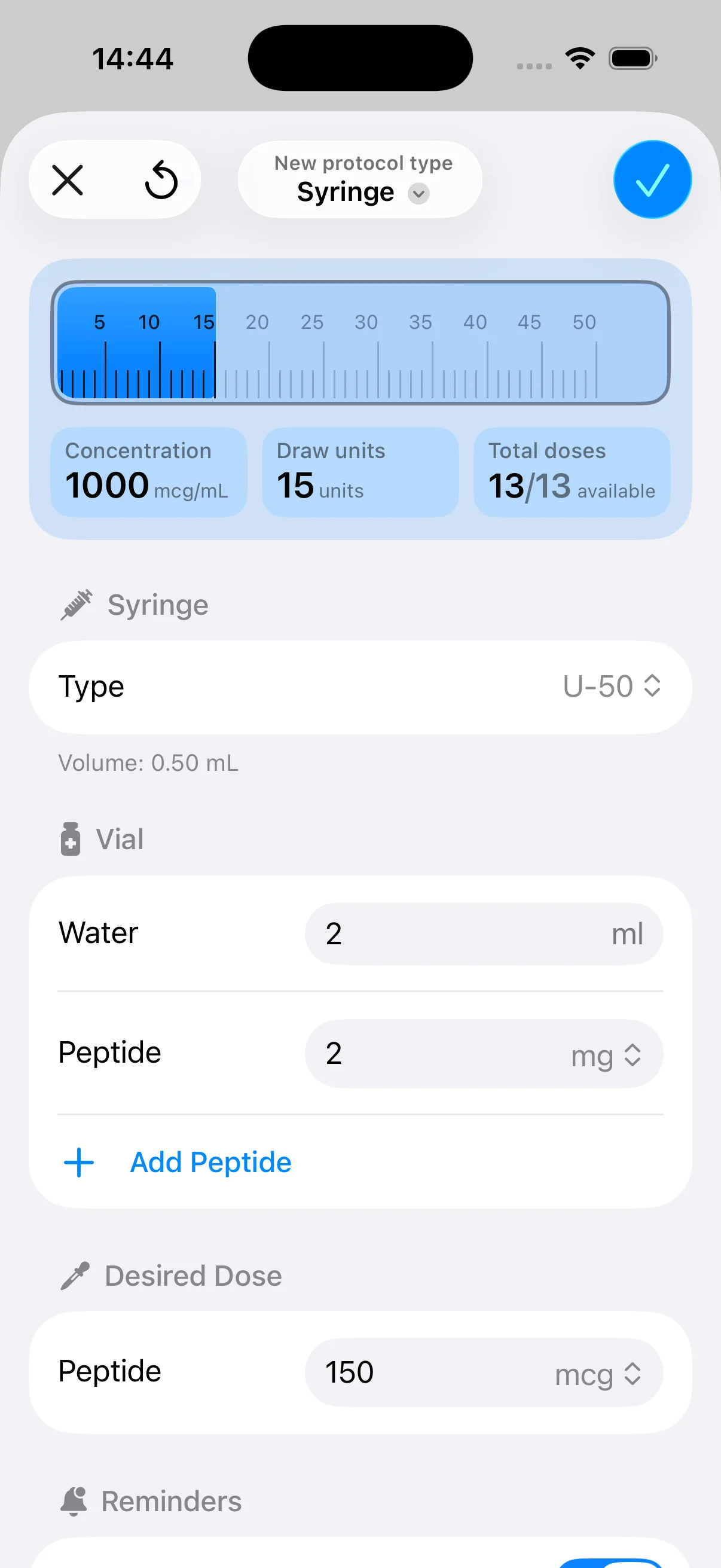
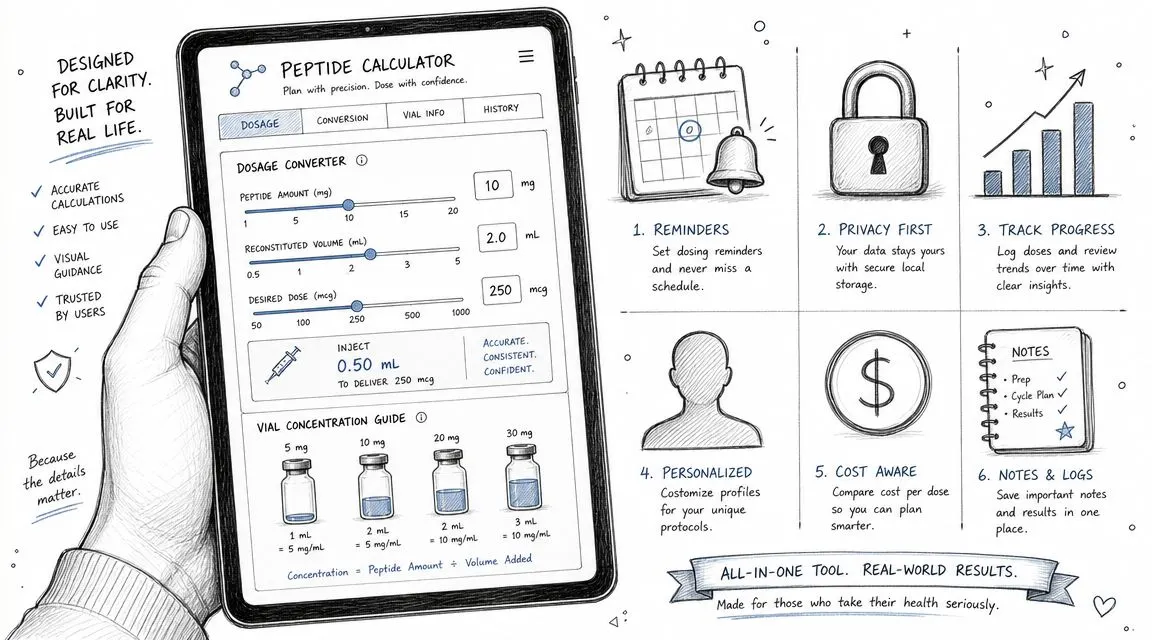
You’re probably in one of two situations right now. Either you’re staring at a vial, bacteriostatic water, and an insulin syringe trying to avoid bad math, or you’re already past the math and tired of managing peptide routines across screenshots, notes apps, and memory. That’s exactly where peptide calculator apps help. The good ones turn dosage intent into something usable at the syringe, then keep the routine organized enough that you don’t miss steps.
What separates the best peptide calculator apps isn’t flashy design. It’s whether they solve the practical problems that come up over and over: dose conversion, syringe-unit output, protocol scheduling, history, reminders, and repeatability. In app store listings, feature depth consistently matters more than transparent download data, and the listings themselves keep emphasizing instant dose conversion, multi-peptide handling, syringe or tick-mark outputs, saved protocols, reminders, and history tracking because those are the capabilities people use in repeated workflows and to reduce avoidable mistakes (Google Play listing details for peptide calculator features).
Below is a practitioner-style shortlist built around real use cases. Some apps are best if you want pure calculation speed. Others are better if you want planning, reminders, logging, or privacy-first storage. The right choice depends less on hype and more on how you run your protocol.
Table of Contents
- 1. PepFlow
- 2. PepCalc
- 3. Peptides Calculator (PeptidesCalculator.app)
- 4. SubQ
- 5. Dosii
- 6. Titrate
- 7. PepProCalc
- 8. CalcPep Peptide Calculator
- 9. Bo Peptide Calculator Tracker
- 10. Peptide Tracker & Calculation
- Top 10 Peptide Calculator Apps, Comparison
- Final Thoughts
1. PepFlow
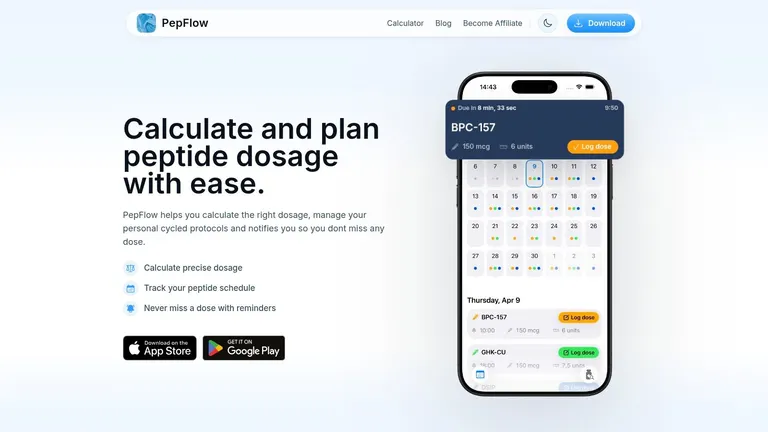
PepFlow is the app I’d point users to first because it doesn’t stop at reconstitution math. It handles the calculation piece, but it also covers the part that usually breaks down in real life: staying consistent once the protocol starts. If you want one app to calculate, plan, remind, and log without turning into a cluttered health platform, this is the cleanest fit in the group.
Its core strength is precision tied to usability. You set up vial details, concentration, and intended microgram dosage, then convert that into practical unit measurements and injection volume. That’s what makes a calculator useful in the moment. You can also read PepFlow’s peptide calculator overview if you want a closer look at how its workflow is framed.
Why PepFlow stands out
Beyond the calculator, PepFlow acts like a schedule companion for structured cycles. You can build protocols with flexible start dates, recurring frequencies, and pause periods, then rely on countdowns, notifications, widgets, and quick dose logging to keep everything moving without a separate reminder system.
That combination matters because the strongest products in this niche tend to differentiate on operational reliability, not generic note-taking. Available market-style data is limited, but the clearest benchmark from current source material is that leading apps stand out through offline access, scheduling, sync, multi-peptide support, and real-time calculations. In practice, that means the best tools are optimized for low-friction repeat use, not one-off math (technical benchmark on peptide calculator app reliability features).
- Best for structured routines: If you’re running cycles instead of occasional calculations, PepFlow keeps planning and adherence in one place.
- Best for error reduction: Clear dose conversion, history tracking, and reconstitution guidance reduce the need to redo math manually.
- Best for privacy-minded users: The app is positioned as a personal-use organizer rather than a broad health-data hub.
Practical rule: If you repeatedly calculate the same compounds on a schedule, a pure calculator stops being enough. You need reminders and history, or you’ll end up rebuilding the same routine every week.
Who is this for? Beginners who want guidance without clutter, intermediate users who are tired of spreadsheets, and experienced biohackers who care more about consistent execution than flashy dashboards.
The trade-off is simple. PepFlow helps with planning and organization, but it isn’t medical advice and doesn’t replace clinical judgment. Pricing and platform parity should also be checked on the store listings rather than assumed from the website alone.
2. PepCalc
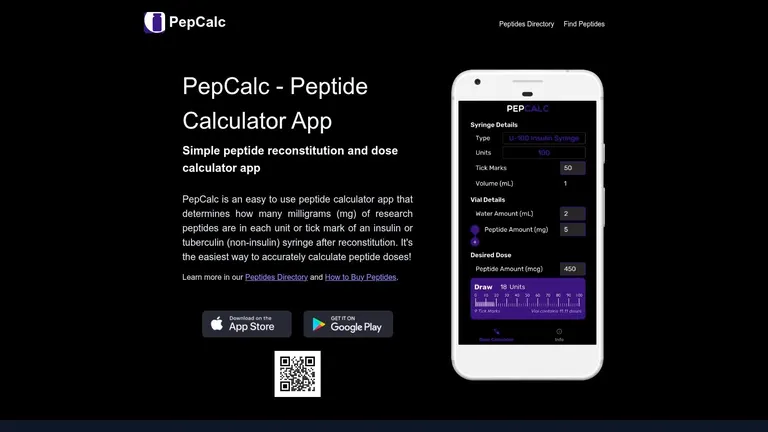
PepCalc is a calculator-first app. That sounds obvious, but it matters because a lot of tools in this category drift into protocol management, journaling, and general wellness tracking. PepCalc stays focused on fast reconstitution and dose math across common syringe formats, which makes it useful when speed matters more than a full operating system for your protocol.
The app supports U-100, U-40, and tuberculin workflows, configurable vial and water inputs, and multi-peptide blend calculations. It also saves the last calculation, which is one of those small features that becomes surprisingly valuable when you repeat the same setup regularly.
Best fit
Where PepCalc earns its place is device-specific practicality. One of the biggest weak spots across the category is that many apps help users convert mcg or mg and mL into syringe units or tick marks, but they don’t do much to explain where those conversions can go wrong when syringe type, concentration, or instrument choice changes. PepCalc explicitly exposes U100, U40, and other instrument settings plus tick marks, which shows that this isn’t a niche concern. It’s a real workflow issue (PepCalc App Store details on syringe and instrument settings).
The closer an app gets to the actual syringe in your hand, the more useful it becomes.
If you need a quick refresher on common dosing logic before using any app, this peptide dosage guide is worth reading alongside the calculator itself.
- Best for fast math: Open it, plug in the vial and water, get your draw amount.
- Best for blend users: Multi-peptide support is more useful than many basic calculators offer.
- Not ideal for full protocol management: There’s no broad reminder and tracking system comparable to planner-first apps.
Who is this for? Intermediate users, coaches, and experienced self-trackers who already know their process and just want a dependable calculator without extra layers.
3. Peptides Calculator (PeptidesCalculator.app)
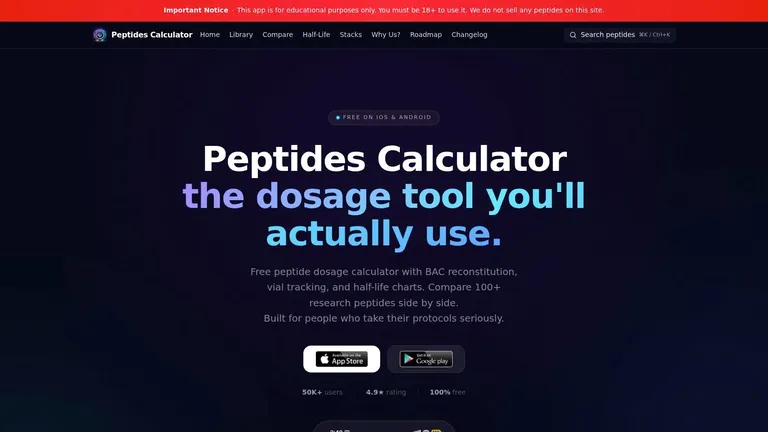
Peptides Calculator sits in the middle ground between barebones dose math and full protocol software. That’s a useful place to be if you don’t want a stripped-down calculator, but you also don’t want an app that feels like it was built for clinicians first and individuals second.
The feature set is broad enough to cover more than reconstitution. You get dosing tools, BAC reconstitution support, vial tracking, side-by-side peptide comparison, half-life or decay-style views, and reminders. For many users, that’s the sweet spot because the app can support both prep and ongoing use without demanding a lot of setup.
Where it earns a place
I’d consider this one if your main frustration is context switching. The more tabs, notes, screenshots, and saved messages you rely on, the easier it is to make a simple mistake or lose track of where a vial stands. A tool that combines calculator, reference utilities, and reminders can reduce that friction.
There’s also value in using an app that treats peptide management as more than just concentration math. If you want a broader view of what separates stronger reconstitution tools from weaker ones, this overview of peptide reconstitution calculator features gives a useful lens for evaluating feature depth.
- Best for all-in-one users: Good match if you want calculation plus tracking without going fully analytics-heavy.
- Best for comparison-heavy workflows: Side-by-side peptide views can help users organizing multiple compounds.
- Watch the platform experience: Feature depth can vary by device and store implementation, so verify the exact mobile experience after install.
Who is this for? Users graduating from simple calculators, people managing more than one compound, and anyone who wants reminders without committing to an app that feels too clinical.
4. SubQ
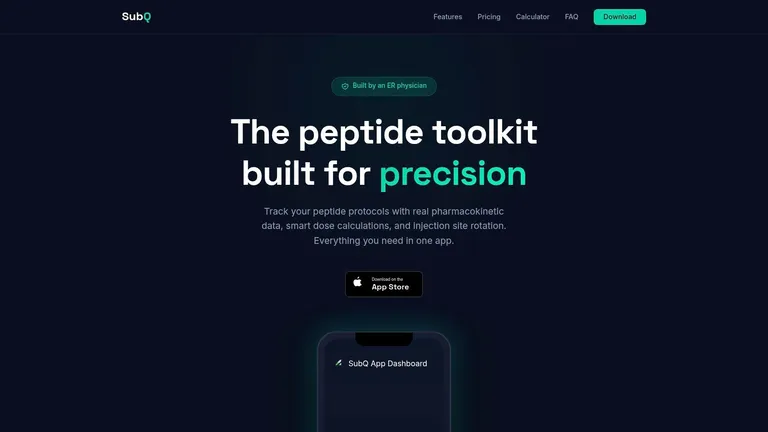
SubQ feels more protocol-oriented than calculator-only tools. It combines dose calculation with protocol templates, a peptide database, blood-level charts, injection-site rotation support, and privacy-minded storage. If you want help structuring a routine rather than just solving for dose volume, this is one of the more interesting options.
Its offline-capable, on-device approach also makes sense for users who don’t want sensitive routine details floating through multiple services. In this niche, reliability features like offline access and scheduling tend to matter because people reuse these apps frequently and often in the middle of prep, not as occasional references.
Who should pick it
SubQ makes the most sense for people who like templates. That could be helpful if you want a starting framework for scheduling and don’t want to build every cadence from scratch. It’s also a good fit if injection-site rotation and blood-level visualization matter to you more than broad journaling.
- Best for template users: Helpful if you prefer structured starting points over blank-slate setup.
- Best for privacy-minded workflows: On-device storage and offline use are practical advantages.
- Less ideal for niche experimenters: Community-vetted templates might not reflect highly customized protocols.
Who is this for? Beginners who want structure, users who appreciate guided scheduling, and privacy-conscious people who don’t need heavy integrations. If you’re on Android, verify support before committing since the experience appears more iOS-centric.
5. Dosii

Dosii is for people who are tired of bloated apps. It strips the experience down to the essentials. You enter vial amount, dose, and water volume, and the app shows you the syringe line to draw. That’s the whole appeal.
This is one of the few options where minimalism is the actual product, not just a side effect of limited development. It’s designed as a no-account, on-device calculator with a privacy-first stance and a visual approach to the draw amount. If you don’t want reminders, history graphs, or protocol planning, that simplicity is a strength.
Why minimalists like it
The animated syringe view matters more than it sounds. A lot of apps can tell you the math. Fewer apps turn the answer into something immediately usable on the barrel. Dosii also tries to suggest water amounts that land on cleaner syringe tick marks, which is a practical touch for reducing awkward measurements.
For many people, the best calculator isn’t the one with the most features. It’s the one they can trust in ten seconds while holding supplies.
- Best for speed: Very little friction between opening the app and getting the answer.
- Best for privacy: No accounts and no cloud-first workflow.
- Weak for ongoing routines: No protocol scheduler or broader tracking tools.
Who is this for? Experienced users who already know their protocol and just want a quick draw-line tool. It’s less appealing for beginners who need reminders or extra guardrails, and it’s iOS-only, which narrows the audience.
6. Titrate

Titrate leans hard into tracking and analysis. It offers a free reconstitution calculator, but that’s only the entry point. The deeper value is in charting, stacking support, side-effect logging, exports, and Apple ecosystem integration through HealthKit, Apple Watch support, and private CloudKit storage.
That makes Titrate a different kind of recommendation. I wouldn’t choose it if all you need is simple dose conversion. I would choose it if you want to correlate timing, symptoms, adherence, and protocol changes over time in one place.
Where it makes sense
The app is strongest for users running longer-term protocols and caring about interpretation, not just execution. Plasma-decay charts and more advanced analytics can be useful if you’re trying to keep a cleaner record of how compounds interact with your schedule and subjective response.
- Best for Apple users: Strong fit if your routine already lives on iPhone and Apple Watch.
- Best for analytics-minded users: Better than basic calculators if tracking trends matters.
- Potential overkill for simple use cases: Many users don’t need exports, side-effect logs, and deeper charting.
Who is this for? Data-oriented biohackers, users already keeping health logs, and people who want a calculator plus protocol intelligence. If you want a one-screen answer and nothing more, this probably feels too heavy.
7. PepProCalc
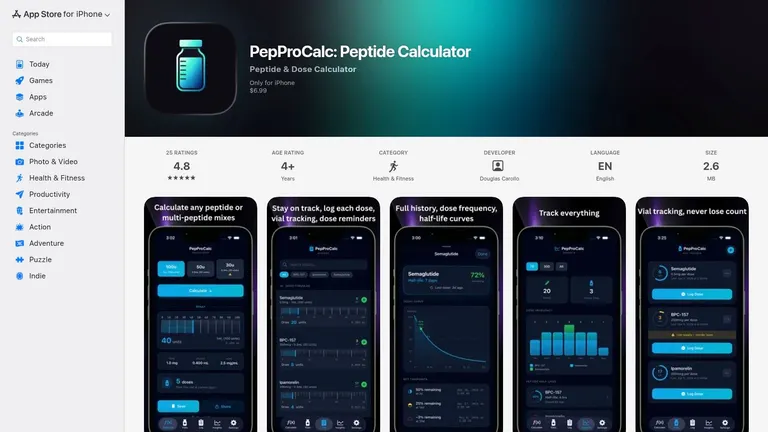
PepProCalc takes the opposite path from apps that try to manage your whole peptide life. It focuses on quick computation for common dosing scenarios, including presets for familiar GLP-1 compounds. That keeps the experience approachable.
The practical value here is clarity. When an app is built around vial size, water volume, and target dose without surrounding noise, it lowers the chance that users get lost in menus while trying to calculate something basic.
Who is this for
PepProCalc is best for people who want direct answers and don’t need a scheduler. If your recurring task is, “Given this vial and this water amount, what do I pull for this dose?” then its narrow focus is an advantage rather than a limitation.
- Best for everyday calculator use: Fast enough for repeated routine checks.
- Best for users who like presets: Common compound presets can reduce setup time.
- Not for full protocol tracking: There’s little reason to choose this over planner-style apps if you want reminders and history.
Who is this for? Casual users, GLP-1 users who prioritize quick math, and anyone who dislikes overbuilt interfaces. It’s less suited to people running multi-compound schedules or wanting journaling and adherence features.
8. CalcPep Peptide Calculator
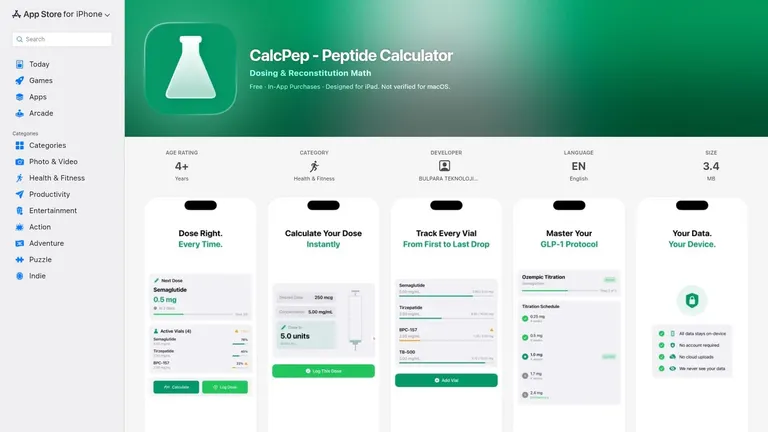
CalcPep on the App Store tries to combine several categories into one app: calculation, protocol setup, reminders, journaling, and side-effect logging. For some users, that’s exactly what they want. For others, it will feel like more app than they need.
What I like about CalcPep is that it doesn’t treat the dose as the end of the workflow. It includes titration schedules, reminders, dose journaling, side-effect notes, calendar views, injection-site notes, and a visual syringe guide. That’s a practical stack for anyone trying to keep routine execution and observation connected.
Best use case
CalcPep makes the most sense if your protocol changes over time. Titration schedules and notes are more useful when you aren’t repeating the same fixed dose indefinitely. The visual syringe guide also helps bridge the gap between calculated number and physical draw.
If your protocol evolves week to week, journaling inside the same app as the calculator is usually better than trying to reconstruct changes later from memory.
- Best for integrated tracking: Strong fit if you want the calculator and journal together.
- Best for GLP-1 crossover users: The workflow appears built with those routines in mind as well as research peptides.
- Possible mismatch for simple users: If all you need is reconstitution math, this is probably more than necessary.
Who is this for? Users on titration-based plans, people who track side effects closely, and anyone who wants scheduling plus journaling without splitting apps.
9. Bo Peptide Calculator Tracker
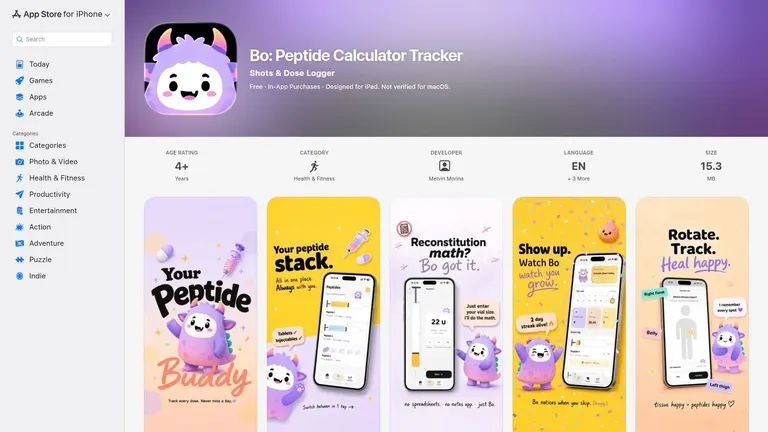
Bo on the App Store stands out for adherence features. It combines reconstitution math and syringe-based logging with reminders, streaks, analytics, and a body map for injection-site rotation. That body-map element gives it a more tactile, real-world feel than many apps in the category.
A lot of people don’t need advanced analytics. They need consistency. They need to remember the next dose, avoid repeating the same injection site, and keep enough history to see whether they’re sticking to the plan. Bo seems designed around that reality.
Who will get the most from it
This is a good fit for users who struggle more with routine execution than dosage math. The calculator is there, but the retention features are what make it different. Streaks won’t appeal to everyone, yet they can be surprisingly effective for people who respond well to visible consistency markers.
- Best for adherence: Reminders and streaks support routine follow-through.
- Best for site rotation: The body map is more practical than text-only notes.
- Trade-off: Full functionality requires premium access, and the privacy card indicates some analytics tracking.
Who is this for? People who want behavioral support, not just a calculator. It’s especially useful for users who’ve already made mistakes by forgetting doses or rotating injection sites poorly.
10. Peptide Tracker & Calculation
Peptide Tracker & Calculation on the App Store is one of the broader entries on this list. It covers reconstitution and syringe-unit workflows, multi-compound blends, premixed vial and pen calculations, titration ramps, reminders, calendar logging, injection-site tracking, iCloud sync, and export options. In short, it aims to offer extensive functionality.
That breadth can be a major plus if you’re dealing with multiple formats and don’t want separate tools for each. It can also be too much if your needs are narrow. Broad apps often reward users who spend a little time setting them up correctly.
Where it fits
This is the sort of app I’d recommend to advanced users or practitioners supporting multiple routine types. The blend support, protocol flexibility, and broader calculator coverage make more sense when you’re handling varied workflows rather than repeating one simple setup.
- Best for complex routines: Useful if you move across vials, pens, blends, and scheduled ramps.
- Best for users who want dashboards: Logging and insight views add value when you review them.
- Potential downside: Casual users may never use half the feature set.
Who is this for? Advanced self-trackers, coaches, and users juggling multiple compounds or formats. If you also like adjacent health tools, you might appreciate options that manage calories with AI, but this app itself is the better fit for peptide-specific scheduling and calculation.
Top 10 Peptide Calculator Apps, Comparison
| App | Core features | UX / Quality ★ | Price & Value 💰 | Target audience 👥 | Unique selling points ✨ |
|---|---|---|---|---|---|
| 🏆 PepFlow | Precision mcg→unit calculator, protocol planner, reminders, widgets, history | ★★★★☆ · lightweight, privacy-focused | 💰 App Store / Google Play (check listing) | 👥 People on structured peptide regimens; privacy-conscious | ✨ Accurate mcg→unit math, live countdowns, one-tap logging |
| PepCalc | Reconstitution & draw calculator, multi-peptide blends, syringe type support | ★★★★ · fast, calculator-first | 💰 Paid (store pricing) | 👥 Users needing quick reconstitution math across iOS/Android | ✨ Multi-peptide blend math, U‑100/U‑40/tuberculin support |
| Peptides Calculator (PeptidesCalculator.app) | Dosing & BAC calculators, vial tracking, half-life/decay charts, reminders | ★★★★ · broad toolset, active dev | 💰 Free / In-app purchases (store) | 👥 Protocol users wanting calc + tracking in one app | ✨ Half-life charts, side-by-side peptide comparisons |
| SubQ | Dose calculator, protocol templates, blood-level charts, offline on-device storage | ★★★★ · privacy & template focus | 💰 Free + Pro tier | 👥 Privacy-minded users and those who want vetted templates | ✨ On-device storage, community-vetted protocol templates |
| Dosii | Single-screen reconstitution calc, animated syringe draw guide, smart water suggestions | ★★★★ · ultra-fast, no-account flow | 💰 Free / no account | 👥 Users who want instant, private one-screen calculations | ✨ Animated syringe tick-line, smart water tick alignment |
| Titrate | Free reconstitution calc, plasma-decay charts, HealthKit/Watch, protocol analytics (Pro) | ★★★★ · rich analytics, Apple ecosystem native | 💰 Free + Pro subscription | 👥 Apple users seeking deep protocol analytics & HealthKit sync | ✨ On-device AI summaries, plasma-decay & stacking analytics |
| PepProCalc | Accurate units/mL dosing calc, GLP-1 presets, clean UI | ★★★· focused & speedy | 💰 Paid (App Store) | 👥 Users wanting quick GLP-1 preset calculations | ✨ Built-in GLP-1 presets for fast draws |
| CalcPep, Peptide Calculator | Protocol creation, titration schedules, reminders, journal, syringe guide | ★★★★ · integrated calc + scheduler + journal | 💰 Paid (store/region-dependent) | 👥 Users who want calculator + scheduler + dose journal | ✨ Visual syringe guide + titration schedule builder |
| Bo: Peptide Calculator Tracker | Reconstitution math, body-map injection rotation, reminders, streaks | ★★★★ · practical adherence tools | 💰 Freemium (premium subscription) | 👥 Users focused on adherence and injection-site rotation | ✨ Body-map rotation, streaks & multilingual UI |
| Peptide Tracker & Calculation | Reconstitution & syringe-unit calculators, multi-compound blends, protocols, calendar, iCloud | ★★★★ · comprehensive scheduling & dashboards | 💰 Paid / App Store (verify) | 👥 Advanced users needing vials/pens/blends & analytics | ✨ Multi-compound & premix workflows, export/Health options |
Final Thoughts
The best peptide calculator apps solve two different problems. First, they handle the math cleanly enough that you can move from vial to syringe without second-guessing every input. Second, the stronger ones reduce operational friction once the protocol is live. That means reminders, scheduling, saved workflows, history, and enough context to avoid making the same preventable mistake twice.
That distinction matters because a lot of people choose the wrong app category. If you only need occasional reconstitution help, a focused calculator like Dosii, PepProCalc, or PepCalc may be the better choice. They open fast, answer the dosing question, and stay out of the way. If you’re running a longer protocol or more than one compound, planner-style apps usually age better because they support routine, logging, and repeatability instead of forcing you back into notes and calendar hacks.
The market itself hints at this divide. Independent adoption data is limited, but available source material points to reliability features such as offline access, scheduling, sync, blend support, and real-time calculations as meaningful differentiators among stronger tools. That’s a useful signal because it reflects what matters when people use these apps regularly, not just what sounds impressive in a feature list.
For beginners, the smartest move is usually choosing an app that reduces interpretation. Visual syringe guidance, clean unit conversion, and reminders go a long way. For experienced biohackers, the decision is more about workflow fit. Do you want a fast calculator, a protocol planner, a journal, or a privacy-first local tool? There isn’t one universal answer.
If I had to simplify the shortlist:
- Choose PepFlow if you want the most balanced mix of calculation, planning, reminders, and logging.
- Choose PepCalc or Dosii if your top priority is quick, calculator-first use.
- Choose SubQ, Titrate, CalcPep, or Peptide Tracker & Calculation if your routine is ongoing and you want more structure or analytics.
- Choose PepProCalc if simplicity and common-compound presets matter more than tracking.
- Choose Bo if adherence and injection-site rotation are your weak points.
- Choose Peptides Calculator if you want a broader toolset without going fully analytics-heavy.
The best app is the one you’ll keep using when the routine gets boring. That’s when reminders, history, and clean calculations matter most.
If you want a peptide app that keeps both the math and the schedule under control, PepFlow is the one to start with. It gives you a practical dosage calculator, structured protocol planning, reminders, and dose history in a lightweight workflow that’s built for real repeat use.