You’ve done the research, picked your compounds, and probably have a notes app full of half-finished plans. Then the complications start. Reconstitution math, vial strength, draw volume, dose timing, pause windows, site rotation, refill timing. Users often attempt to manage protocols with screenshots, alarms, and a spreadsheet, and this approach works right up until a travel day, a protocol change, or a missed reminder throws everything off.
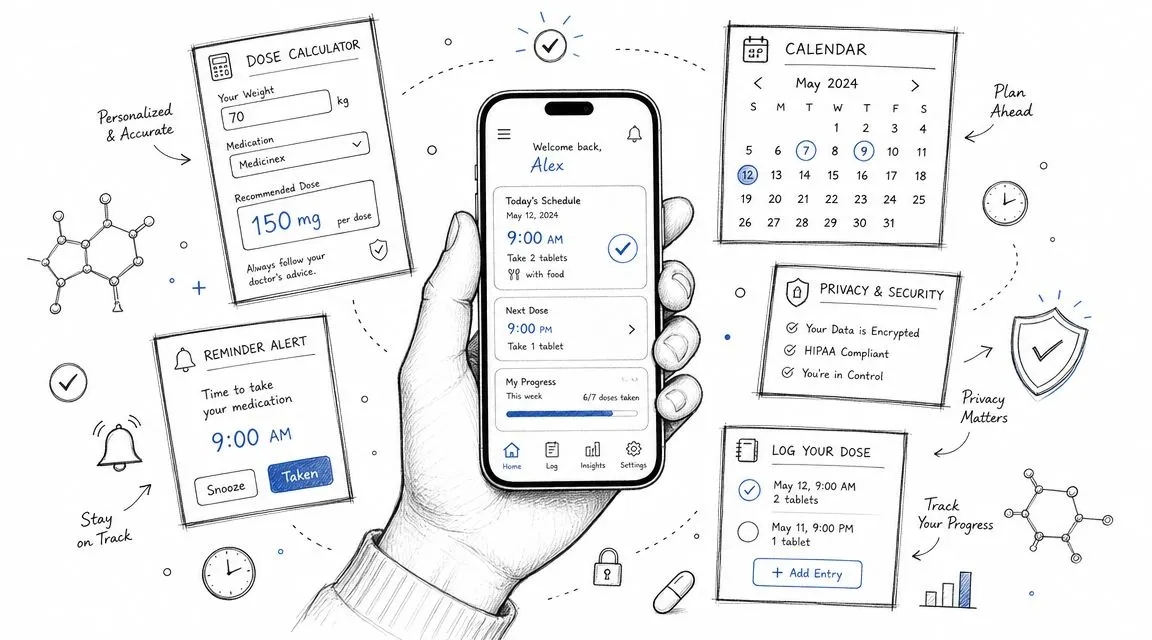
That’s why peptide tracking apps have become more useful than plain logging tools. The category has shifted from simple note-taking toward structured protocol automation. Apple’s PeptideKit App Store listing shows support for custom schedules across daily, weekly, bi-weekly, monthly, every-X-days, and custom timing, plus automatic shot generation, local reminders, and simultaneous tracking for multiple protocols. In practice, that’s the difference between “I wrote it down” and “the app is actively keeping me on schedule.”
That shift matters because adherence is the whole game. A tracker that handles scheduling, calculations, and inventory in one place is usually better than juggling separate tools. If you also want a broader wellness view alongside your injections, it can help to pair your tracker with a simple GLP-1 health journal.
Table of Contents
- 1. PepFlow
- 2. Peptide Tracker Calculator (PeptideCalc for iOS)
- 3. Peptides Calculator (iOS & Android)
- 4. Sups Track Your Supplement Stack (iOS)
- 5. Shotlee Peptide Tracker (iOS & Android)
- 6. Dose Peptide Tracker & Calculator (iOS)
- 7. Peptide Tracker (GLP-1 & Peptides for iOS)
- 8. PepTrac Peptide Tracker App (iOS)
- 9. MyTherapy Medication & Treatment Tracker (iOS/Android)
- Top 9 Peptide Tracker Apps, Feature Comparison
- Track Smarter, Not Harder
1. PepFlow

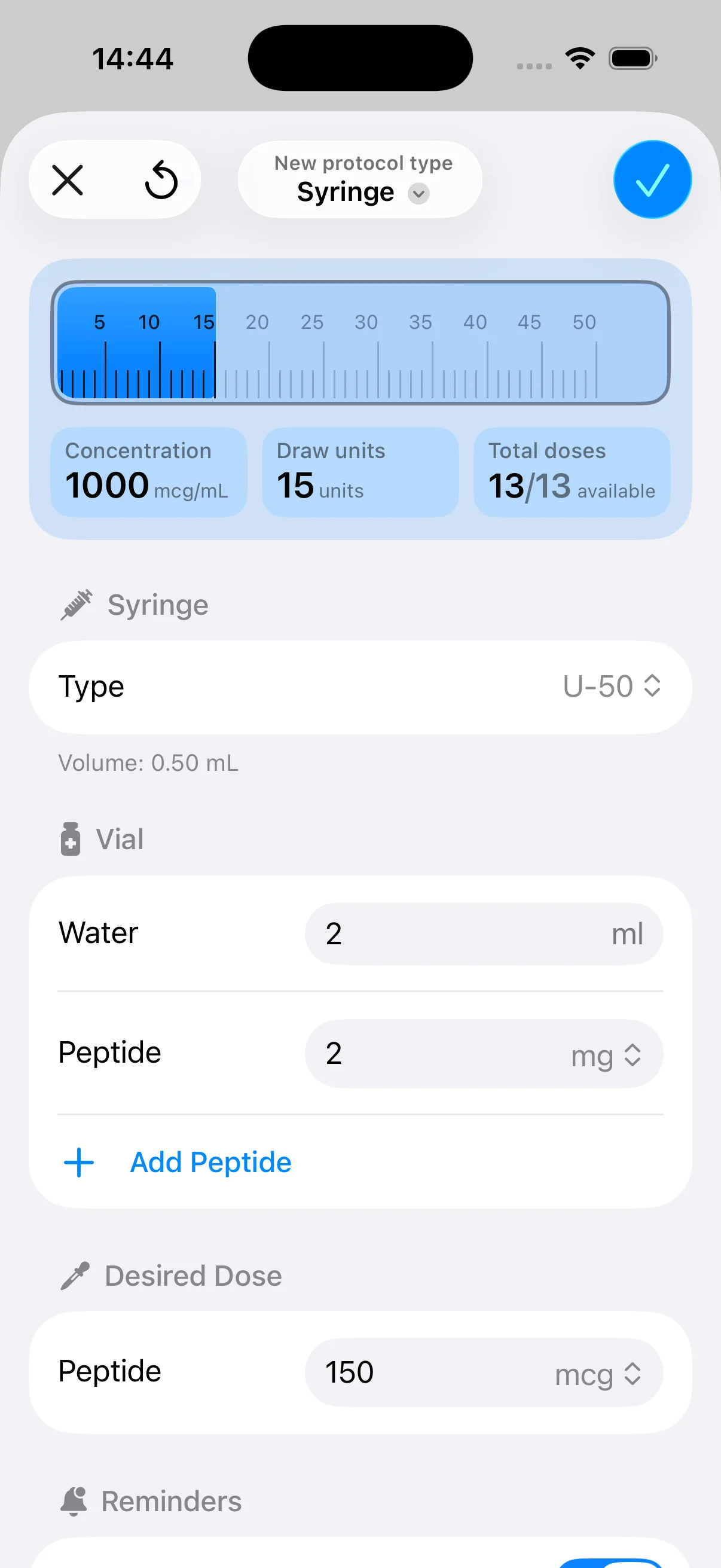
A common failure point looks like this: the protocol itself is fine, but the user is recalculating doses on the fly, forgetting where they are in a cycle, or second-guessing units right before an injection. PepFlow is built for that exact kind of friction. It keeps the math and the schedule in one place, which is why it suits more people than apps that focus only on logging.
Its strongest use case is straightforward but important. You enter vial size, reconstitution volume, concentration, and target dose, and the app converts that into practical unit measurements you can use with a syringe. That saves time, but its main benefit is cutting down on the kind of avoidable mistakes that happen after a protocol change. If you need a refresher on setup logic, PepFlow also has a solid peptide dosage guide for reconstitution and dosing basics.
Why PepFlow fits most real protocols
PepFlow makes sense for users who want one app to cover the two jobs that matter most: correct dosing and repeatable adherence. You can build cycles with custom start dates, recurring frequencies, and pause periods, then use push notifications, widgets, live activities, and quick dose logging to keep the plan moving. For many peptide protocols, that steady day-to-day support is more useful than extra analytics you rarely check.
I like it most for users who are past the research phase and just want execution to be cleaner.
The privacy angle also helps. Some peptide users do not want broad health-platform integrations, social features, or an account setup that feels heavier than the protocol itself. PepFlow comes across more like a focused personal tool than a general wellness app, and that is a real advantage if discretion matters.
What works well:
- Dose calculation is clear: mcg-to-unit conversion and vial setup are easy to verify, which lowers the chance of manual math errors.
- Adherence tools are practical: reminders, widgets, and one-tap logging help on busy days when routines usually slip.
- Cycle planning matches real use: pauses, repeating patterns, and flexible start dates fit peptide protocols better than generic medication trackers.
What doesn’t:
- It will not teach protocol design: this is an organization and calculation app, not medical advice.
- Pricing takes extra checking: premium costs are not clearly posted on the main site, so confirm current pricing inside the app or app store listing.
PepFlow is the app I would hand to someone who wants fewer moving parts, not more. If your main problem is staying accurate and staying consistent, it handles that job well.
2. Peptide Tracker Calculator (PeptideCalc for iOS)

PeptideCalc for iOS leans hard into the calculator-first approach. If you’re the kind of user who wants reconstitution math, concentration checks, schedule building, dose logs, and inventory management in one place, it makes sense. If you want something minimal, it can feel heavy.
This is a stronger pick for detail-oriented users than for beginners. The app packs in reminders, cycled schedules, injection-site logging, exports, half-life views, inventory, and optional sync. That’s useful, but it also means the interface asks more from you on day one.
Best for calculator-first users
The people who’ll like PeptideCalc are usually the ones who want to inspect the logic behind their setup, not just press “log dose” and move on. Half-life and medication-level views are especially appealing if you’re actively comparing timing decisions or trying to understand why a protocol feels different after a schedule adjustment.
Dense doesn’t always mean bad. It usually means the app was built for users who already know what they care about.
The one-time purchase model is also appealing. If you dislike subscriptions and live in the Apple ecosystem, that alone may push this app near the top of your list.
Trade-offs worth knowing:
- Best for iPhone and iPad users: Android users are out.
- Better for experienced users: Newer users may find the options dense.
- Strong if you like exports and visuals: Especially useful when you want records outside the app.
If you’re still sorting out the underlying calculations, PepFlow’s peptide dosage guide is a useful companion read before committing to a calculator-heavy app.
3. Peptides Calculator (iOS & Android)

Peptides Calculator is the easy recommendation when someone says, “I want something free, and I don’t want to be locked to iPhone.” It covers the basics well enough for a large chunk of users. Reconstitution math, reminders, vial tracking, and reference content all matter more than fancy design when you’re just trying to run a clean protocol.
It also has a broader educational angle than some tracker-first apps. The peptide library and half-life tools make it useful for learning while you log, which lowers the need to bounce between calculator, browser, and notes app.
Best free option for cross-platform basics
Where it works best is straightforward routine management. Set up the vial, calculate dose-to-volume, use reminders, and keep the protocol moving. Where it starts to feel lighter is on deeper analytics and more polished workflow features.
A few practical notes:
- Best value proposition: It’s accessible on both major platforms and doesn’t require a paid commitment to get started.
- Good learning tool: The peptide library helps newer users understand what they’re tracking.
- Less polished for analysis: If you want advanced reporting or richer protocol visualization, you may outgrow it.
For people comparing calculators specifically, this reconstitution calculator guide from PepFlow helps explain where dedicated math tools beat generic trackers. If your protocol also overlaps with GLP-1 use, this breakdown of semaglutide dosage for weight loss adds helpful context.
4. Sups Track Your Supplement Stack (iOS)

Sups makes the most sense when peptides aren’t the whole story. A lot of people don’t run peptides in isolation. They’re also tracking supplements, hydration, food, maybe TRT, and recovery markers. Sups is built for that broader daily stack.
That broader approach is its strength and its limitation. It’s clean, consumer-friendly, and easier to live with than many niche peptide apps, but it won’t satisfy users who want deep peptide-specific modeling or dense protocol analytics.
Best when peptides are only part of the stack
If your routine looks more like “morning stack, evening stack, occasional injections, biometrics in Apple Health” than “I need a dedicated protocol lab,” Sups is a smart fit. It handles reminders and organization without making the app feel clinical.
This kind of all-in-one behavior matches a broader trend in tracking apps. A market summary discussing peptide trackers notes that major apps increasingly combine scheduling, dose logging, inventory visibility, conversion help, and reminders into one workflow rather than separating them into isolated features, which is exactly the convenience users start expecting once their routine becomes daily and repetitive through MWM’s peptide tracker overview.
What stands out:
- Best for mixed routines: Helpful if peptides sit beside supplements rather than replacing them.
- Apple Health sync: Good for people already using iPhone health data.
- Limited peptide depth: Not the right tool if half-life modeling is central to how you track.
5. Shotlee Peptide Tracker (iOS & Android)

Shotlee is for people who stay consistent when the app shows visible progress. Some users don’t need a dense calculator suite. They need a dashboard, a reminder, a streak, and a quick sense that they’re staying on plan. Shotlee gets that part right.
It also works well for users tracking GLP-1s alongside broader wellness markers. Weight, mood, blood pressure, photos, supply estimates, and next-dose reminders all create a more motivational experience than a pure logbook.
Best for visual adherence and simple progress tracking
The upside of Shotlee is clarity. Open the app, see what’s next, log the shot, review your trendline. The downside is that if you’re picky about reconstitution math or want calculator-grade setup support, you’ll probably need another tool alongside it.
If you miss doses because life gets messy, a clear dashboard often helps more than an advanced feature list.
This is also where broader self-monitoring behavior matters. A market summary citing a 2024 systematic review in the British Journal of Sports Medicine notes that wearable and self-monitoring interventions were associated with meaningful improvements in physical activity and related health behaviors, which lines up with why simple reminders, streaks, and routine logging can work so well for adherence-focused users in Miora’s peptide tracker roundup.
Shotlee is best for someone who wants:
- Visual motivation: Streaks and dashboards reinforce routine.
- Cross-platform access: Useful if you don’t want to commit to one ecosystem.
- Basic workflow coverage: Enough for many users, but not the most calculator-heavy option.
6. Dose Peptide Tracker & Calculator (iOS)

Dose is the app for users who think in curves. If you care less about a daily checklist and more about what’s still active in your system, Dose has a strong appeal. Its half-life and active-level visualizations are the headline feature for a reason.
A lot of peptide apps claim to track doses. Dose pushes further into interpreting timing. That’s useful when your question isn’t “Did I inject?” but “What’s probably still active right now?”
Best for half-life obsessed users
The design is also notably restrained. That matters more than people admit. If you’re opening an app every day, clutter gets old fast. Dose keeps the interface modern and relatively calm, which makes routine use easier.
The trade-off is that it’s still iOS only, and pricing isn’t obvious from the main site. You’ll need to confirm current details in the App Store. It’s also less ideal if your main priority is broad cross-platform access or granular inventory workflows.
Who should use Dose:
- Users who track timing effects closely: Especially helpful when you want to visualize overlap and decay.
- People who value design: The minimalist UI makes repeat use easier.
- iPhone-only users: That platform limitation is real.
7. Peptide Tracker (GLP-1 & Peptides for iOS)

Peptide Tracker for iOS is the privacy pick. If your default preference is local-first storage, no server dependency, and no sign-up friction, this app stands out immediately. That alone will move it to the top for some users.
It’s also broader than the name suggests. Support for different compound types, titration, cyclical schedules, calculators, inventory, exports, and Apple Health import makes it more capable than a simple GLP-1 logger.
Best for privacy-first iPhone users
This is a strong option for people who want control. Not just over their schedule, but over where their data lives and how much setup they’re willing to do. It can take more initial configuration than ultra-simple apps, but the payoff is flexibility.
The inventory support also matters. When an app can track stock, expiry, and multiple delivery formats, it starts to feel like an actual protocol manager rather than a reminder tool. If your routine includes nutrition tracking alongside GLP-1 use, discover GLP-1 nutrition with Gym Snack is a useful complement.
Good fit for:
- Privacy-conscious users: Especially those avoiding broad cloud ecosystems.
- Mixed compound types: Helpful if you track injections plus other routes.
- Users comfortable with setup: Not hard, but not the fastest onboarding path.
8. PepTrac Peptide Tracker App (iOS)

PepTrac feels like it was built by people who assume your protocol will eventually get complicated. Multi-compound scheduling, level targeting, site rotation, custom preparation templates, metabolism adjustments, and correlation views all point in the same direction. This app is for active protocol management, not basic logging.
That depth is valuable if you’re running stacks or frequently adjusting preparations. It’s overkill if you only want a shot reminder and simple history.
Best for deep protocol customization
PepTrac also does a good job handling the messy realities of peptide prep. Vials, pens, blends, custom setups. Those details matter because the wrong app forces you to work around its assumptions. PepTrac seems more willing to adapt to the way users prepare and track compounds.
The more custom your stack becomes, the less useful generic medication apps feel.
One practical plus is pricing transparency and the presence of a free trial. That lowers the risk of testing whether the deeper features are worth it for your style of tracking. The obvious downside is iOS-only access and a subscription after the trial.
Use PepTrac if:
- You run complex stacks: It’s built for protocol depth.
- Preparation details matter: Better than generic apps at handling custom setups.
- You’re willing to pay for specificity: This is not the budget simplicity option.
9. MyTherapy Medication & Treatment Tracker (iOS/Android)

MyTherapy is the non-specialist option that still deserves a place on a list of the best peptide tracker apps. It isn’t peptide-native, and you’ll feel that. But it’s stable, flexible, cross-platform, and good at the universal part of adherence: reminders, custom treatments, symptom logs, measurements, and reports.
That makes it a reasonable fallback when peptide-specific apps feel too niche, too expensive, or too tied to one operating system. It’s also useful for people working with caregivers or wanting a more general treatment tracker that covers more than peptides.
Best fallback if you need reliability over peptide-specific depth
The downside is obvious. You don’t get built-in peptide calculators, half-life modeling, or peptide-centric workflow design. You’ll need to do more manual setup, and the interface won’t feel designed for injections, reconstitution, or cycle planning.
Still, some users don’t need customized. They need dependable. MyTherapy is for that person.
Where it fits:
- Cross-platform households: Easier when not everyone uses iPhone.
- General treatment tracking: Good if peptides are only one part of your health routine.
- Users who prioritize stability: Less specialized, but often easier to trust for long-term reminders.
Top 9 Peptide Tracker Apps, Feature Comparison
| App | Core features | UX / Quality | Value & Price | Target audience | Unique selling points |
|---|---|---|---|---|---|
| PepFlow 🏆 | Precise mcg→unit calculator, vial configs, cycle planner, real‑time reminders, one‑tap logging | ★★★★☆, intuitive UI, reliable reminders & widgets | 💰 Freemium, premium pricing unclear | 👥 Fitness enthusiasts, biohackers, coaches | ✨ Accuracy‑first dosing, privacy‑focused, live activities |
| Peptide Tracker Calculator (PeptideCalc) | Reconstitution & syringe‑unit math, multi‑phase schedules, half‑life charts, inventory, Apple Health import | ★★★★☆, powerful but dense interface | 💰 One‑time purchase, strong long‑term value | 👥 Power users wanting no‑subscription iOS tool | ✨ One‑time buy, deep visualizations, exportable reports |
| Peptides Calculator (iOS & Android) | mcg→volume math, vial tracking, reminders, 100+ peptide library, decay charts | ★★★☆☆, frequent updates; lighter analytics | 💰 Free, no cost, cross‑platform | 👥 Budget-conscious & cross‑platform users | ✨ Free + large peptide library, cross‑platform |
| Sups, Track Your Supplement Stack | Supplement/peptide reminders, stack organization, Apple Health sync, quick logging | ★★★★☆, clean consumer UX | 💰 Freemium, consumer‑friendly features | 👥 Users combining peptides with vitamins/supplements | ✨ Holistic stack focus, AI‑assisted logging |
| Shotlee, Peptide Tracker | Dose logging, next‑shot reminders, side‑effect & metric tracking, inventory visuals, streaks | ★★★★☆, motivating dashboard & streak visuals | 💰 Free, iOS & Android | 👥 Users needing adherence motivation | ✨ Streaks, dashboards & free access |
| Dose, Peptide Tracker & Calculator | Half‑life/active‑level visualizations, reconstitution calculator, smart reminders, symptom logs | ★★★★☆, minimalist UI, clear decay curves | 💰 Freemium / App Store pricing | 👥 Users focused on active‑level modeling | ✨ Decay curve modeling, streamlined UI |
| Peptide Tracker (GLP‑1 & Peptides) | Dose titration, half‑life visualizer, inventory for vials/pens/topical, exports & Apple Health | ★★★★☆, local‑first, privacy‑forward UX | 💰 Freemium / Paid options, local‑first privacy | 👥 Privacy‑conscious GLP‑1 & peptide users | ✨ Local‑first (no servers), multi‑route support |
| PepTrac, Peptide Tracker App | Complex protocol builder, level targeting, site rotation, custom preparations, correlation graphs | ★★★★☆, deep, peptide‑first toolset | 💰 Subscription after free trial (transparent pricing) | 👥 Advanced users & protocol experimenters | ✨ Protocol templates, outcome correlation graphs |
| MyTherapy, Medication & Treatment Tracker | Flexible medication reminders, custom meds, symptom logs, measurements, PDF reports, caregiver sharing | ★★★★☆, stable, reputable, cross‑platform | 💰 Free with optional purchases | 👥 General medication users & caregivers | ✨ Cross‑platform, caregiver sharing & PDF reports |
Track Smarter, Not Harder
The best peptide tracker apps don’t all solve the same problem. That’s why so many people pick the wrong one on the first try. They download whatever looks polished, then realize a week later that the app is either too shallow for a real protocol or too complicated for daily use.
If your main problem is math and consistency, PepFlow is the cleanest fit. It focuses on dose planning, protocol structure, reminders, and quick logging, which is exactly where routines usually fail in practice. It’s the app I’d recommend to someone who wants less friction, fewer manual errors, and a privacy-conscious setup that doesn’t feel bloated.
If you want deeper calculations and more advanced views, PeptideCalc and Dose both make more sense. PeptideCalc is stronger for users who want a dense all-in-one tool with exports, inventory, and visuals. Dose is better for people who think in half-lives and active levels and want the app to reflect that. Those are power-user choices, but they’re good ones.
If you need broad access across devices, Shotlee, Peptides Calculator, and MyTherapy deserve attention. Shotlee is the better motivation-driven option because the dashboard and streak approach can keep people engaged. Peptides Calculator is the easier free starting point when you need cross-platform math and reminders. MyTherapy is the reliable generalist when you care more about reminders and treatment logging than peptide-specific features.
Privacy-first users should look closely at Peptide Tracker for iOS. People managing broader supplement routines should consider Sups. Users running more customized stacks and wanting peptide-first protocol depth will likely appreciate PepTrac.
The larger trend is clear. Peptide tracking has moved beyond basic note-taking into structured routine management. The most useful apps now combine scheduling, calculations, reminders, and stock awareness because that’s how real protocols are managed. The right app isn’t the one with the longest feature list. It’s the one that matches the way you already think, plan, and stay consistent.
Choose based on your failure point. If you forget doses, prioritize reminders. If you second-guess your calculations, prioritize math. If you hate sharing personal health data, prioritize local-first privacy. Once you match the tool to the actual problem, tracking gets simpler fast.
If you want an app that keeps peptide tracking practical, PepFlow is the one to start with. It handles the part that matters most in day-to-day use: getting the dose math right, turning a protocol into a repeatable schedule, and making logging so quick that you stick with it.