Affiliate program: How-to
Your audience gets a promo offer when they apply your code. After the offer is active, purchases are linked to your affiliate account.
Benefits
Earn 25% commission on every payment from each person you refer during their first year with PepFlow.
The more people you refer, the more commission you have the potential to earn.
Commission applies to payments during each referred user’s first year with PepFlow.
Where to find your code
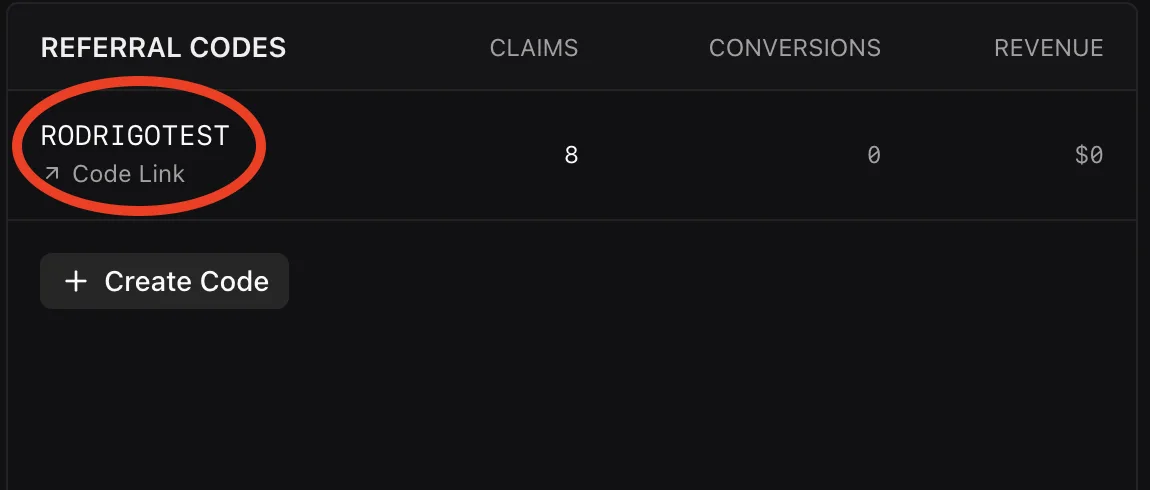
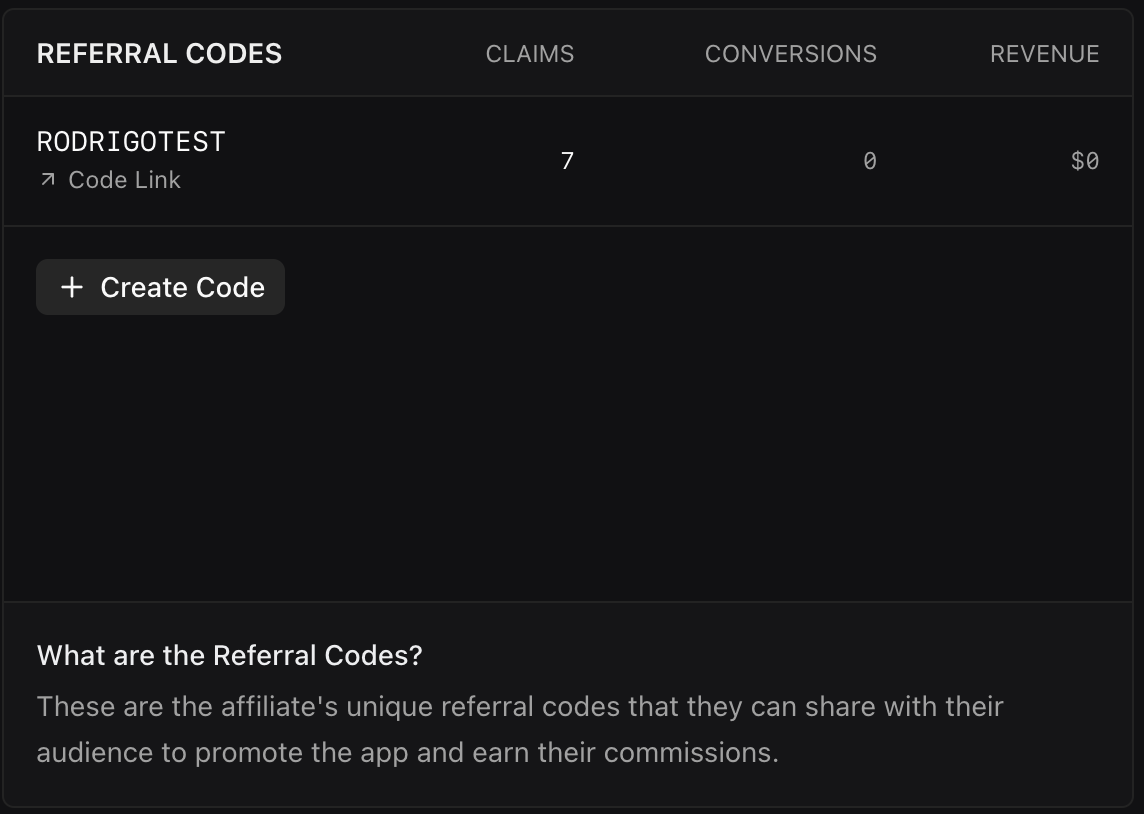
In WinWinKit, open your profile and look under Referral Codes. You can use an existing code, create additional codes with Create Code, or create your first code if none exists yet.
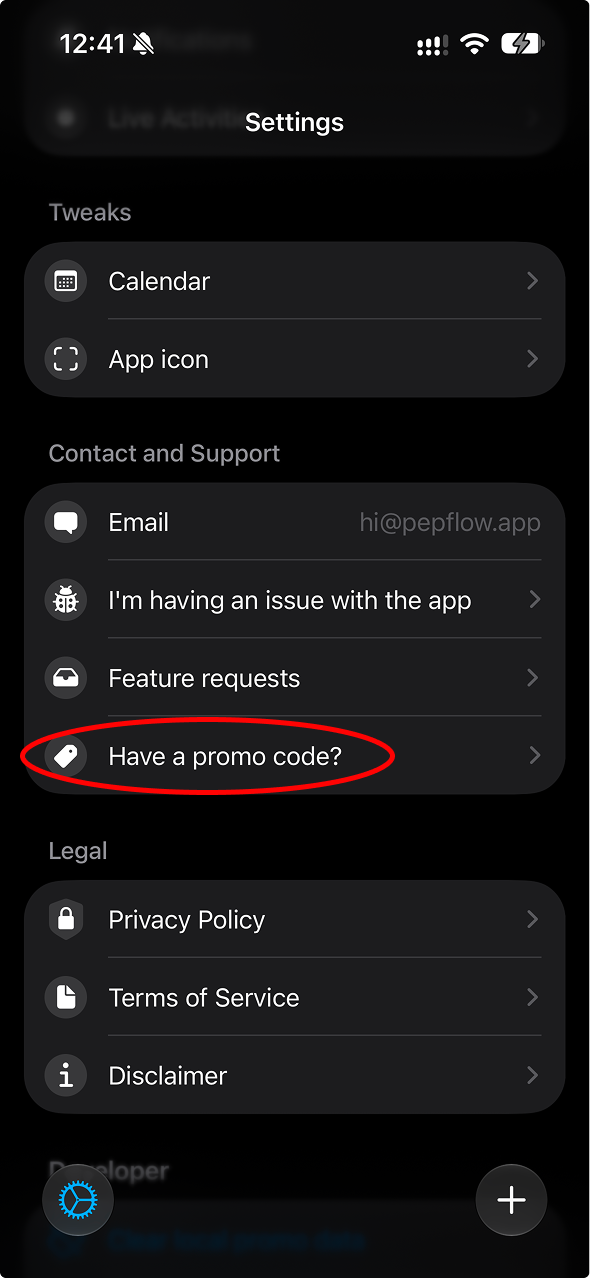
Where users find “Have a promo code?”
Show or mention one of these three paths in your content, depending on where your audience is in the app.
1
Welcome screen
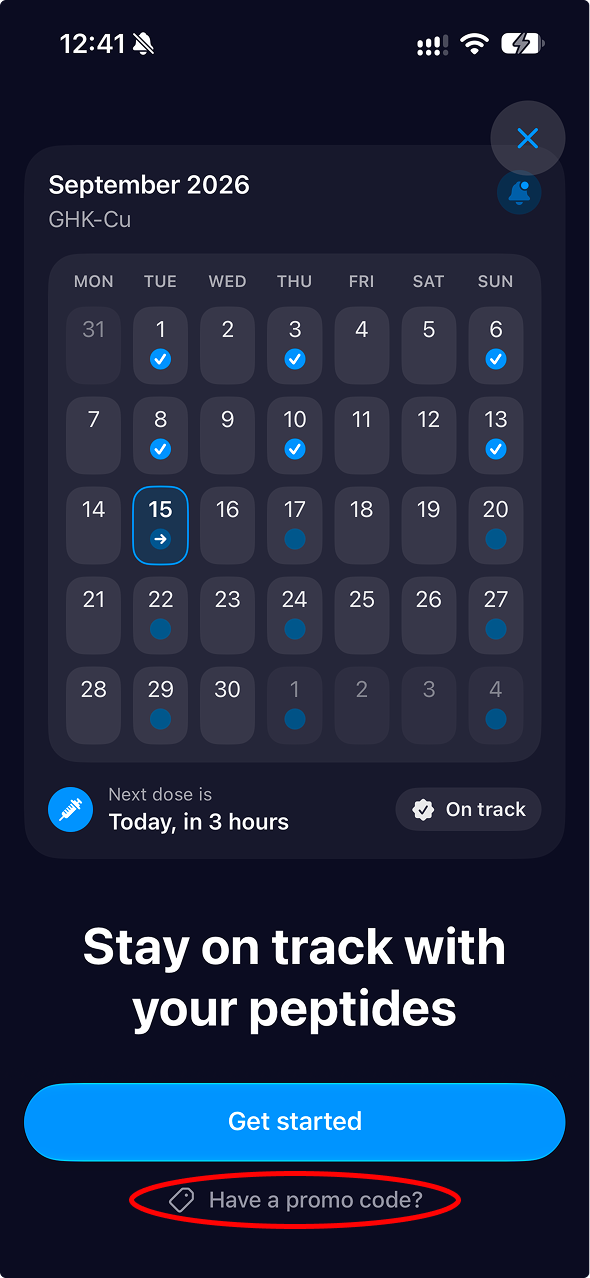
On the first welcome screen, tap “Have a promo code?” below the main button.
2
Upgrade screen
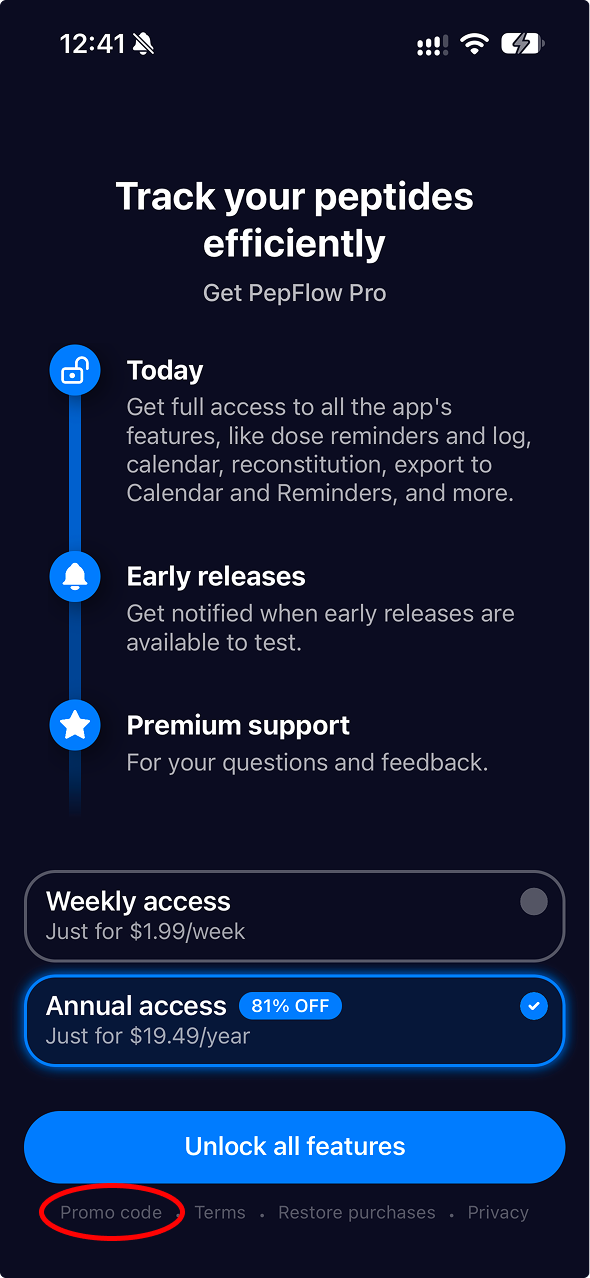
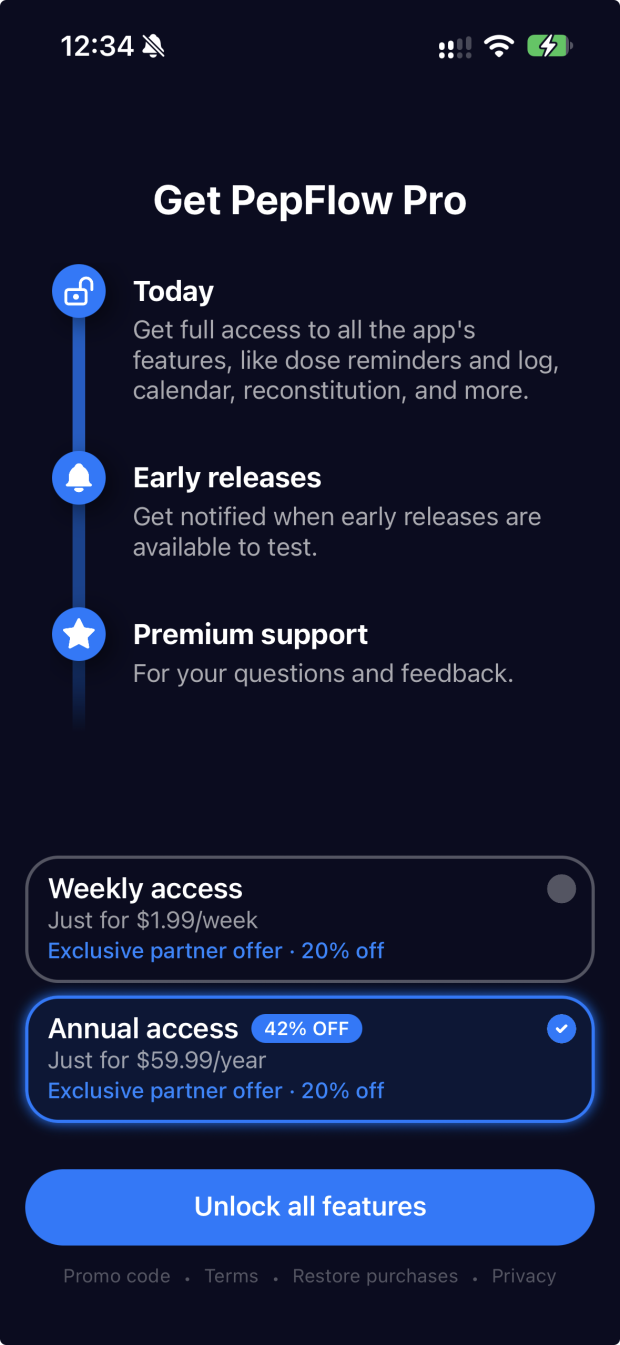
On the upgrade screen, tap “Promo code” at the bottom. You can also enter your code from Settings before purchasing.
3
Settings
Open Settings and tap “Have a promo code?” below Feature Requests.
What happens after they enter it
The promo offer appears before checkout, so your audience can review the available offer before purchasing.
1
They enter your code
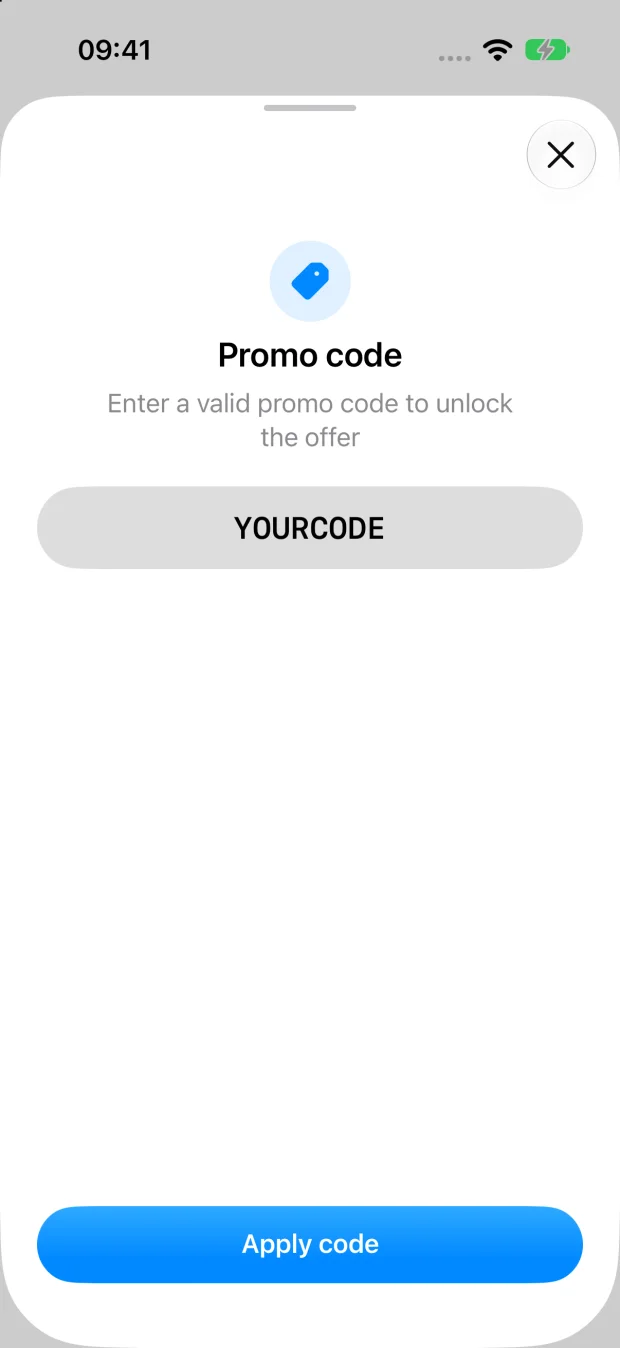
Your audience types or pastes your promo code, then taps Apply code.
2
The offer is applied
The promo offer appears on the purchase screen. Purchases from this offer are linked to you.
Alternative: share your WinWinKit Code Link
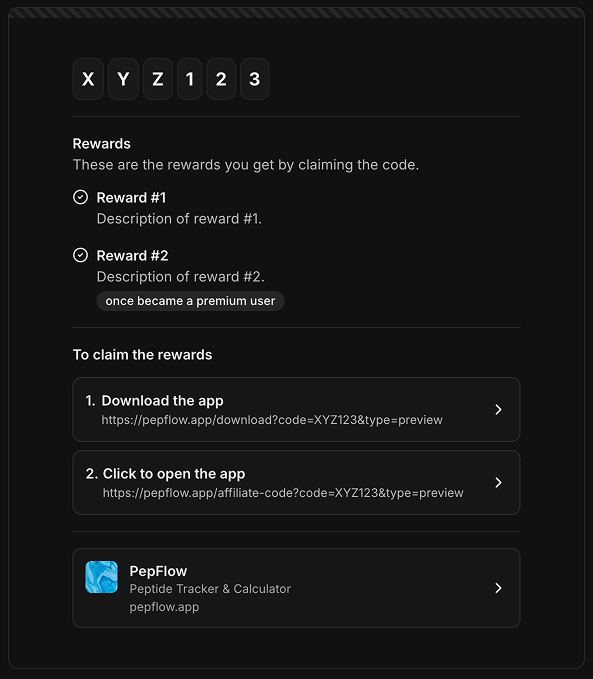
Affiliates can also share the Code Link from WinWinKit. It guides users through downloading PepFlow if needed, then opening the app with the code filled in. Users still need to tap Apply code.
1
Copy your Code Link in WinWinKit
In the WinWinKit platform, open your profile and copy the Code Link for your referral code.
2
Users claim the reward from the link
The link shows the download step first if they do not have PepFlow, then opens PepFlow with the code filled in. Users tap Apply code to claim the offer.